Your next chapter as a practice
Finn runs the books. You grow the practice.
AI accounting software for practices should run bookkeeping across the client book and bring humans only the exceptions. AccountsOS does that with Finn: categorisation, reconciliation, and batch prep for VAT and year-end, while the accountant reviews, files, and signs. Client books are held in the EU, on our own servers in Helsinki, and are not used to train models. Practice pricing starts at £12 per live client, with a Ledger tier from £1.50 for dormant files.
30-day free trial, no card required. HMRC-recognised for MTD VAT.
AccountsOS · The practice desk
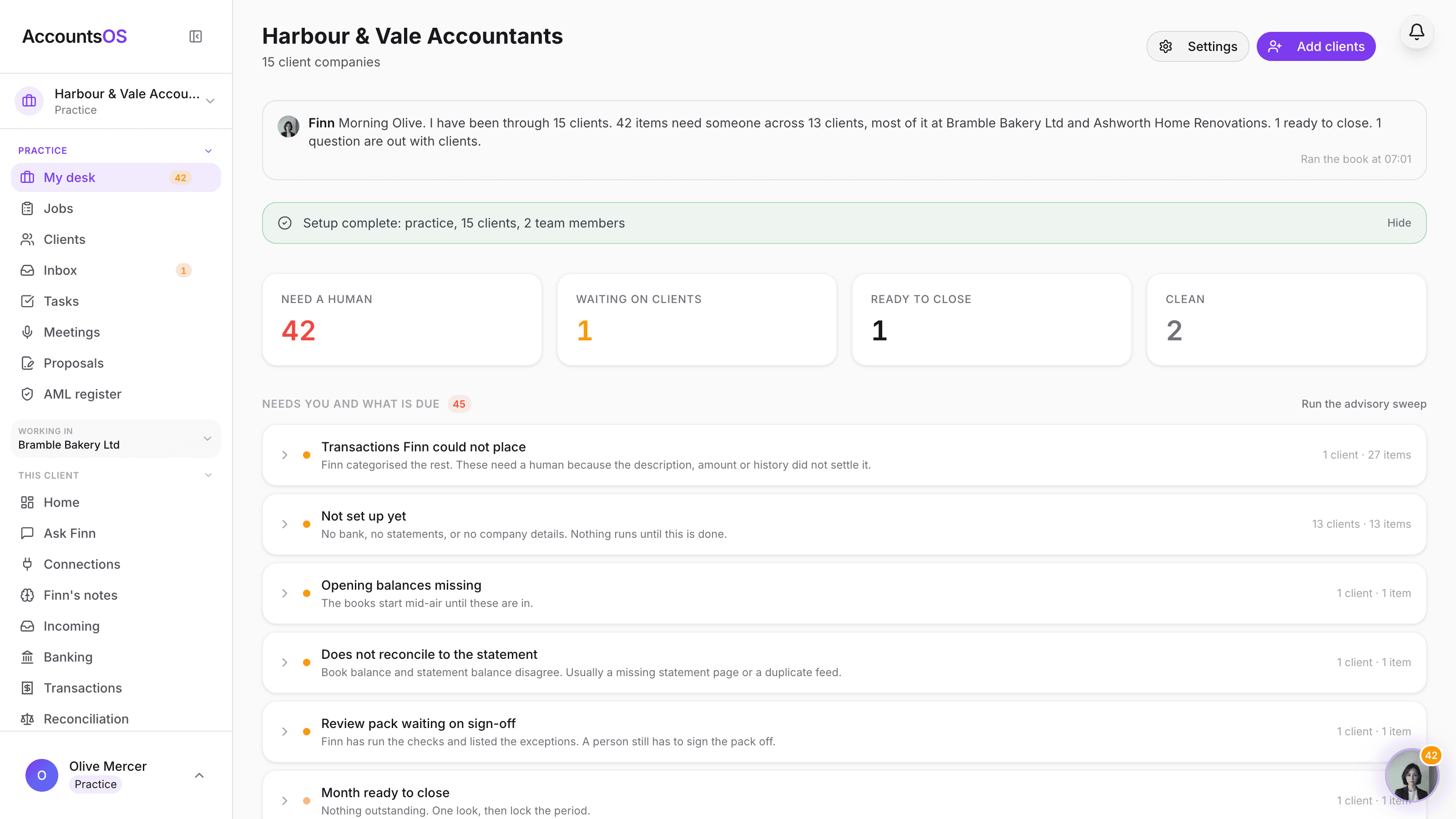
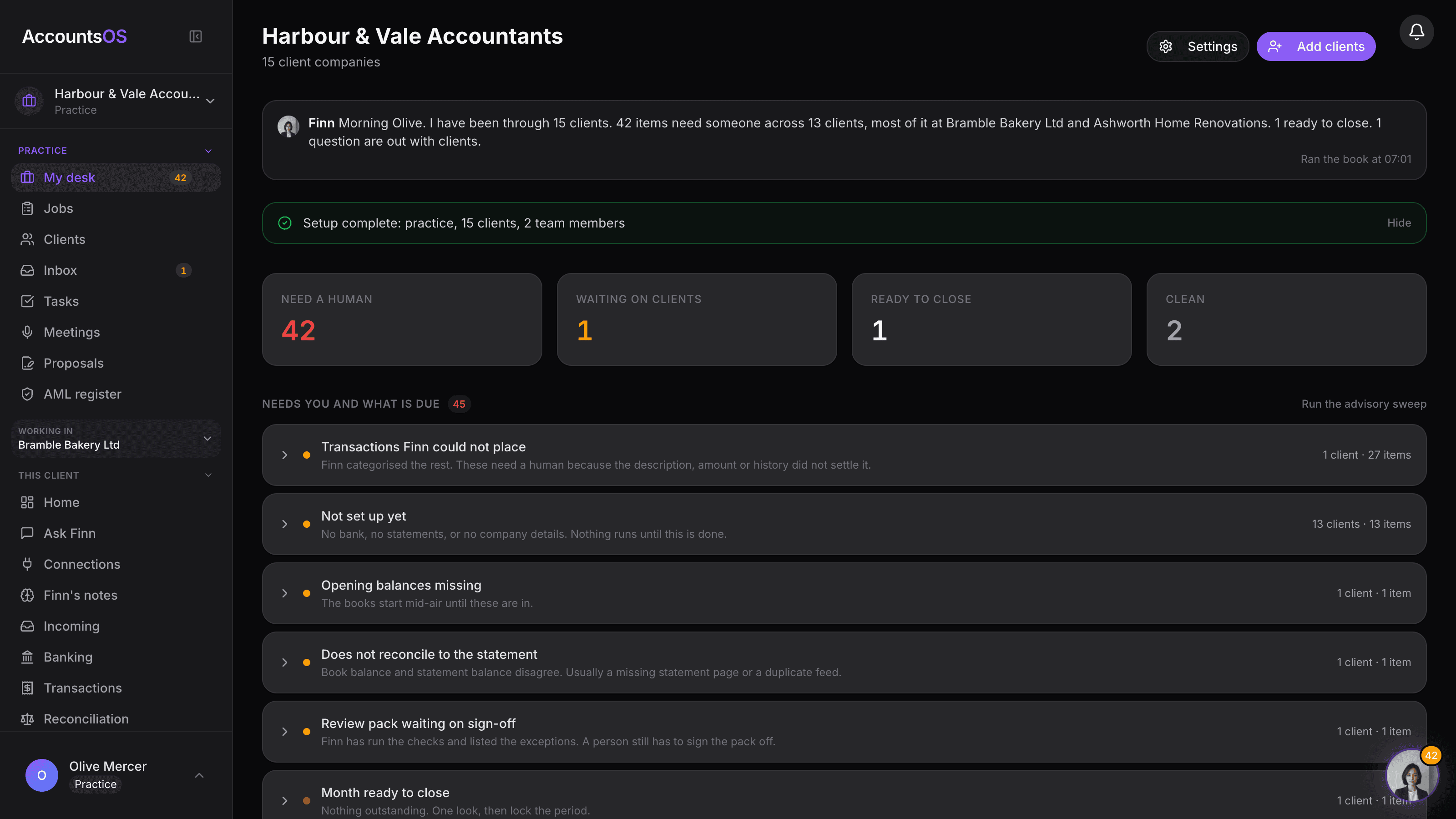
Most pages aimed at accountants sell one of two things: a chat assistant bolted onto an old ledger, or practice admin with a light AI layer. Neither is wrong. Both leave the same gap. The work that burns capacity is still production: categorisation, reconciliation, month-end, VAT prep, year-end prep across dozens or hundreds of files. AccountsOS is aimed at that gap. Not "AI that chats about accounting." AI-native books, with practice tools around them if you want them.
AccountsOS · Four ways in, lightest first
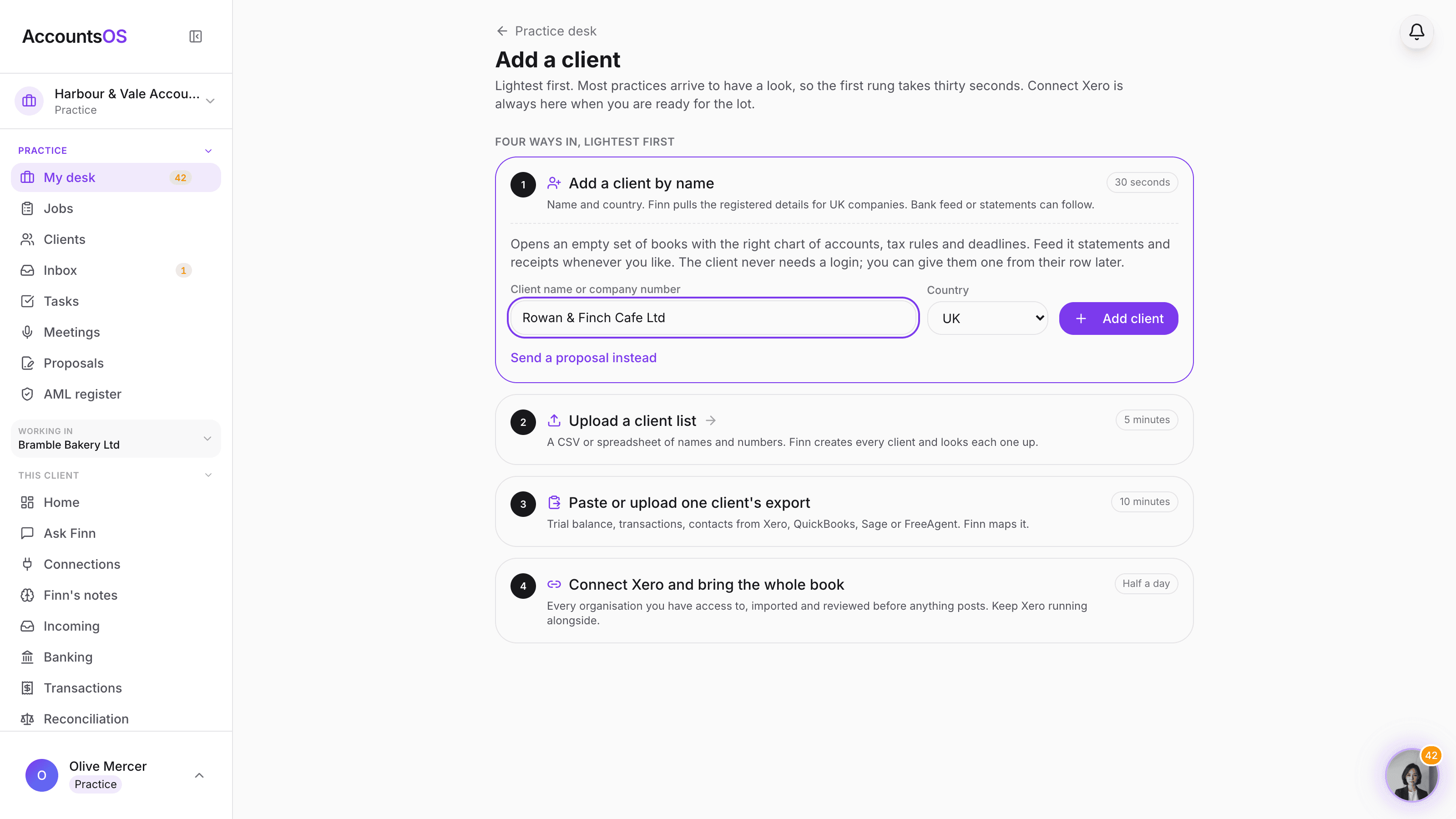
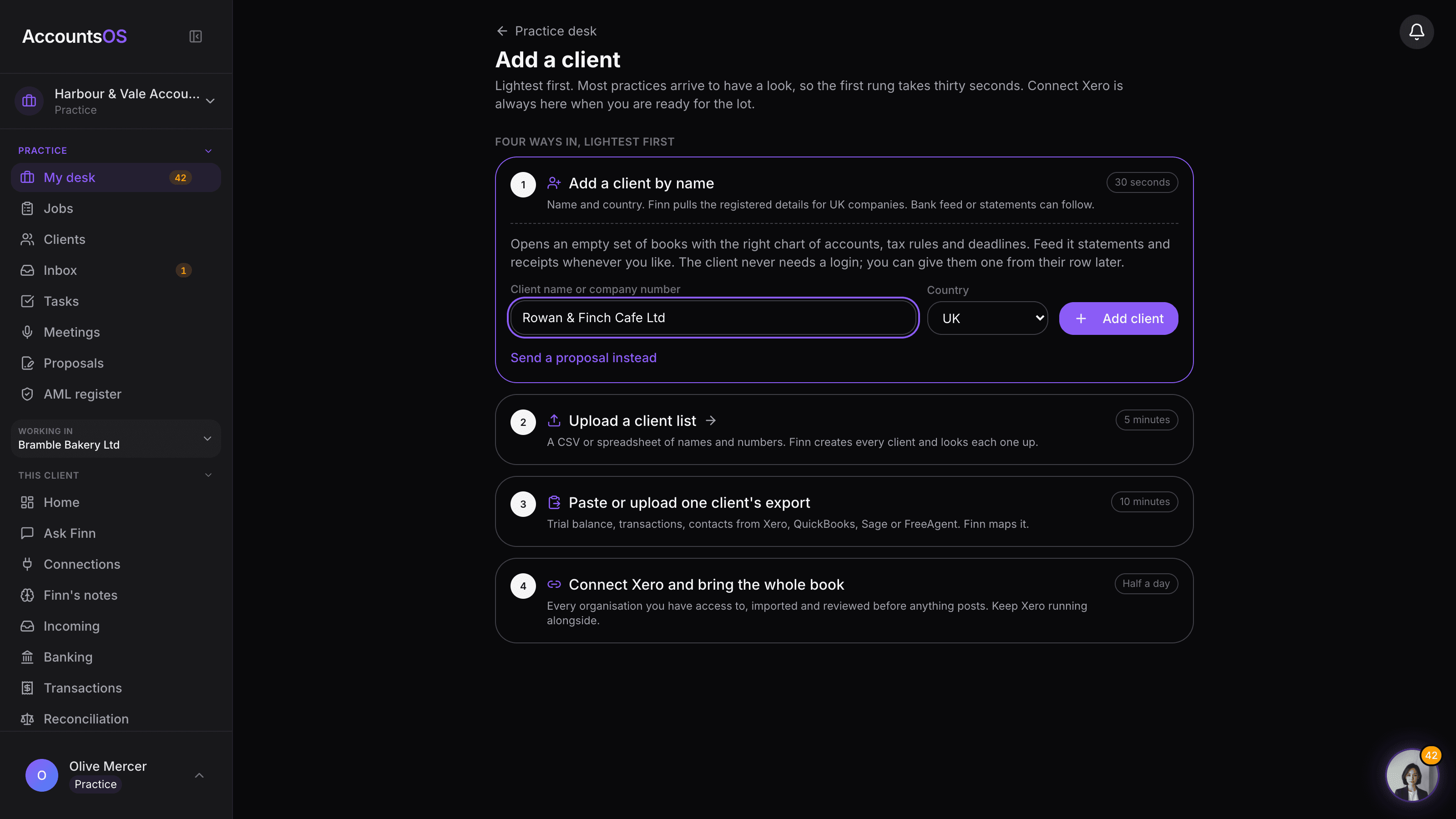
Four ways in, lightest first
Add one client by name in thirty seconds, upload a client list, paste one client's export, or connect Xero and bring the whole book. One client or the lot, whichever suits you.
See Finn running a real client book
Open a working practice with clients, live books and a desk of real exceptions. No sign-up, no email, nothing to install.
Integrations
It connects to the stack your clients already have
Client bank feeds, the payment tools they get paid through, HMRC for MTD VAT, and the channels they already send you receipts on.
- Revolut Business
- Starling Bank
- Mercury
- Stripe Treasury
- Wise Business
- AAirwallex
- CSV / PDF import
- Stripe
- WWhop
- DDeel
- HMRC MTD
- Companies House
- WhatsApp
- Slack
- Telegram
- Email forwarding
- Claude Desktop
- AccountsOS CLI
- ChatGPT
- GGranola
- Notion
- AAttio
- Gmail
- Google Sheets
- Xero
- QuickBooks
- FreeAgent
- Sage
- QuickFile
- View all 29 integrations
Two modules
The AccountsOS split: Finn runs the books, you grow the practice
The product line is deliberate: Finn runs the books. You grow the practice. Finn handles bookkeeping end to end across the client book, with your team reviewing and signing off. The practice desk lands what needs a person in one queue: unplaced transactions, books that do not tie to the statement, months ready to close. That is exceptions, not line items. You keep the judgement, the client relationships, and the sign-off.
The books
Finn runs the books.
Bookkeeping handled end to end, with your team reviewing and signing off. Take on more clients without adding bookkeeping headcount at the same rate, and put more of your time into client relationships and winning work.
You can run just this, and keep the practice software you already have.
10 featuresPractice management
Build the practice.
Bring your client work, team and practice economics together. Finn helps you manage the practice as well as the books, giving you a clearer view of capacity and margins as your client base grows.
Use it alongside the books, or keep your existing practice management software.
21 featuresWhat's next
Growth
Prospects, proposals, and onboarding into the books. Live pieces today. More of the win-work stack coming.
See the practice roadmapStart to finish
How a practice runs on AccountsOS
Four moves, then it repeats every period: bring the client in, allocate the work, price the file, work the exceptions.
01 Bring clients in
Bring clients in
Add a client by name, upload a client list, paste one export, or connect Xero. Four ways in, lightest first.
02 Allocate the team
Allocate the team
Invite admins and staff. Staff work the clients allocated to them, with a desk of their own.
03 Set scope and fee
Set scope and fee
Full or Ledger scope per client, plus the monthly fee you charge. The margin follows automatically.
04 Work the desk
Work the desk
Finn runs the books continuously. You clear the queue of exceptions, not line items.
The practice desk
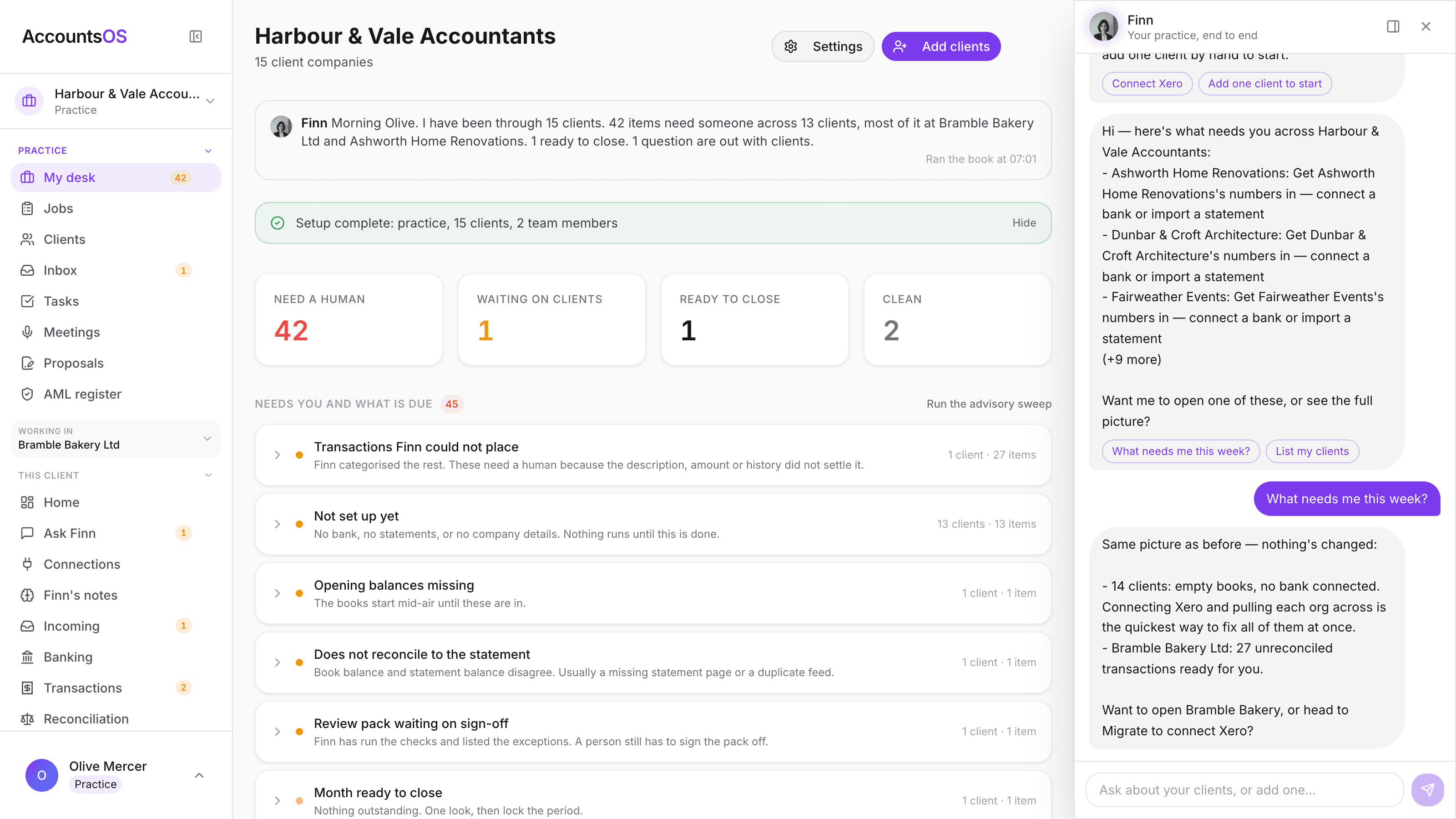
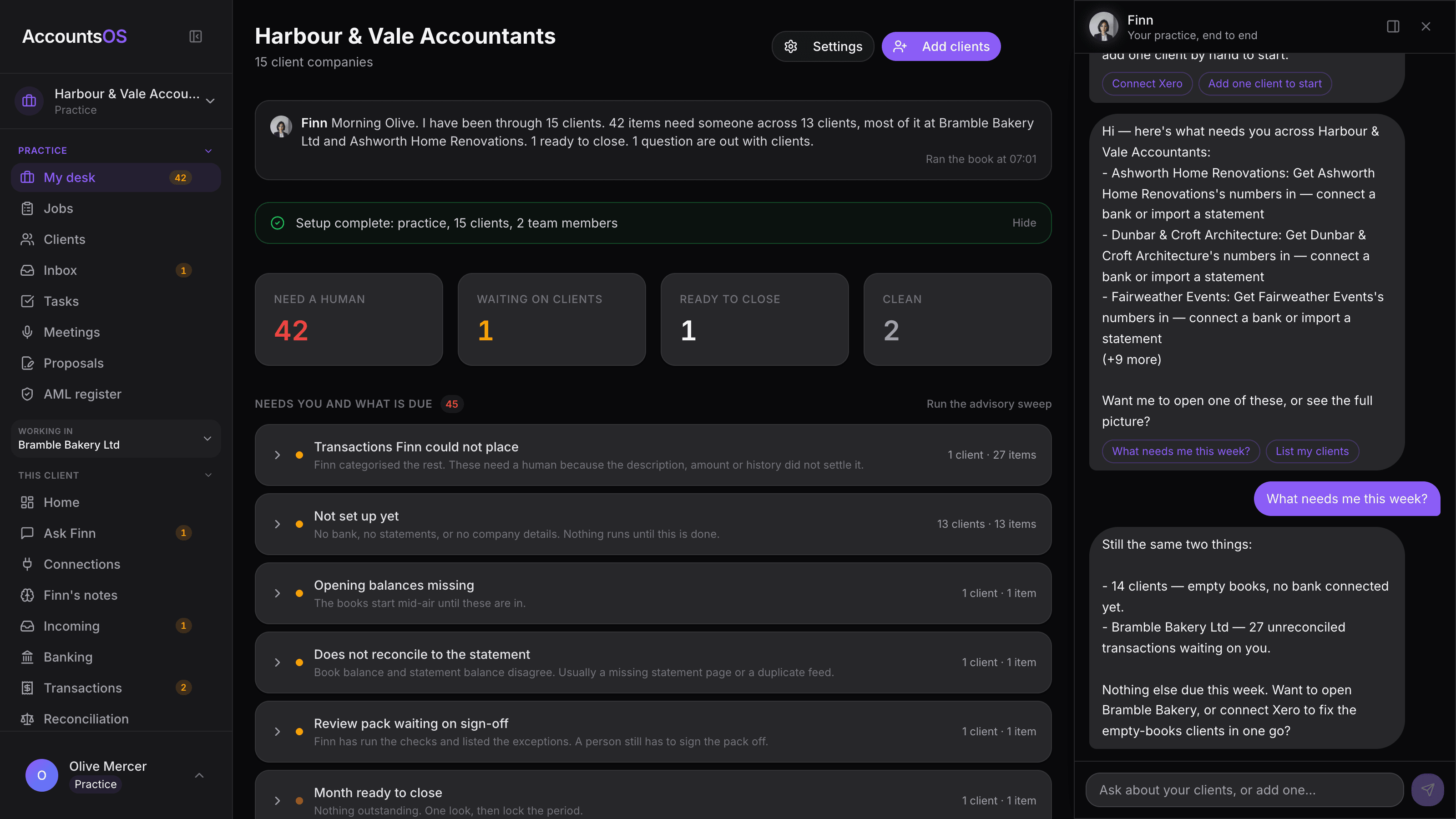
Exceptions, not line items.
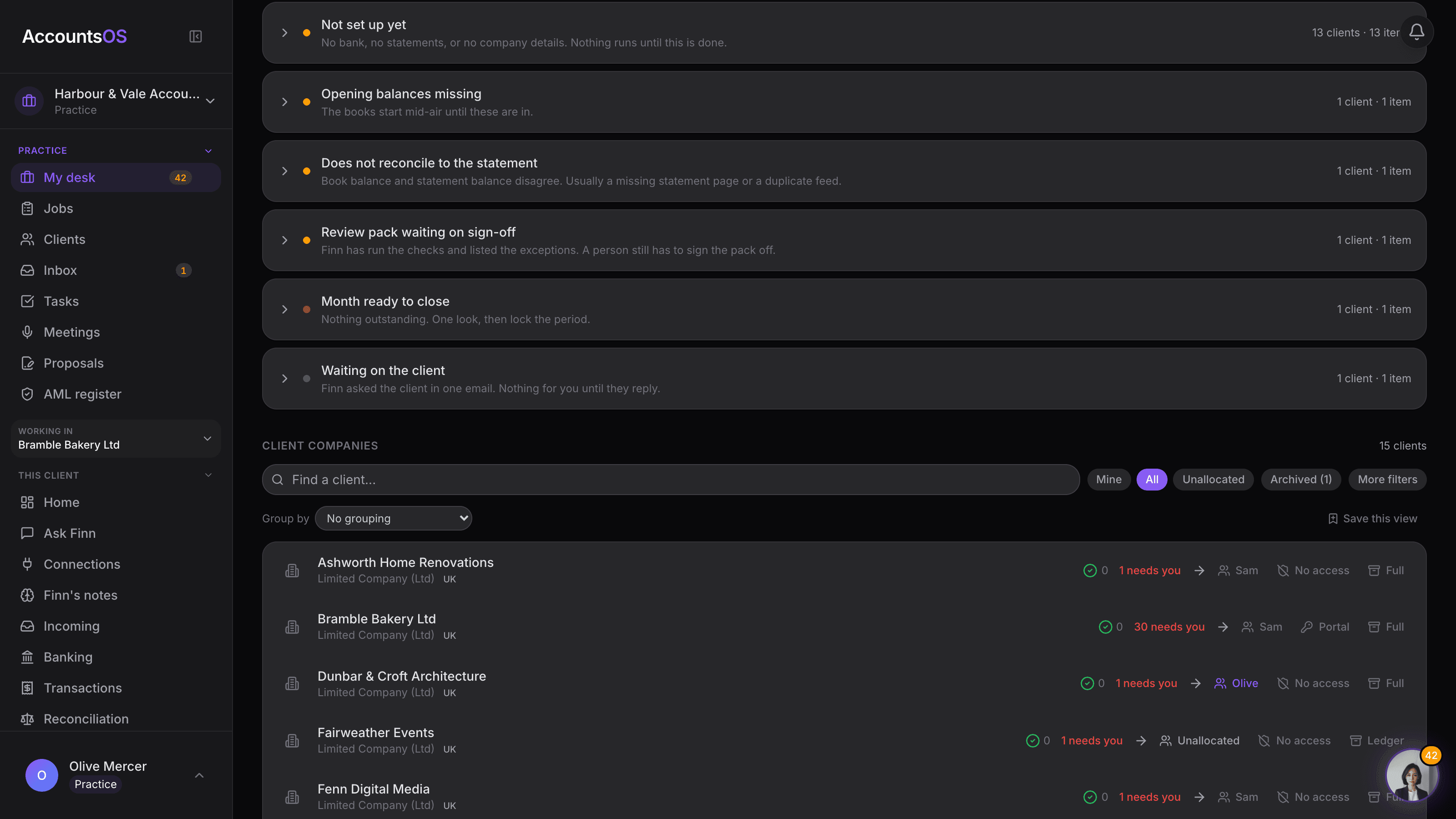
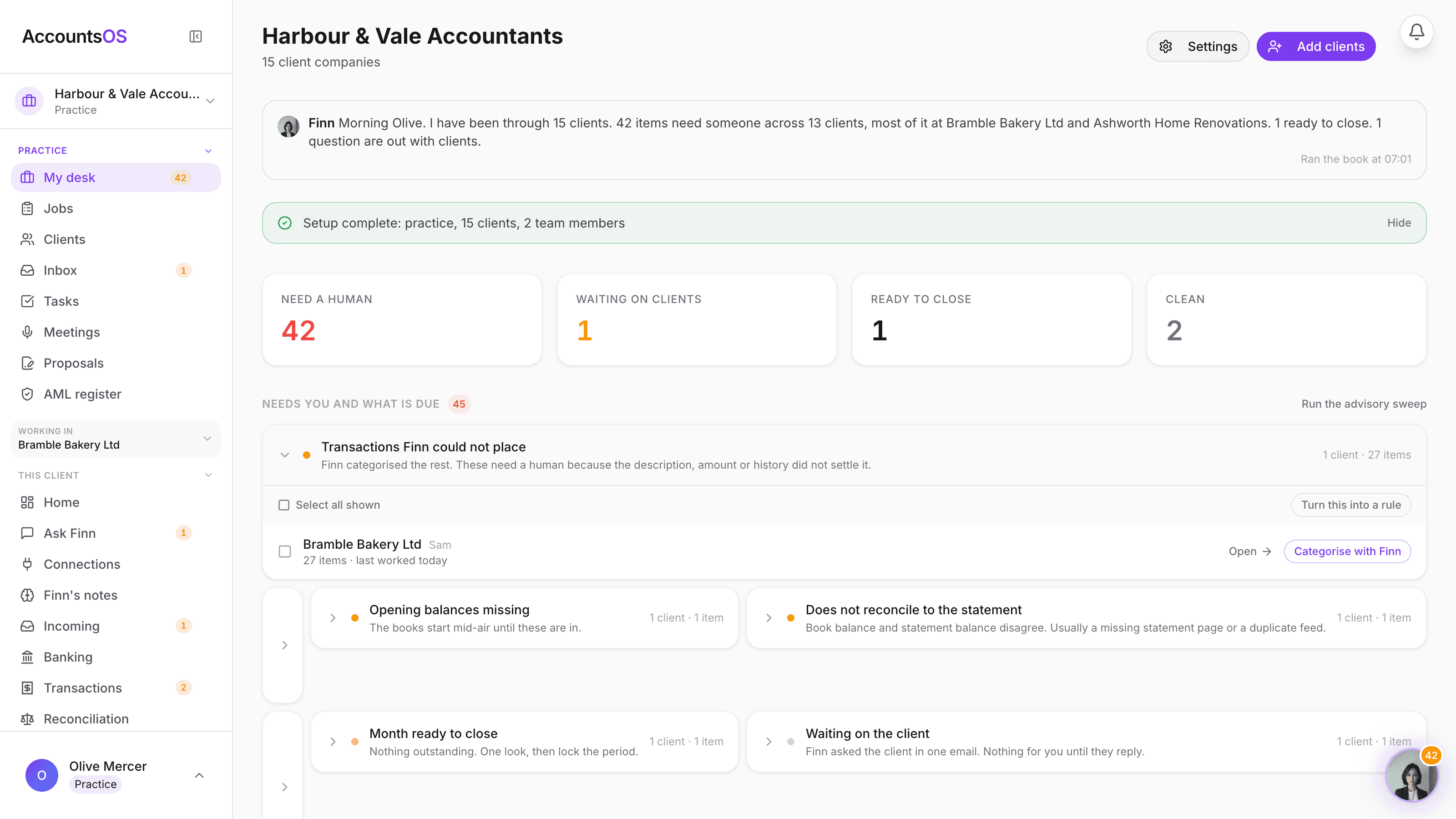
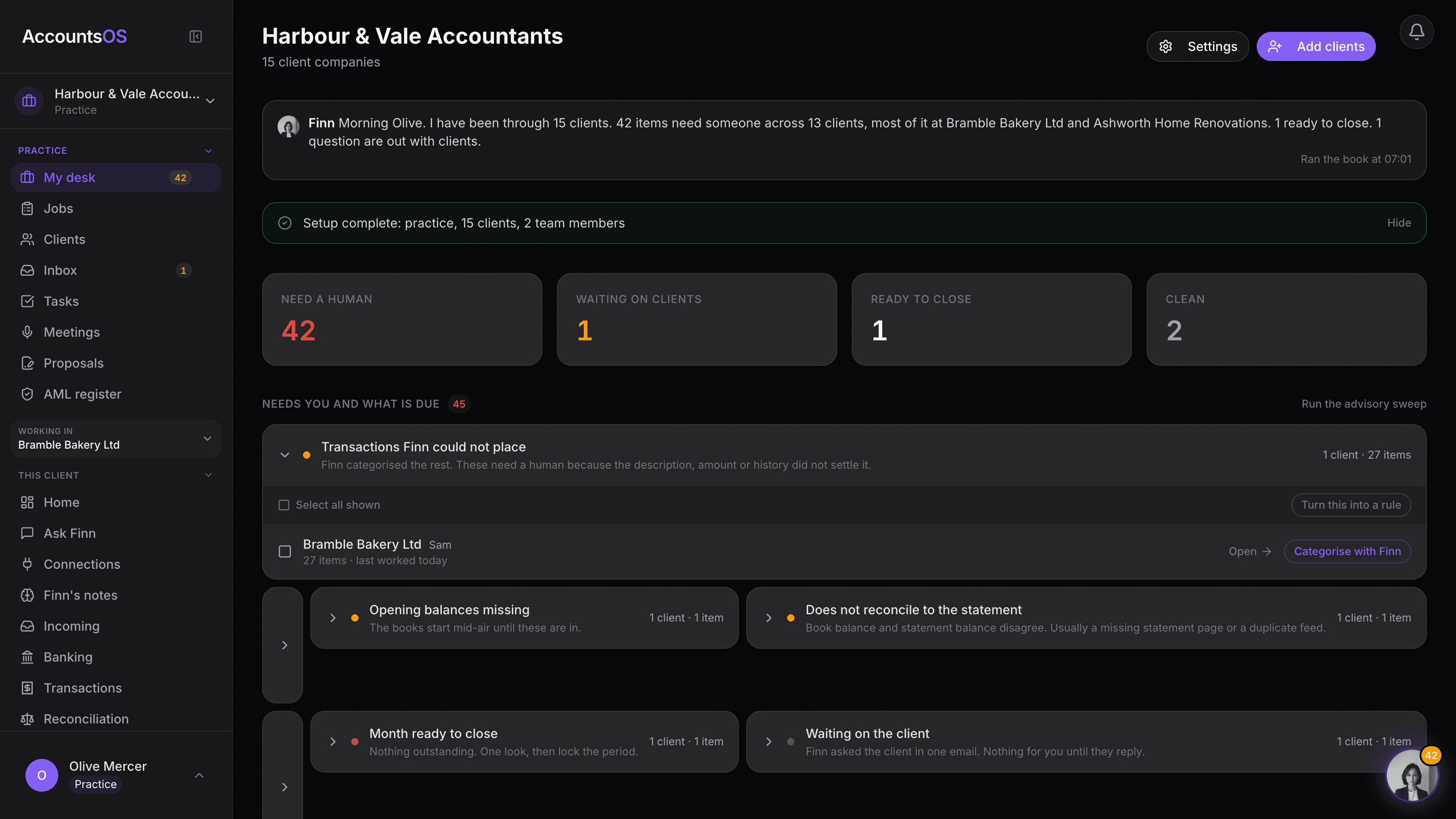
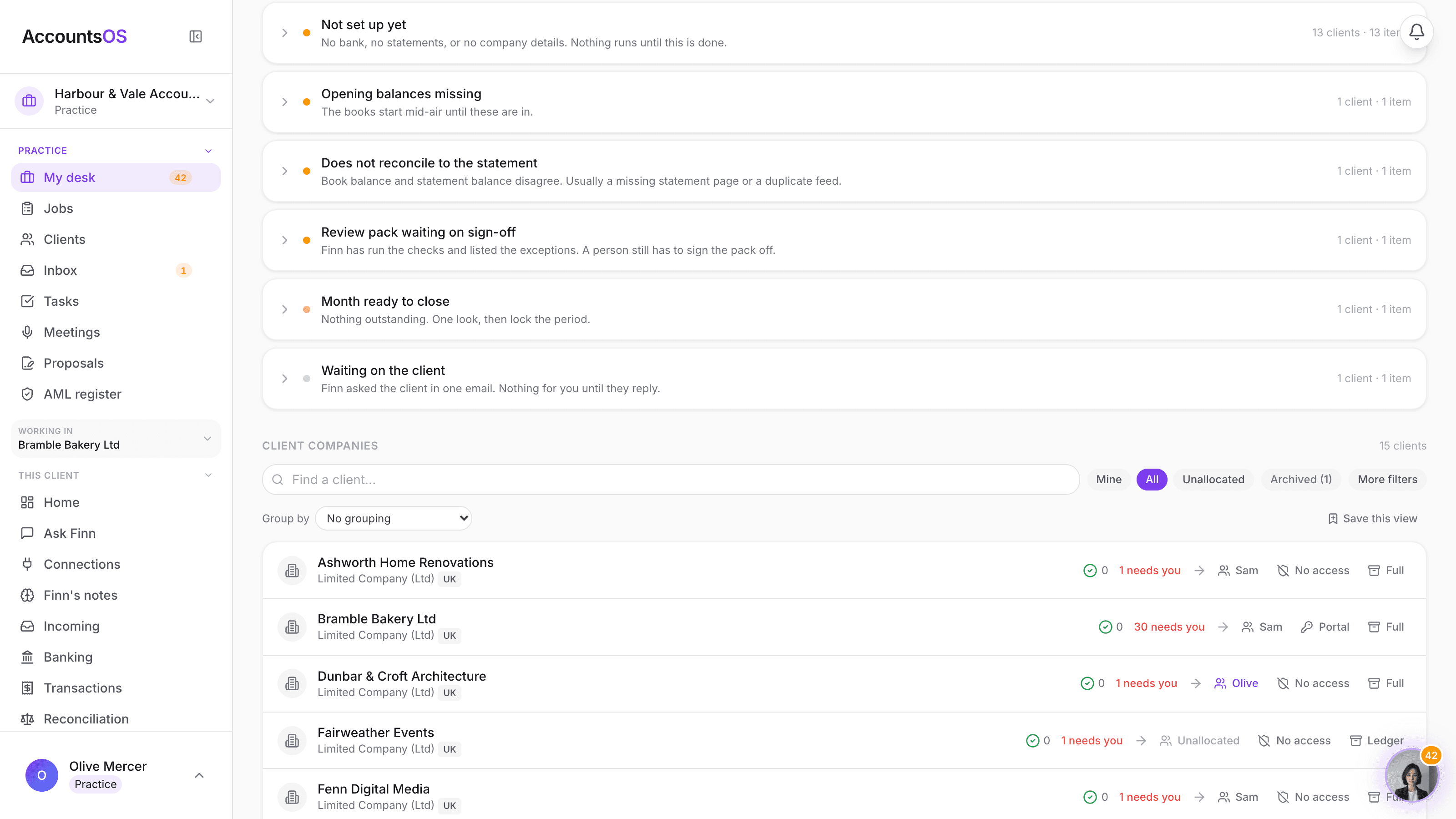
Finn works every client's books continuously and lands what needs a person in one queue: unplaced transactions, books that don't tie to the statement, months ready to close. Open a group and see the client, the reason and the count. The Need a human, Ready to close and Clean counts tell you the state of the whole book at a glance.
AccountsOS · Exceptions, not line items
Four ways in
Add one client in thirty seconds. Or the whole book.
Four ways in: add a client by name and Finn pulls the Companies House record, upload a client list, paste one client's export from Xero, QuickBooks, Sage or FreeAgent, or connect Xero and bring every organisation you have access to. Nothing posts to the books until you have reviewed it.
AccountsOS · Four ways in, lightest first
Your team
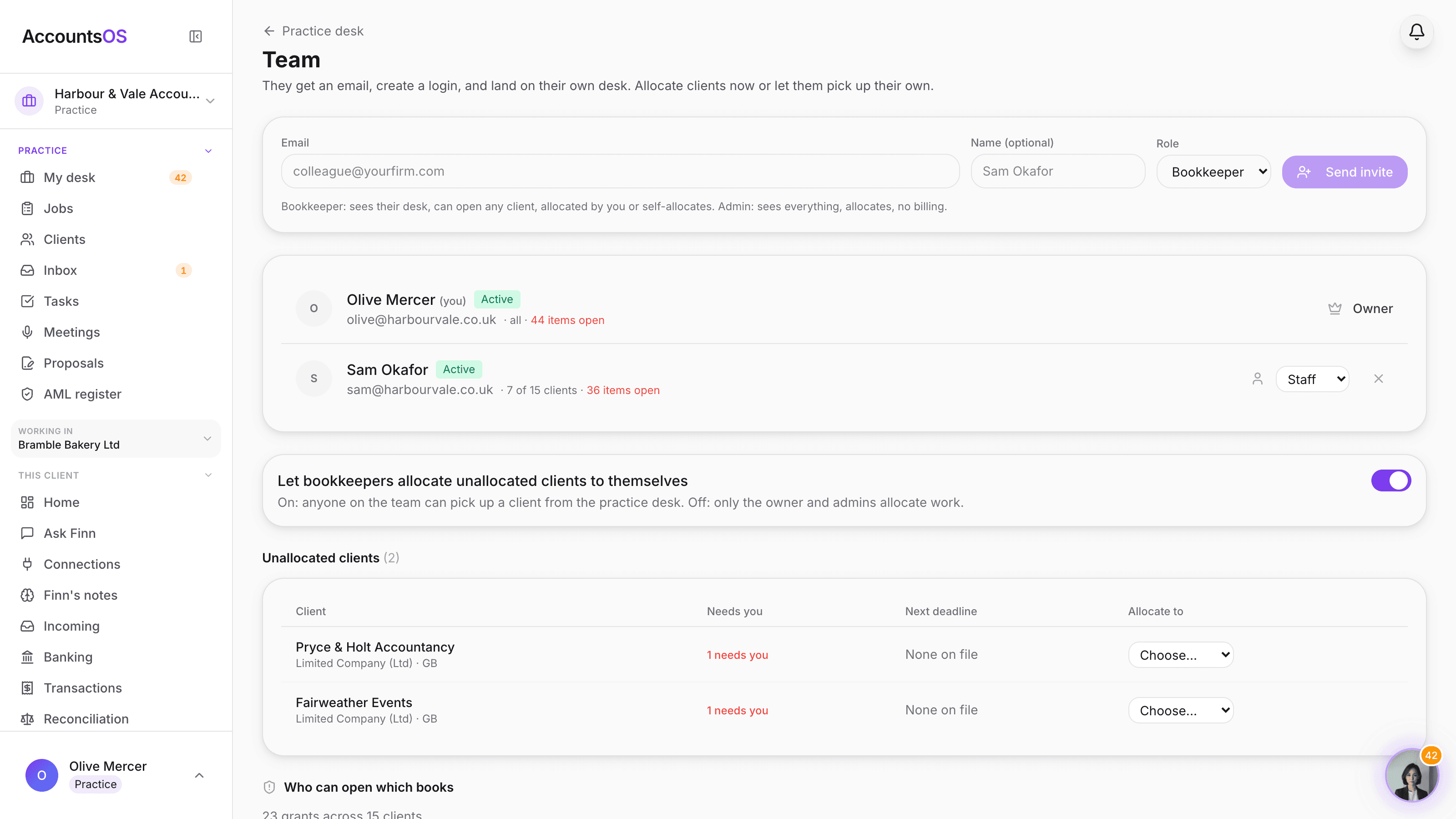
Everyone gets their own desk.
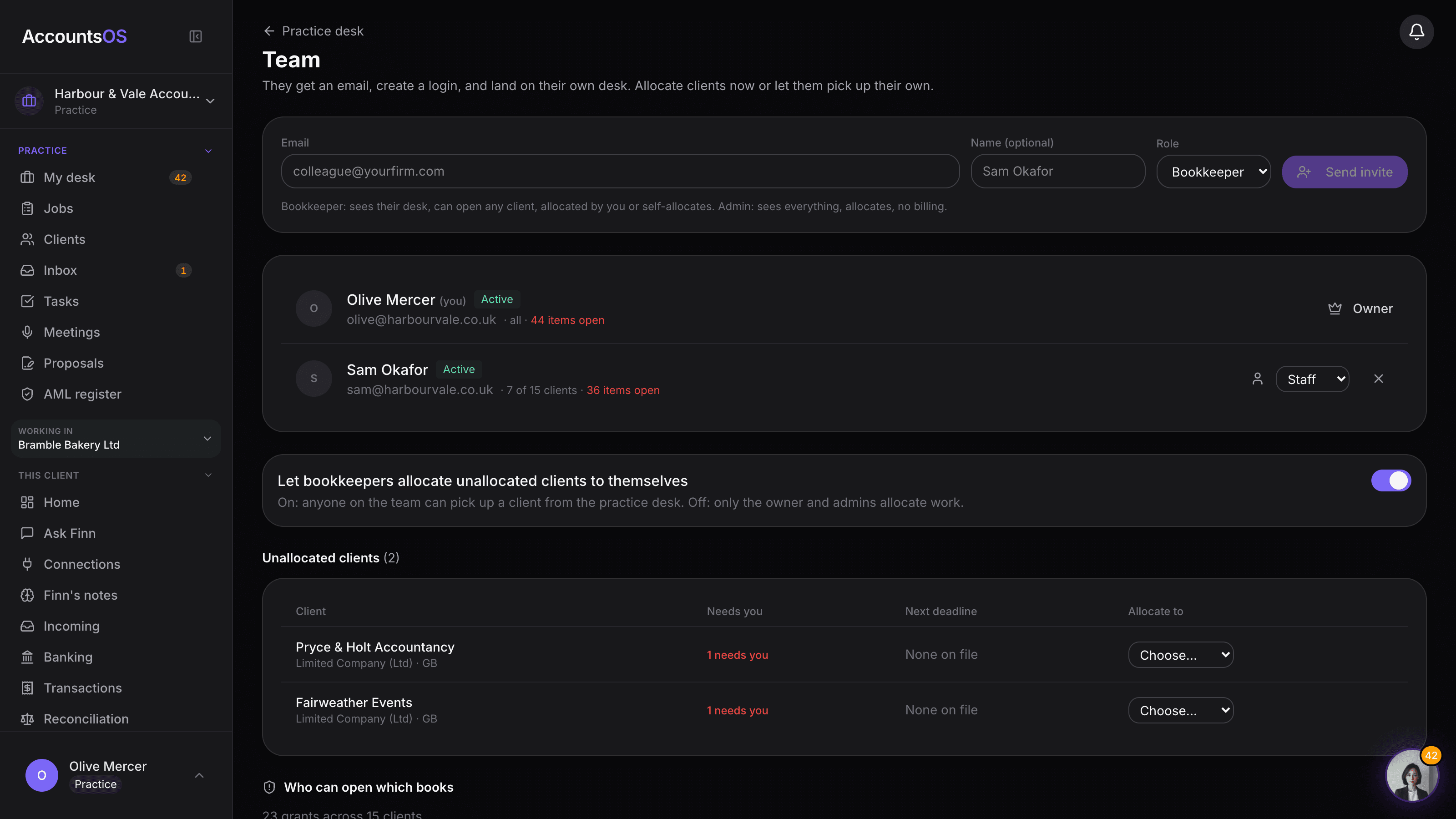
Invite the practice's admins and staff. Staff see only the clients allocated to them; admins see the whole book. Allocate clients from the desk, or let staff pick up unallocated ones themselves. The access audit shows exactly who can open which books, and you can revoke from the row. No per-seat fee.
AccountsOS · Invite the team, allocate the work
Full, Ledger, Archived
Pay for the work each file actually needs.
Every client sits on one of three scopes.
Practice
£12 per live clientFor live clients you actively work on.
- Bank feeds, plus CSV and PDF statement import
- AI categorisation and reconciliation across the book
- VAT and MTD filing to HMRC
- Invoicing, bills and expense claims
- Payroll
- Annual accounts and Companies House filing
- Finn on every client, plus batch prep across the whole book
- API and MCP access
Ledger
From £1.50 per fileFor dormant and low-activity files you only touch at year end.
- CSV and PDF statement import
- Journals and adjustments
- Fixed assets and depreciation
- Financial statements: P&L, balance sheet, trial balance
- Annual accounts preparation
- Document storage
- Finn included, fair use
Archive a client and it stays in your book, unbilled, with nothing running on it until you restore it.
AccountsOS · Every client, one row
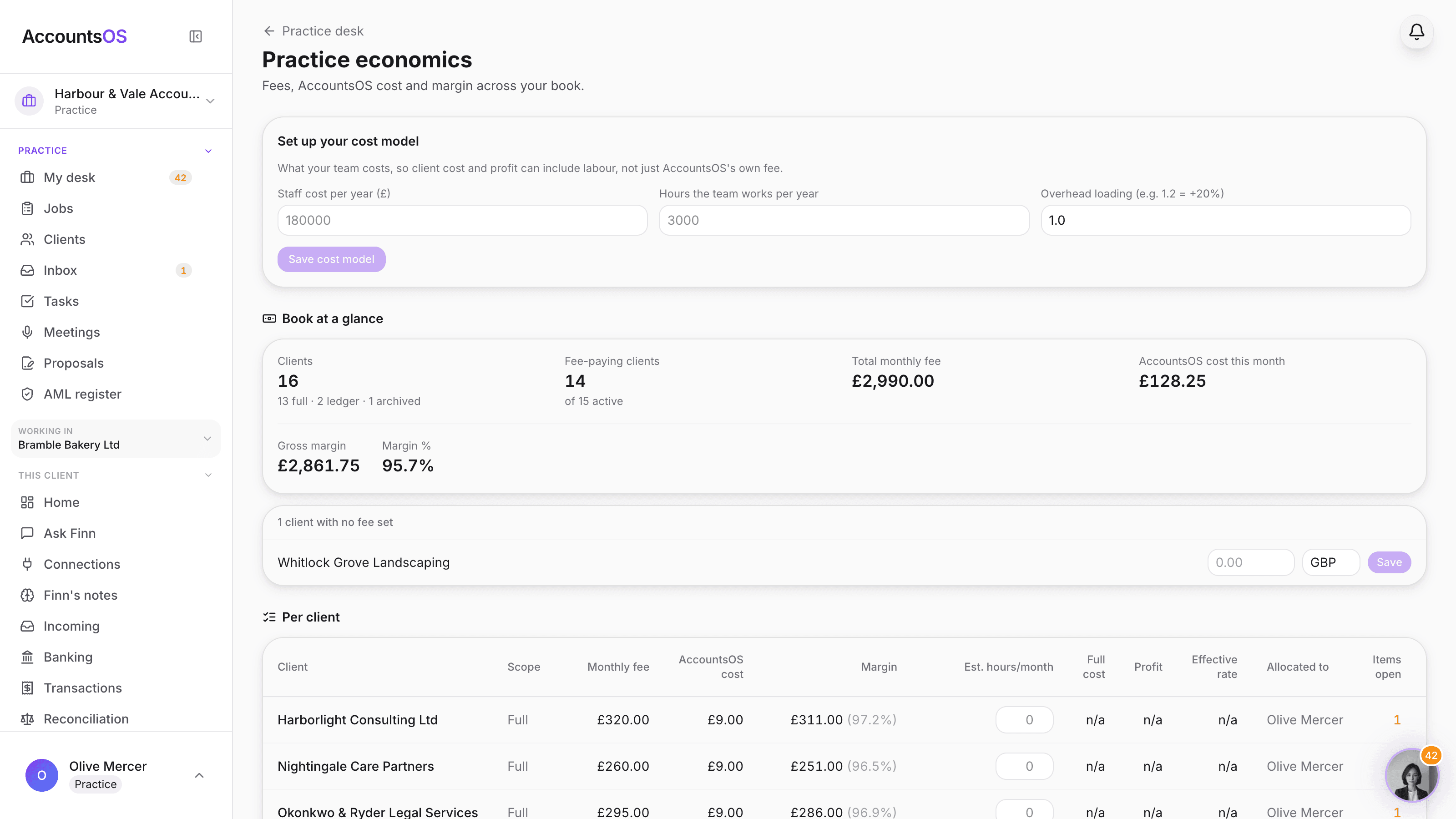
Practice economics
See the margin on every client.
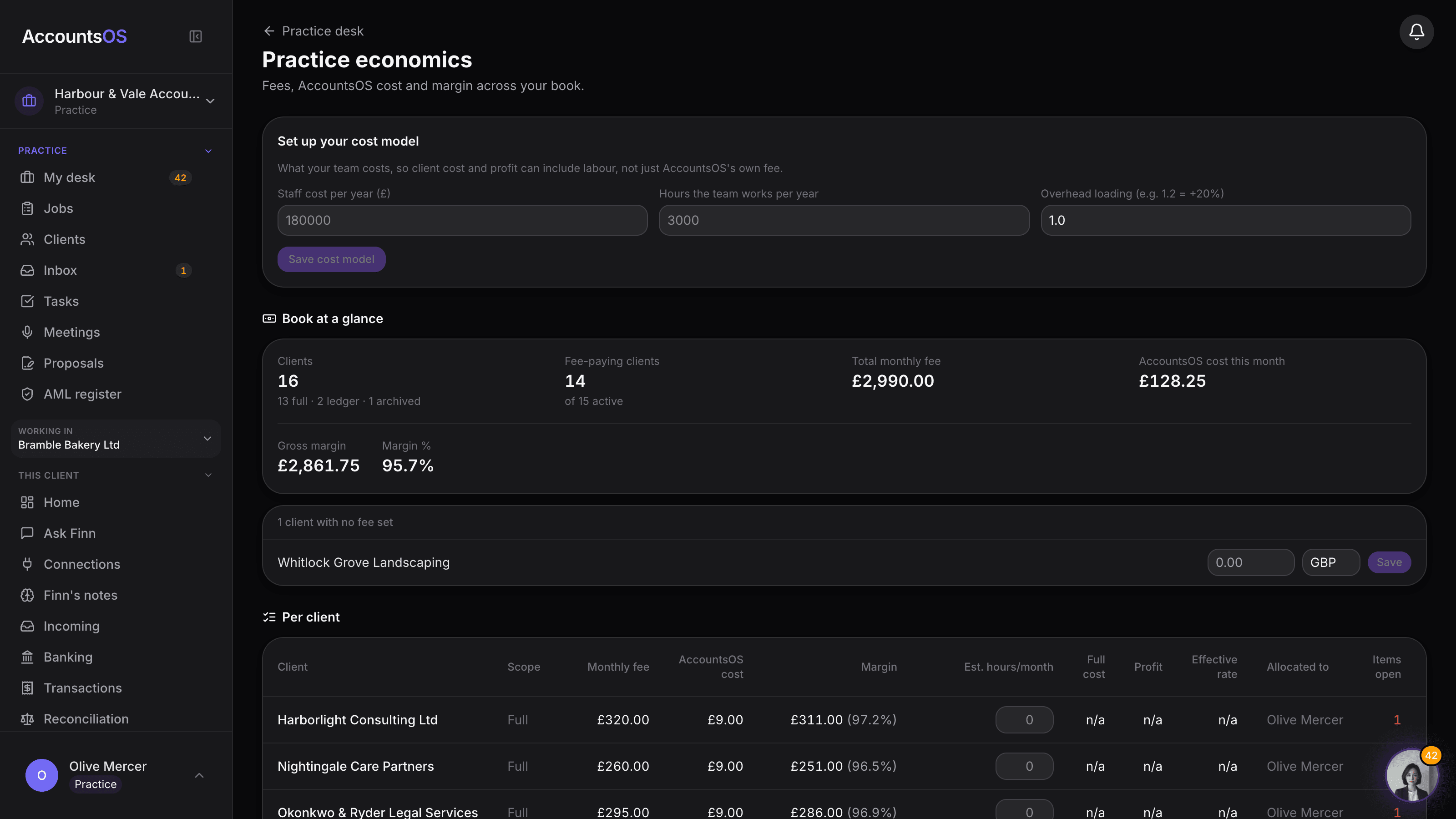
Set the monthly fee you charge each client. AccountsOS works out its own cost from the client's scope and shows the gross margin, per client and across the book, next to who it's allocated to, open items and the oldest one. WIP days and debtor days need your own time tracking and invoicing, so AccountsOS shows the oldest open item instead of guessing at either.
AccountsOS · Practice economics
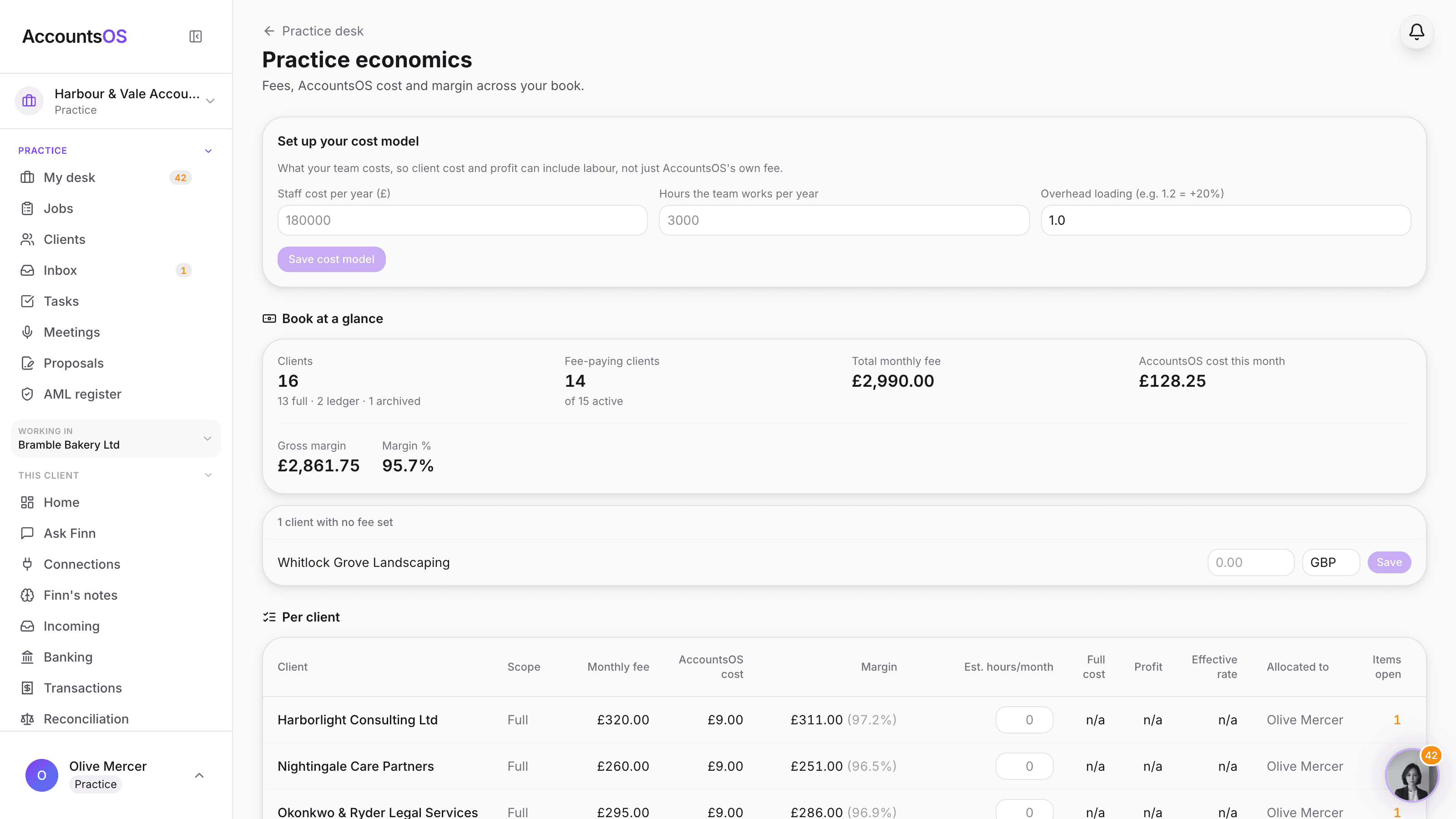
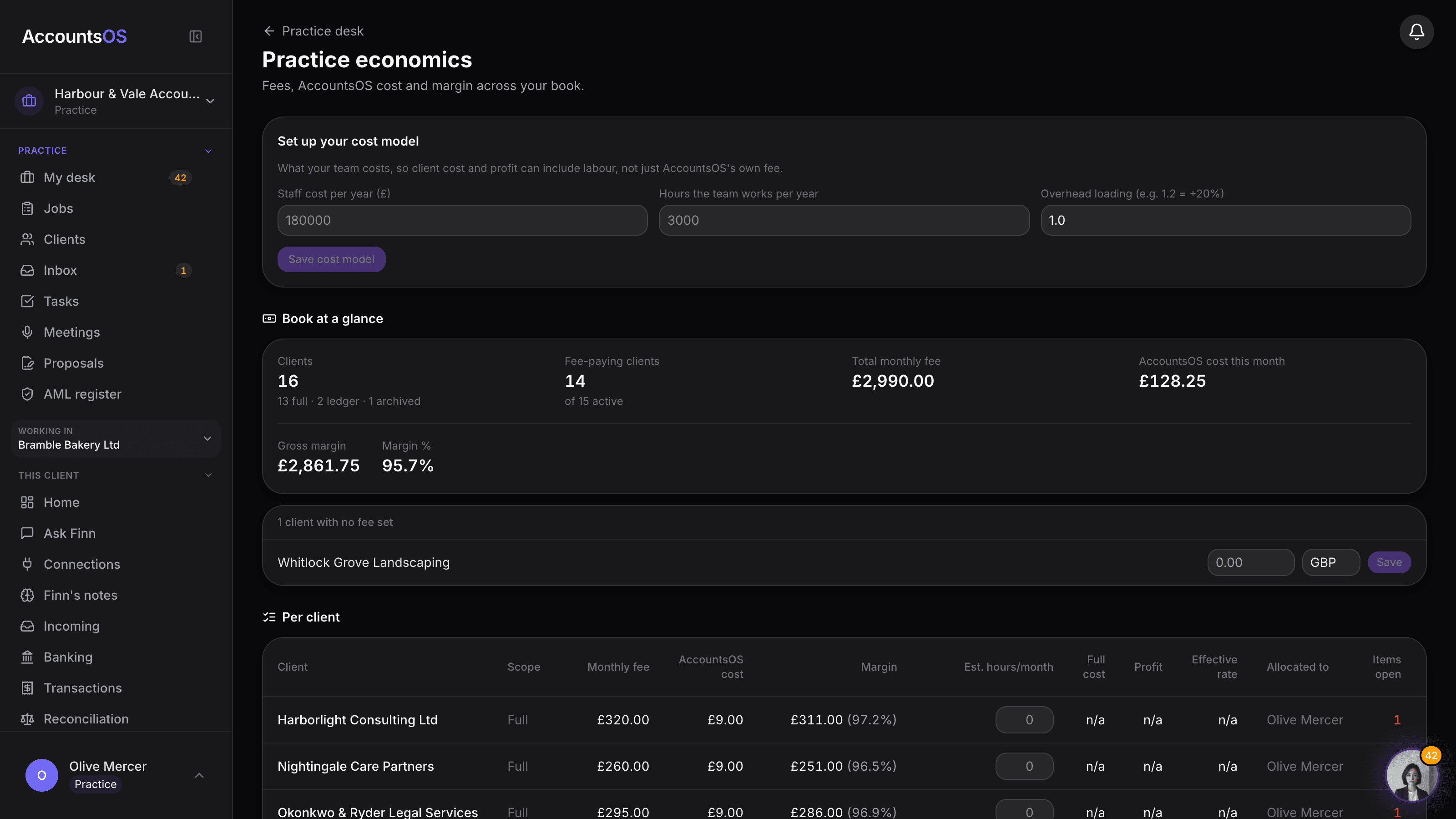
Practice economics
Set the monthly fee you charge each client. AccountsOS works out its own cost and shows the margin, per client and across the book, with no spreadsheet.
Inside one client
Open a client. The prep is already done.
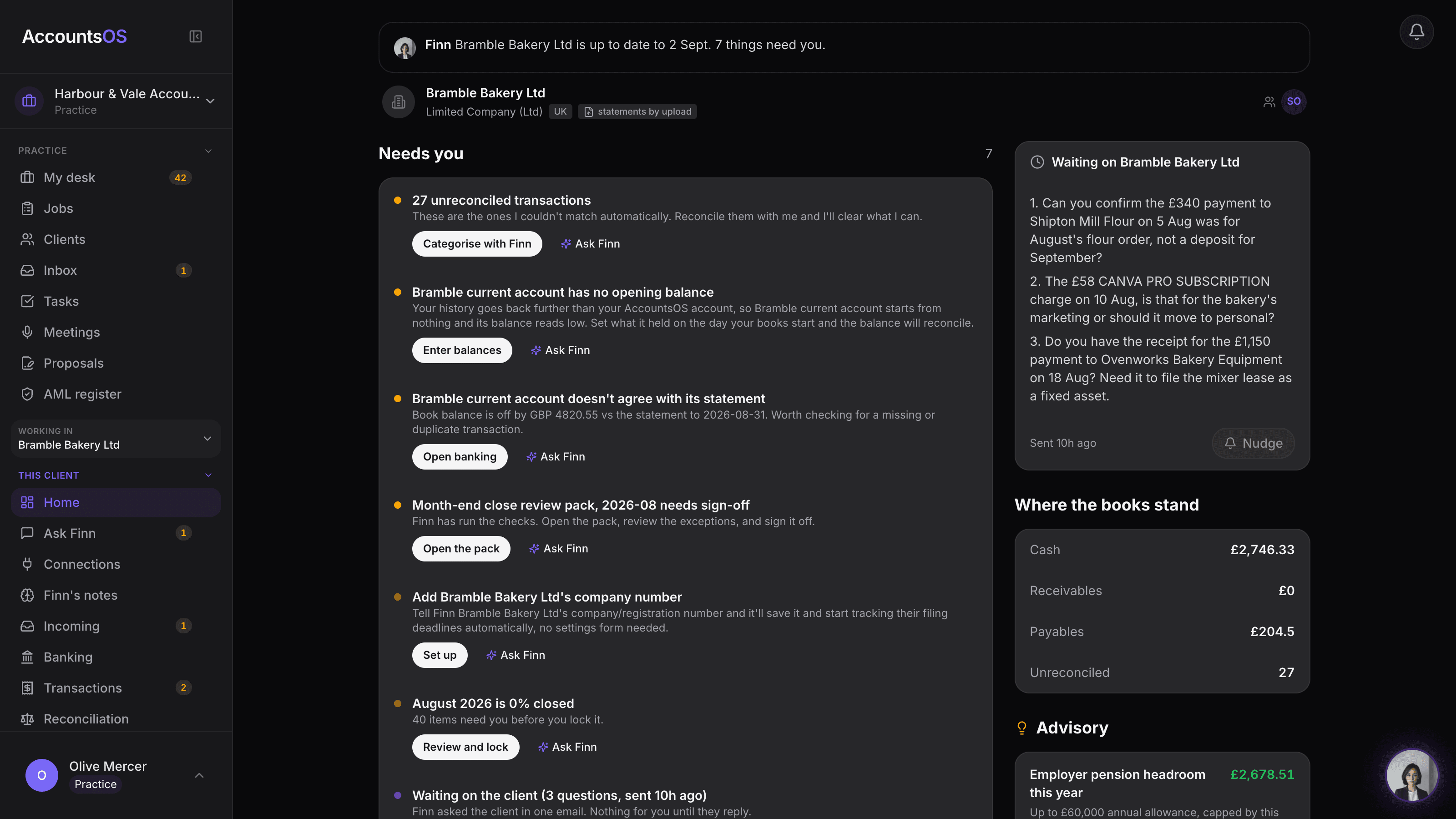
Books mode shows a practitioner only what a bookkeeper needs: where the books stand, what needs you with the action already on it, and what Finn did since you last looked. Finn codes every unreconciled line with a confidence score, so you accept the lot in one move or fix the odd one. Group repeat payees and code them together, then reconcile with Finn and review only the exceptions.
See the full featureAccountsOS · Inside one client's books
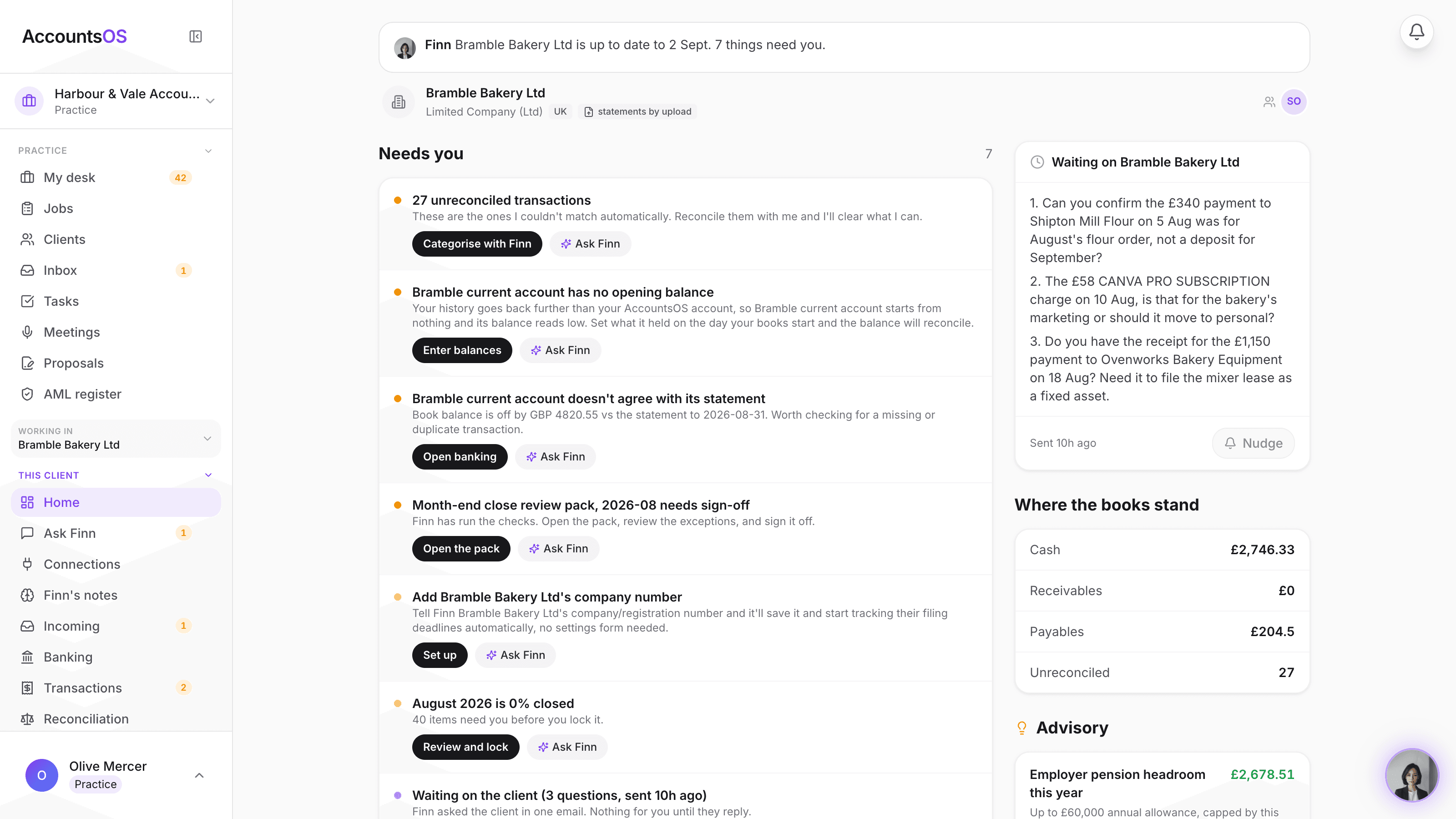
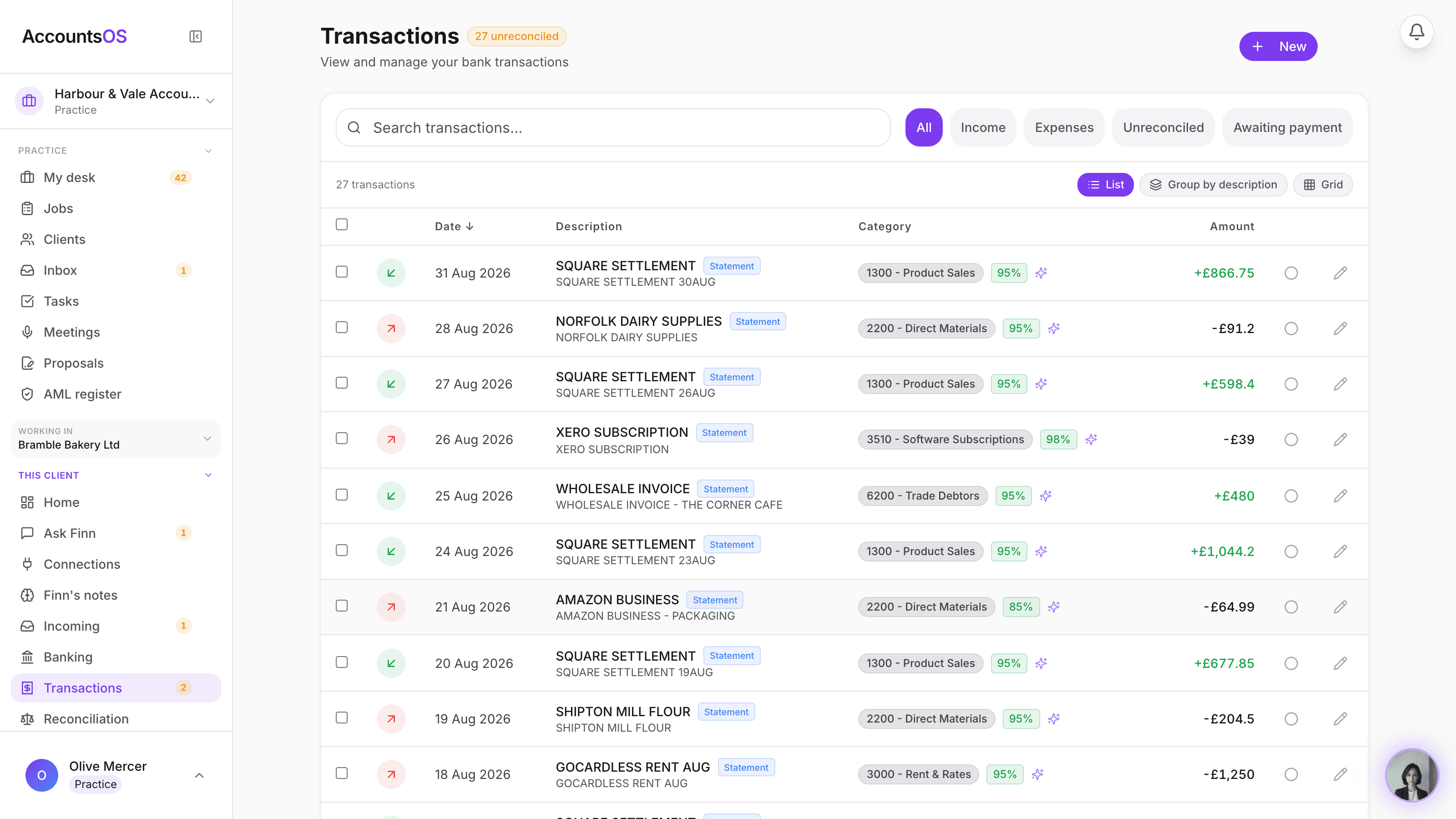
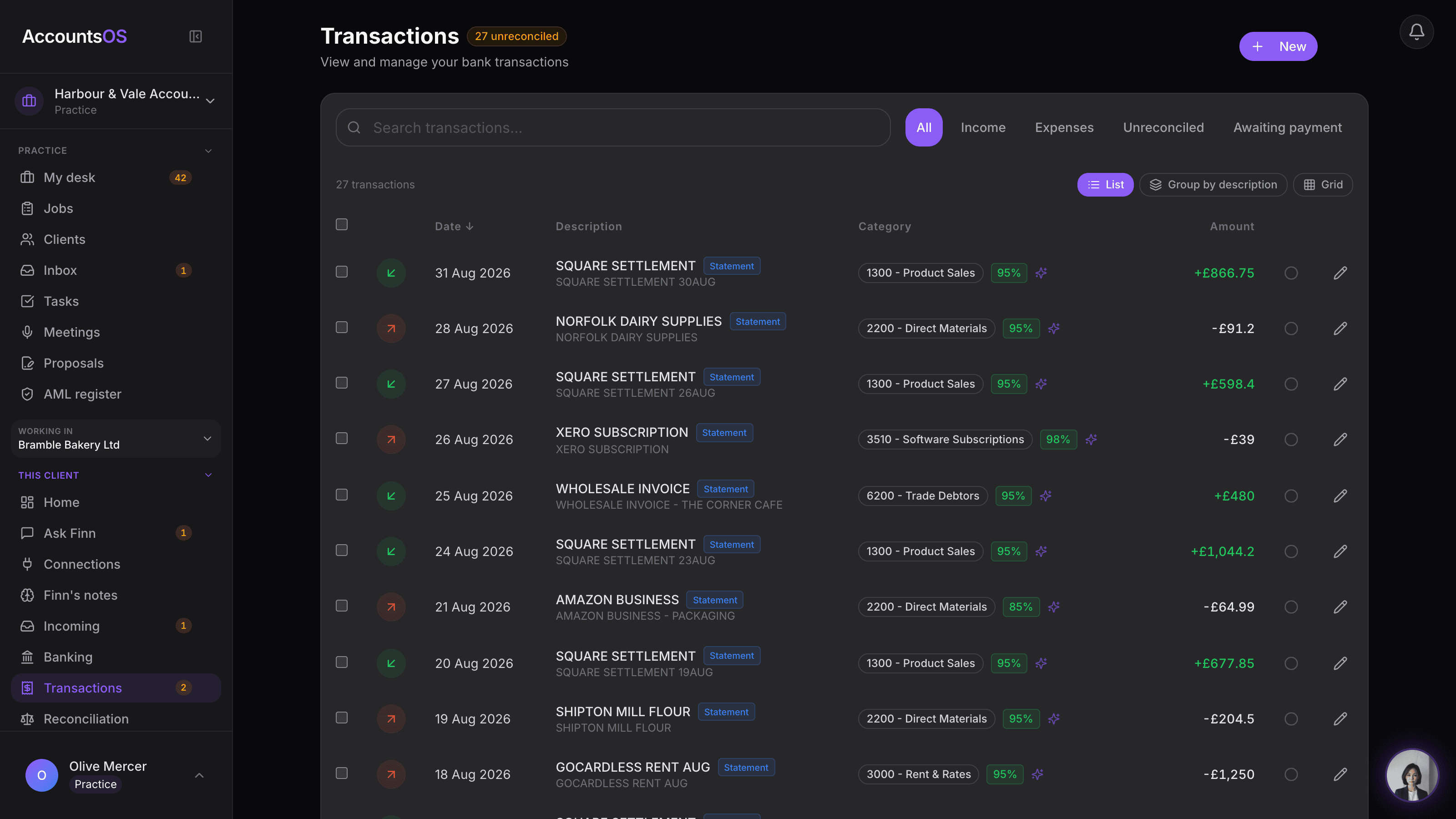
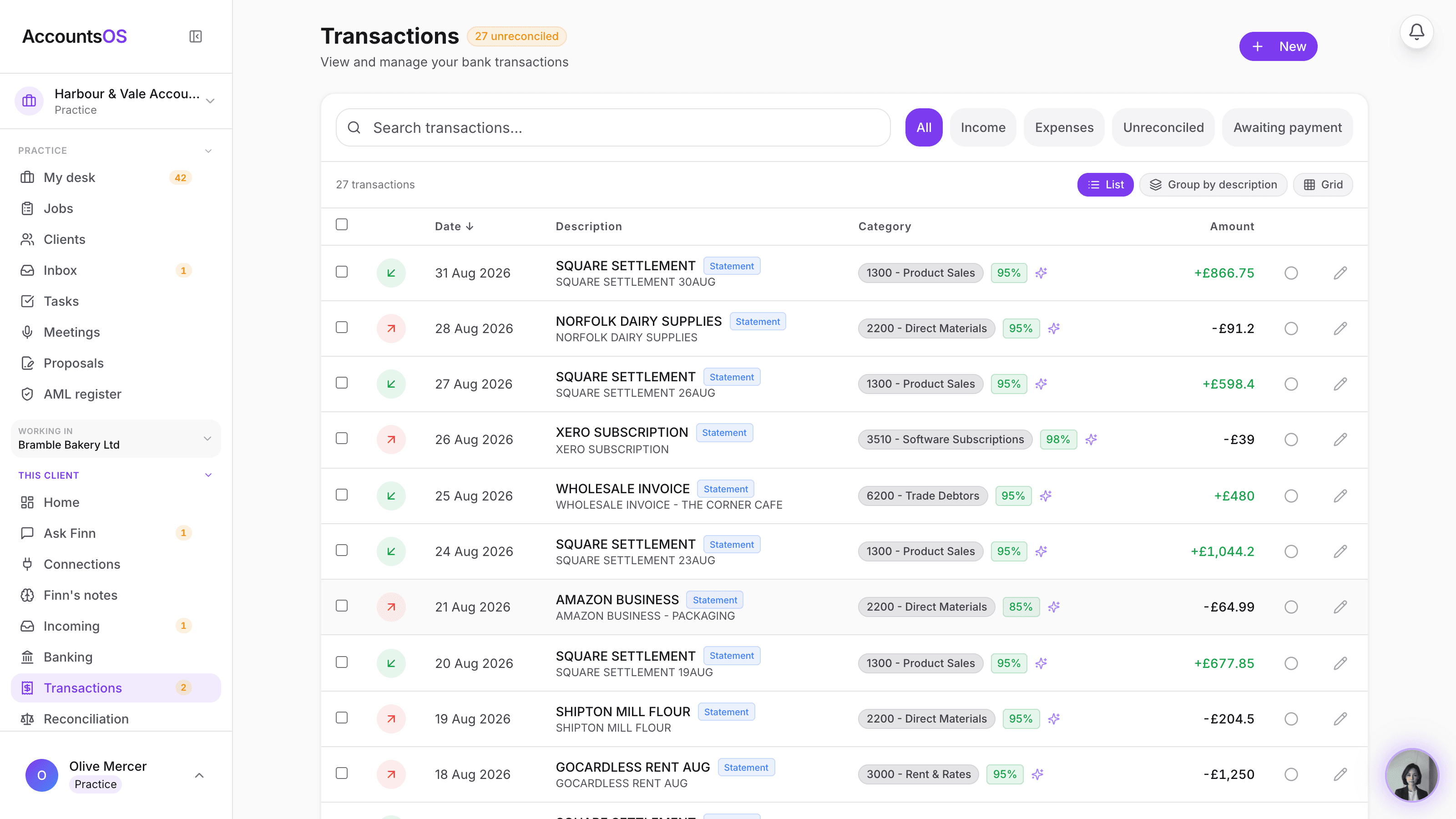
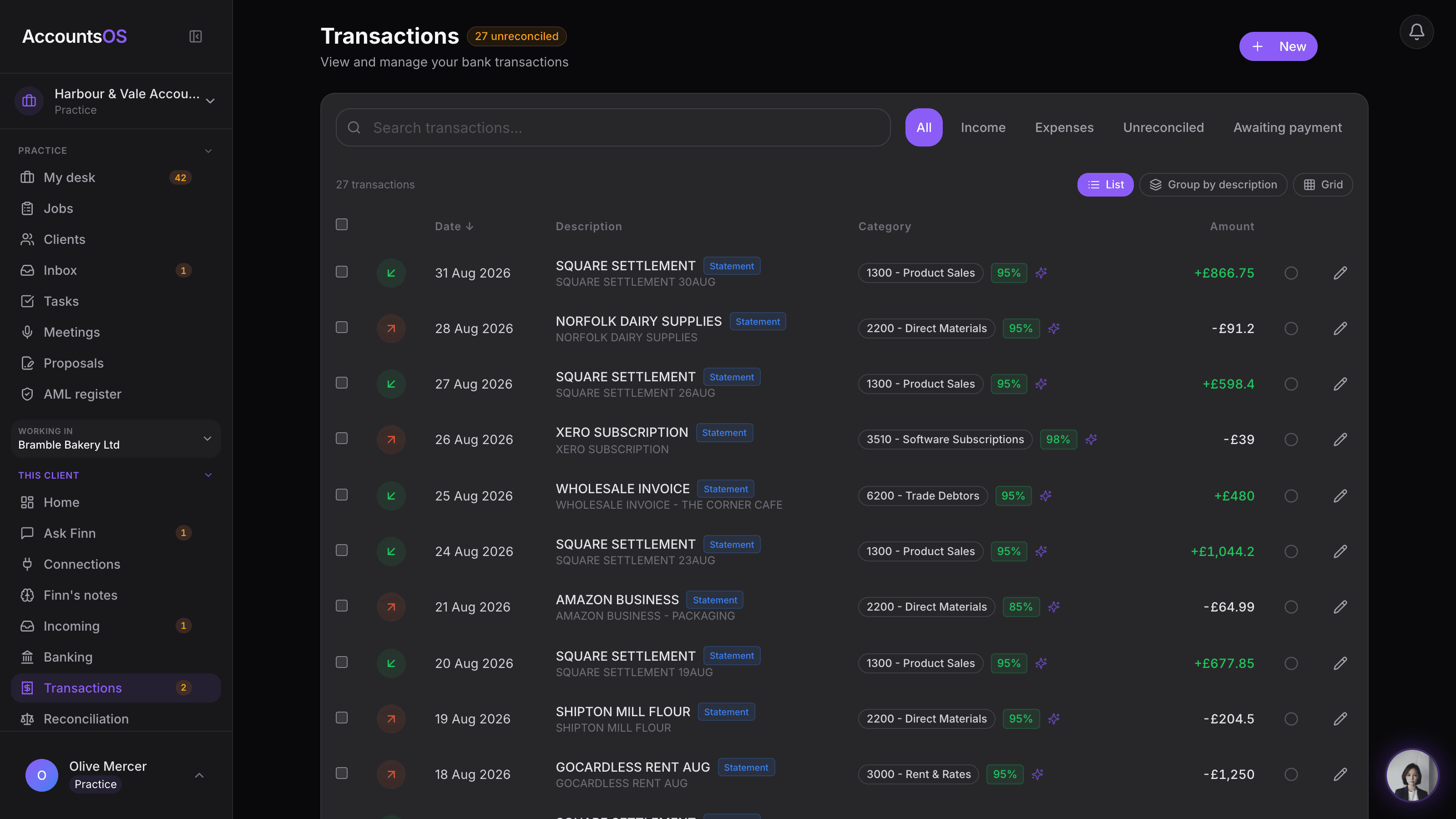
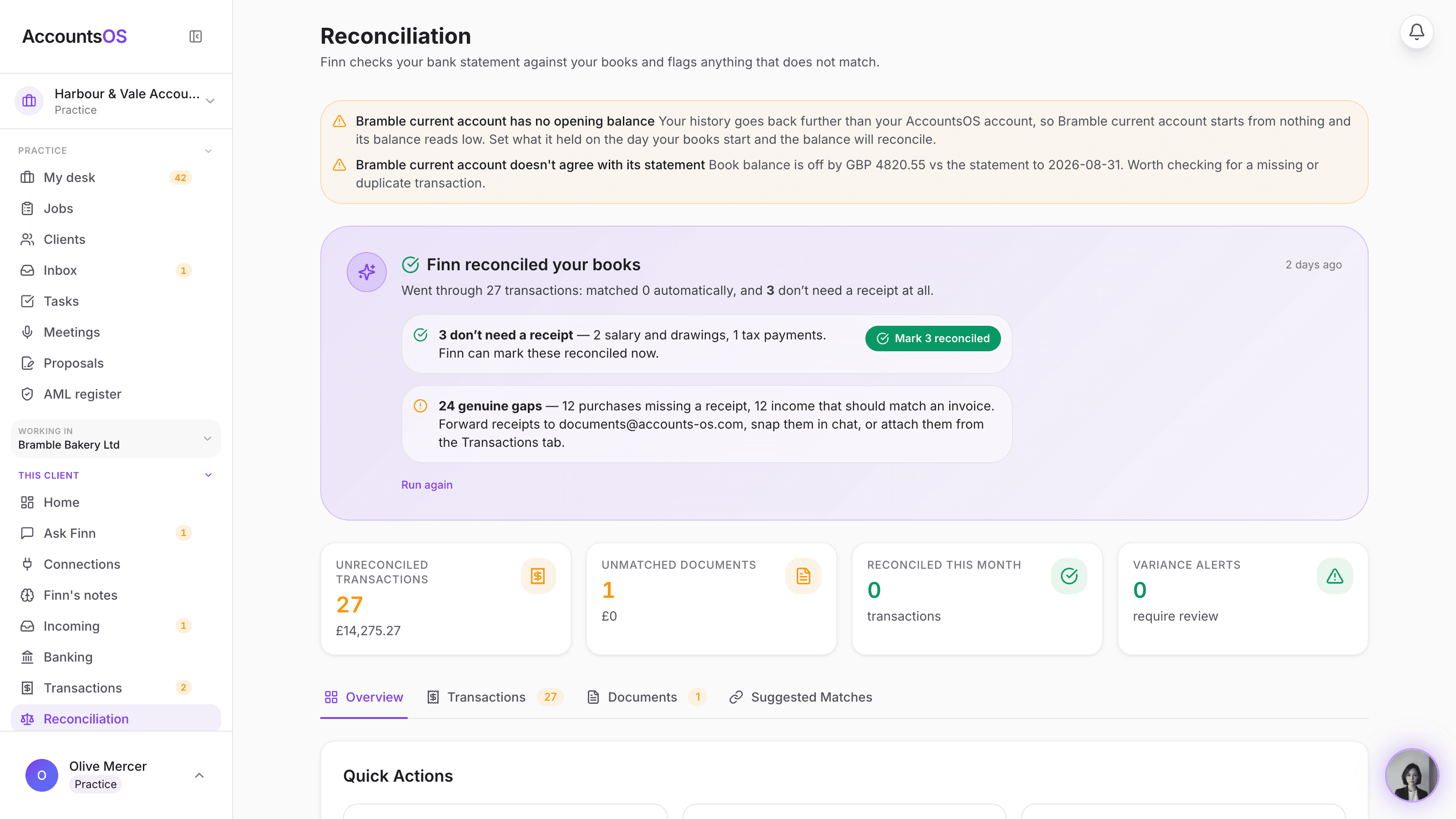
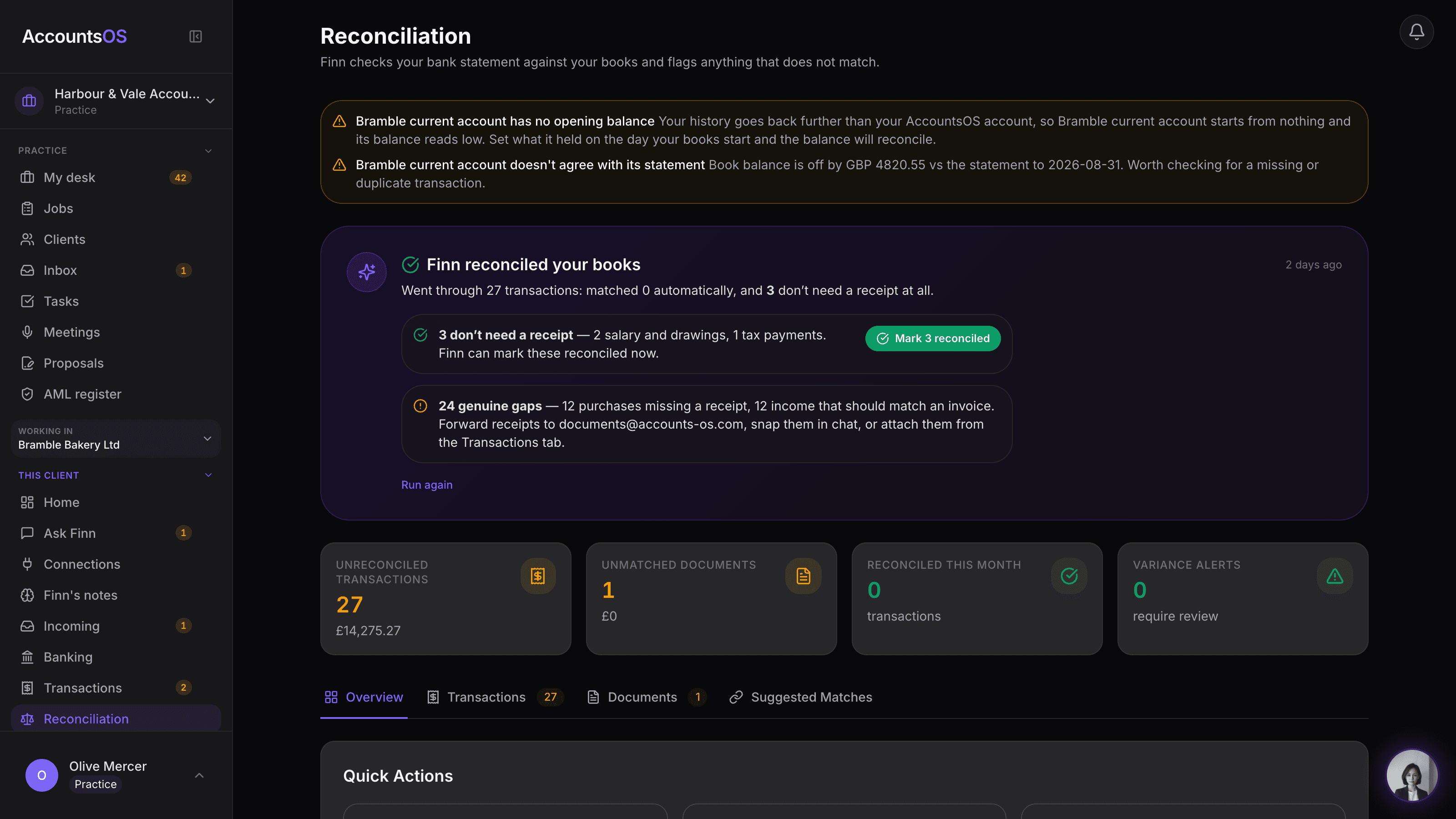
Inside one client's books
Open a client and Finn tells you where the books stand and what needs you, with the action on each item. Below it, what Finn did since you last looked.
One accounting agent, your choice of interface
Go all in, connect your AI, or integrate the accounting layer.
Your practice does not have to abandon the tools and workflows it already uses. Choose the route that fits the team today, then expand from there.
Complete practice OS
Run the book on AccountsOS
Dashboard, client companies, deadlines, documents, compliance and Finn across the whole portfolio. The quickest route to an AI-native practice.
Create your practiceYour existing AI tools
Connect Finn to Claude or ChatGPT
Use the skill or MCP connection so your team can work with client books from the AI workspace they already know.
See connection optionsYour existing systems
Integrate through API or MCP
For firms with proprietary software and internal technology teams, use AccountsOS as the governed accounting layer behind your own interface.
Explore the accounting APIBuilt for UK (and multi-country) compliance
Finn prepares. Your team owns.
UK practices ask the HMRC questions early. AccountsOS is HMRC-recognised software for Making Tax Digital for VAT and can file VAT returns to HMRC. On HMRC's list of MTD VAT software (opens gov.uk in a new tab). That does not mean unsupervised filing. Finn prepares; you review, file, and sign. Client books are held in the EU, on our own servers in Helsinki, and are not used to train AI models.
Grounded answers
Tax rates are looked up from a dated, sourced library with citations. Arithmetic runs in code against the ledger, not through the language model. If Finn has no source, it says so.
You stay the signer
Finn prepares. Categorisation with confidence scores, reconciliation, grouping repeat payees, briefing notes that name which clients need you, batch prep across a deadline group (VAT returns, annual accounts, confirmation statement diffs against Companies House), Ready and Blocked digests with named blockers.
Your team owns. Confirmation before anything writes to the books. Review of exceptions. Filing and signing VAT returns and annual accounts. Client relationships, advice, and the fee conversation.
Client data stays yours
Your clients' books are held in the EU, on our own servers in Helsinki, Finland. They are never used to train AI models: not ours, and not Anthropic's or Google's either. Encrypted, access controlled, and covered by a data processing agreement you can read before you sign up.
Your practice owns the book. Take it with you whenever you like.
The longer answers, written for practitioners doing due diligence: Is AI accounting software safe?, Security, DPA.
A quarter of VAT returns, prepared in one go.
Pick a deadline group, up to 200 clients at a time, and Finn works through the whole thing. For each client it reconciles the bank and drafts the return or the annual accounts, or diffs the confirmation statement against the live Companies House register. Then it tells you where every client stands.
Ready. The books were clean, so the return is drafted and waiting for your review.
Blocked. Finn stopped and says why: “12 unreconciled transactions in the period”, “VAT registration details are missing”, “2 register changes since the last statement”. Named client, named blocker, no guessing.
The digest lands in your inbox when the run finishes. Nothing is filed, nothing is sent to a client, and nothing is final until you say so. Finn does the preparation; the judgement and the signature stay yours.
Q2 VAT returns
4 clients · 2 ready
Hamilton Consulting Ltd
Return drafted, £4,182.60 payable. Ready for your review.
Khalid Trading LLC
12 unreconciled transactions in the period.
Nexus Digital Ltd
Return drafted, £911.24 reclaim. Ready for your review.
O'Brien & Partners
VAT registration details are missing.
What Finn hands back after a batch run. Sweeps cover VAT returns, annual accounts and confirmation statements.
Bring your client book. We’ll help with the move.
We’ll help plan the migration and get your practice set up. Connect Xero or bring exports from your existing software. Finn prepares the import for your team to review, and we’ll work with you on the rollout so you can focus on running the practice.
Also in the box
Everything above sits on the full AccountsOS product, per client.
We'll build your country. Fast.
We took Slovenia from a single inbound email to a working tax engine, entity types and compliance calendar in under 24 hours. If your client book needs a country we don't support yet, or is large enough (500+ clients) to want a tailored migration, tell us.
Pricing That Scales With Your Practice
No minimum, priced from client 1: £12 per live client for the clients you actively work, with automatic volume discounts above 100 clients, plus a Ledger tier from £1.50 per file for dormant files you only touch at year end. We charge you, not your clients, so you can bundle AccountsOS into your service fee however you like. Billing is per day a client is live, so removing one stops the charge that day. Archive one instead and it stays in your book, unbilled, with nothing running on it until you restore it.
Built for the agent era
The AI-native one. And it shows.
You already use AI every day. Your ledger software has not noticed. AccountsOS is built the way the AI tools you use are built: Finn runs on Claude Sonnet and Gemini, your own AI can connect to your clients' books today, and when practices run on agents, those agents will talk to Finn directly.
Finn's reasoning. The model accountants already use for advice, running your books.
Reads your receipts, statements and contracts. Vision built in.
Connect your own AI to your books now. Claude today, Grok Build plugin submitted to xAI's marketplace.
Your agents can talk to Finn directly. The handshake is already wired.
Your records stay in the EU. AI calls never train the models.
Every number above is live crawler and assistant traffic. Access to your books is scoped, sensitive actions require approval, and financial totals are computed rather than generated.
Practice Mode: common questions
Can I move my whole client book to AccountsOS?
Yes. Practice Mode includes bulk client-book migration: you add each client and paste their export from Xero, QuickBooks or Sage, AccountsOS creates a company per client, and Finn works out what each file is (trial balance, contacts, open invoices and bills, opening balances, VAT history). You see exactly what it will import and review before anything posts to the books.
See the four ways to add a clientHow much does AccountsOS cost for an accounting practice?
Practice pricing is based on live client companies, priced from client 1 with no minimum: £12 per live client, with automatic volume discounts as your book grows. For dormant or low-activity files you only touch at year end, our Ledger tier is priced from £1.50 per file, any volume. You pay, not your clients, billing is worked out per day a client is live so removing one stops the charge that day, archive a client and it stays in your book, unbilled, with nothing running on it until you restore it, and the price does not climb every September the way Xero and QuickBooks have.
See how Full and Ledger scope workDo my clients need to log in or pay anything?
No. Clients are covered by your practice plan, not billed their own subscription, and they never need to log in. You are the user, Finn is your tool, and the Practice Dashboard is your command centre.
How is this different from Xero or QuickBooks for accountants?
Xero and QuickBooks charge per client and have raised UK prices repeatedly while unbundling features into paid add-ons. AccountsOS gives the practice AI-native migration, Finn across the whole client book, API access and MCP access in one platform. Finn does the categorisation, reconciliation and month-end across your whole book, so each person on your team services more clients instead of more software.
See how team allocation worksCan AccountsOS file VAT to HMRC?
Yes. AccountsOS is HMRC-recognised software for MTD VAT, listed on HMRC's own list of compatible software, and files VAT returns straight to HMRC. MTD for Income Tax support is coming for the April 2026 changes.
How does Finn save my practice time?
Finn reads receipts, statements and invoices, categorises them, reconciles the bank, and prepares month-end and year-end across every client in the background. Your team reviews the exceptions rather than doing every line, which is how one person services far more clients.
Which countries does AccountsOS support?
AccountsOS is live in 32 countries, including the UK, Ireland, the US, UAE, Australia and most of Europe, each with country-specific tax rules, deadlines and compliance. You can manage clients across multiple countries from one practice account.
Is there a contract or lock-in?
No long-term lock-in. Practice pricing is straightforward and your data is yours. You can export at any time.
Where is my clients' data stored, and do you train AI on it?
Your clients' books are stored in the EU, on our own servers in Helsinki, Finland, encrypted and access controlled. The data is never used to train AI models: not by us, and not by our AI providers, who process it under agreements that forbid training on it. Our data processing agreement is published at /dpa, so you can read it before you sign up rather than after.
Can Finn change a client's books without me?
No. Finn reads the books freely, but anything that writes to them is proposed in plain English and waits for your confirmation first. Finn cannot quietly add a bank account and cannot connect a live bank feed for you, which stays a Settings action done by a person. Finn prepares VAT returns and annual accounts, and you review, file and sign them.
How does Finn know a tax rate is right?
Finn does not guess a rate. It looks each one up from a dated, sourced tax library and cites where it came from, so you can check it against gov.uk or the relevant revenue authority yourself. Rates are stored with the dates they apply from, which means a return for an earlier year uses that year's rate rather than today's. The arithmetic is then done in code against the ledger, not by the language model. If Finn has no source for something, it tells you instead of filling the gap.
Do I have to use the practice management side?
No. The books are the core: Finn on every client's ledger, receipts, payroll, VAT and year-end. Practice management (onboarding, contracts, team, timekeeping, economics) is a second module. Use it if you want one system. Skip it if you already run the firm in something else.
See the two modulesWhat can Finn do for my practice beyond the books?
The practice desk is the start, not the whole product: adding clients four ways, allocating work across your team, setting Full or Ledger scope per client, batch-preparing a whole deadline group, and asking a client a question without leaving the desk are all shipped, live features, not a roadmap slide.
See every practice featureYour next chapter as an AI-native practice.
More capacity for client work. More time to build relationships. More room to grow your margins. Finn runs the books and helps your team manage the practice, so you can focus on what comes next.
Questions? Email finn@accounts-os.com