Switching to AccountsOS
Switching used to be the reason you stayed. Finn does the move now.
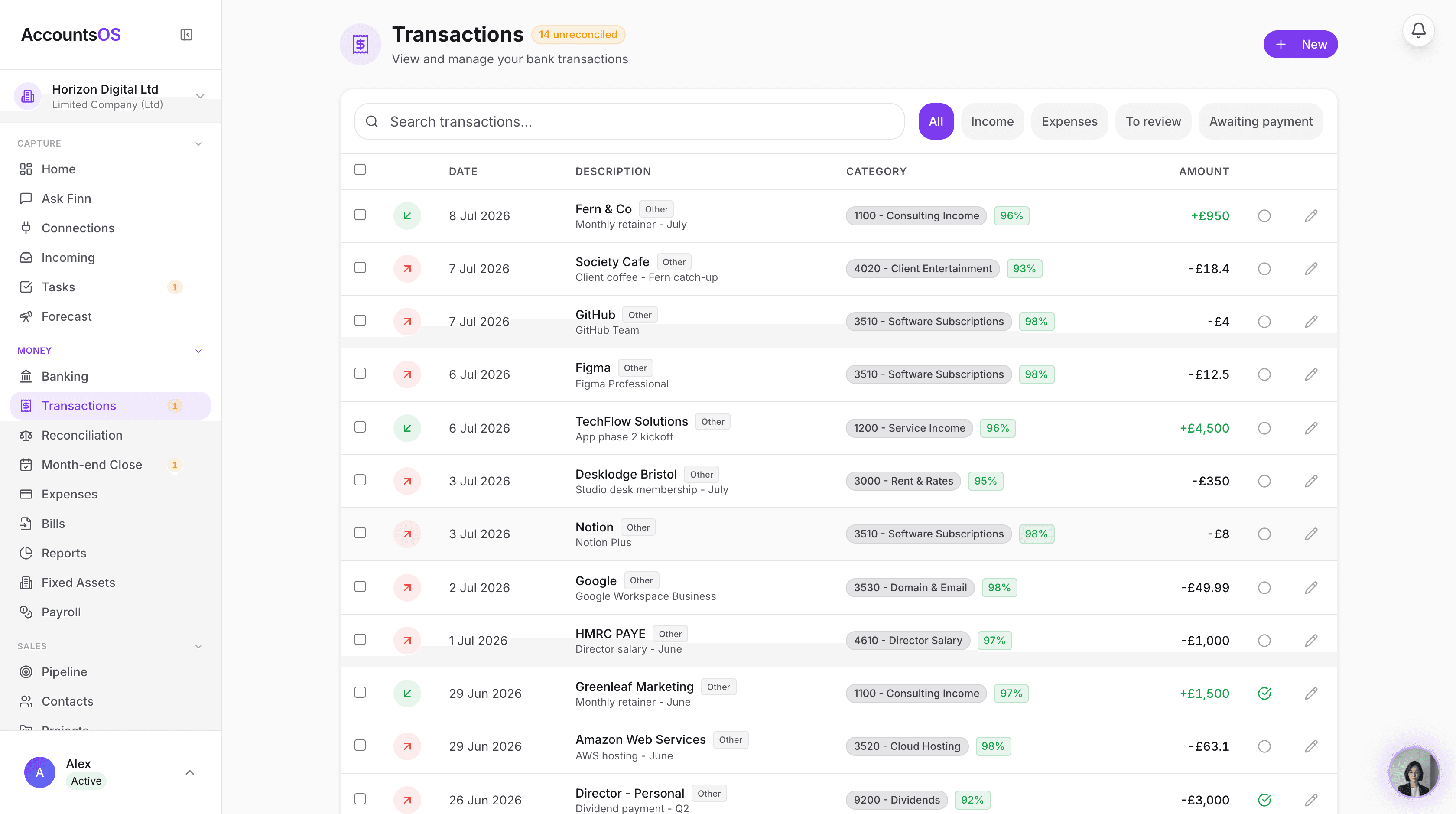
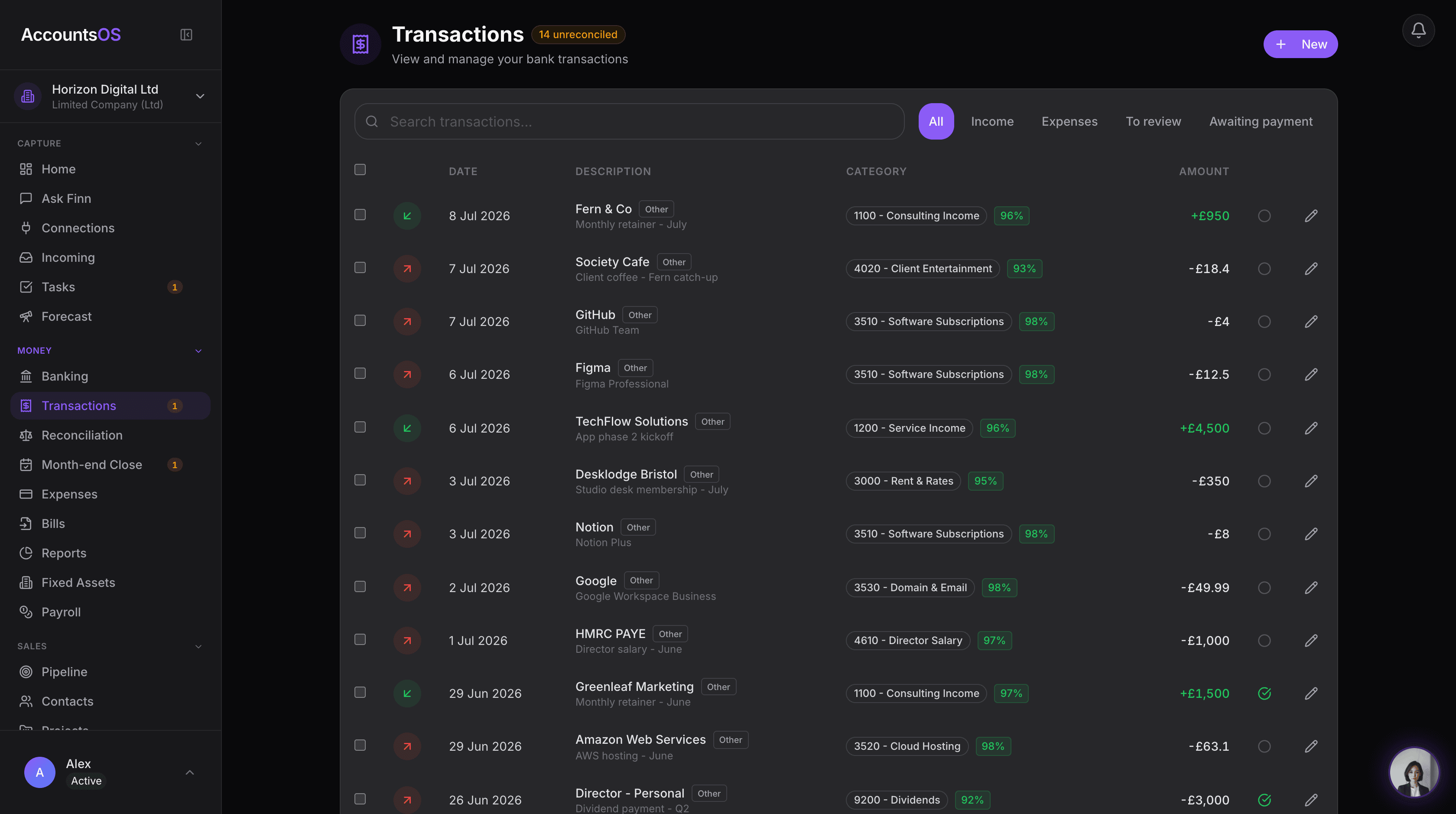
Connect Xero or drop an export. Finn maps the ledger, contacts and unpaid invoices. You review the plan. Then Finn runs the books.
14 days free, no card. Your old software is read only, and nothing posts until you review it.
You can move to AccountsOS from Xero, QuickBooks, Sage or FreeAgent by connecting your account or uploading one export. Finn maps the chart of accounts, conversion balances, contacts and unpaid invoices, and you approve the plan before anything posts to the books.
Why it felt like a trap
Years of history is exactly what makes people stay.
The ledger. Every invoice you ever raised. The contacts. The receipts. Last year's accounts and the VAT returns behind them. Moving it meant a person sitting down to rebuild the file line by line, or paying someone else to, and the fear of a balance that no longer agrees at the end of it.
So people stay. Not because the software is good, but because leaving looks like a project.
What changed
Nobody has to rebuild the file.
Finn reads the file instead. It works out what each column is, which account each balance belongs in, which contacts are the same contact, and which invoices are still owed. It writes the plan down for you, in plain English, and waits.
You check it. You approve it. That is the whole switch. Your history is not trapped in your old software, and it never was: it was just waiting for something that could read it.
The move, start to finish
Four steps, and you only do two of them.
Finn does the mapping. You do the reviewing. Nothing posts to your books until you approve it.
01 Open the account
Start free.
14 days, no card. Nothing to uninstall, nothing to cancel first.
02 Hand over the file
Connect Xero, or drop an export.
Connect Xero, or drop a CSV or export from QuickBooks, Sage or FreeAgent. One file is enough to start.
03 Finn maps it
Finn maps the ledger.
The chart of accounts, contacts, unpaid invoices and bills, and your transaction history when you give an export. You review before anything posts.
04 Go live
Reconnect the bank. Go live.
Connect your bank in AccountsOS and Finn takes the books from there. Keep the old login until you are happy.
What comes across, and what you bring.
No surprises on day one. Here is the split.
Comes across from the connection or the export
- Your chart of accounts, mapped to the categories you already use.
- Conversion balances at the date you pick, so the opening position is yours, not a guess.
- Contacts, with the duplicates Finn can spot already merged.
- Unpaid sales invoices and bills, so you can still see who owes you and who you owe.
- Transaction history, when you supply the export. That includes historical VAT.
You bring
- Your receipt pack. Drop it in, forward it by email, or photograph it. Finn reads each one and files it against the transaction.
- Your bank feed. Bank connections are made fresh in AccountsOS, never copied from the old system.
- Any prior-year accounts or packs you still want on file. Upload them and Finn can read them.
Day one
Nothing you cannot undo.
The old system is read only
A Xero connection reads. It does not write. Your source files are not changed and nothing is deleted on the way out.
You review before anything posts
Finn prepares the import plan and shows you the mapping and the totals. It waits for you. Nothing lands in your books until you say so.
Keep the old login
Stay on Xero, QuickBooks or Sage while you check the figures. Decide where live work goes during the changeover so the two sets of books do not drift.
Yours to take away
Export your data whenever you want. Books are held in the EU, on our own servers in Helsinki, and are never used to train AI models.
AccountsOS is live in 32 countries. In the UK it is HMRC-recognised software for Making Tax Digital for VAT. On HMRC's list of MTD VAT software (opens gov.uk in a new tab). Finn prepares the return. You review it and it goes with your approval.
Switching a practice, not one company?
Bring one client, or the whole book in batches. Practice pricing, no monthly minimum, and your team reviews every client before it posts.
Migrate your practiceComing off one system in particular?
The detail, priced and compared, for the software you are on today.
Questions people ask before moving
How long does switching take?
Most founders are set up the same day. Connecting Xero or uploading one export takes minutes, then you spend your time reviewing what Finn proposes rather than typing it in. A messy file takes longer, and that is the part we help with.
What does the Xero connection bring across?
Organisation details, the trial balance at your conversion date, the chart of accounts, contacts, and authorised unpaid sales invoices and bills. Finn turns that into an import plan for you to review. It does not copy receipt attachments, filed VAT returns, payroll history, bank-feed connections or a complete transaction-by-transaction history. If you want the history too, give Finn an Account Transactions export and it brings that in.
Do I have to cancel my old subscription first?
No, and we would rather you did not. Keep the old login while you check the balances and run a real period in AccountsOS. Cancel once you are happy, not before.
What happens to my receipts and my old years?
Receipts come to AccountsOS the way they suit you: drop the pack in, forward the emails, or use the camera. Finn reads each one and matches it. Prior years come as exports, trial balances, or the published accounts pack uploaded as a file for Finn to read.
Can you just do it for me?
Yes. If the export is awkward the team is flagged automatically and we finish the import for you. You never get left half moved.
Your history is not the reason to stay.
Start free, hand Finn the file, and see the plan before a single line posts. 14 days, no card.
Stuck with an export? Email finn@accounts-os.com and we will finish the move for you.