Practice management
Open a client and the prep is done.
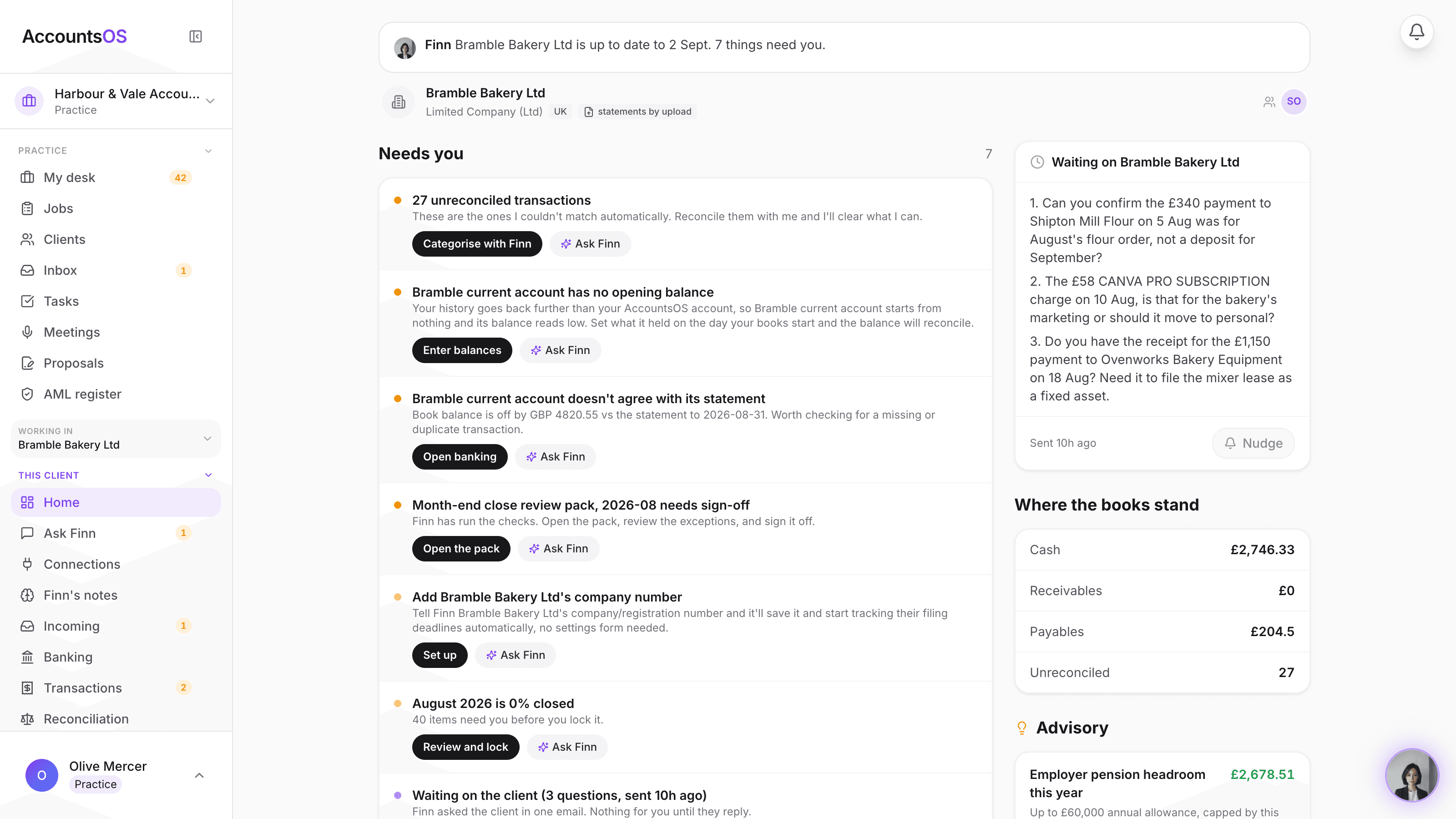
Books mode shows where the books stand, what needs you and what Finn did since you last looked. Every unreconciled line arrives coded with a confidence score, and Finn in the practice panel knows the client you have open.
Optional
AccountsOS · Inside one client's books
How it works
Inside a client, step by step
01
Where the books stand
A status line and a Needs you list, with the action already on each item.
02
Coding with a confidence score
Each line has a suggested category and a score. Accept the lot, or fix the odd one.
03
Batch coding by payee
Group repeat payees, apply one category and reconcile them together.
04
Reconcile with Finn
She applies the confident matches and leaves you the exceptions.
What you get
- Only what a bookkeeper needs, not the whole menu
- A confidence score on every suggested category
- Finn knows the open client's memory and filing guidance for their country
- Start a new chat from the panel to move cleanly to the next client
- What Finn did since you last looked is always visible
Questions
What practices ask
Does Finn code or reconcile without me seeing it?
She applies confident matches and shows what she matched. Anything uncertain waits in the review queue.
Does Finn mix up one client's notes with another's?
No. Open a different client and she moves to that client's memory. One client's notes are never used for another.
Can I trust a high confidence score?
It is Finn's estimate, not a guarantee. Every accepted line stays visible in the ledger to check or correct.
Is this a different product from the normal dashboard?
No. It is the same product, with the view cut down for someone working another person's books.
Switch on just this, or see the whole menu
Open the demo practice with no sign-up, or start your own and add pieces as you go.