Practice management
Your Monday check, already pulled together.
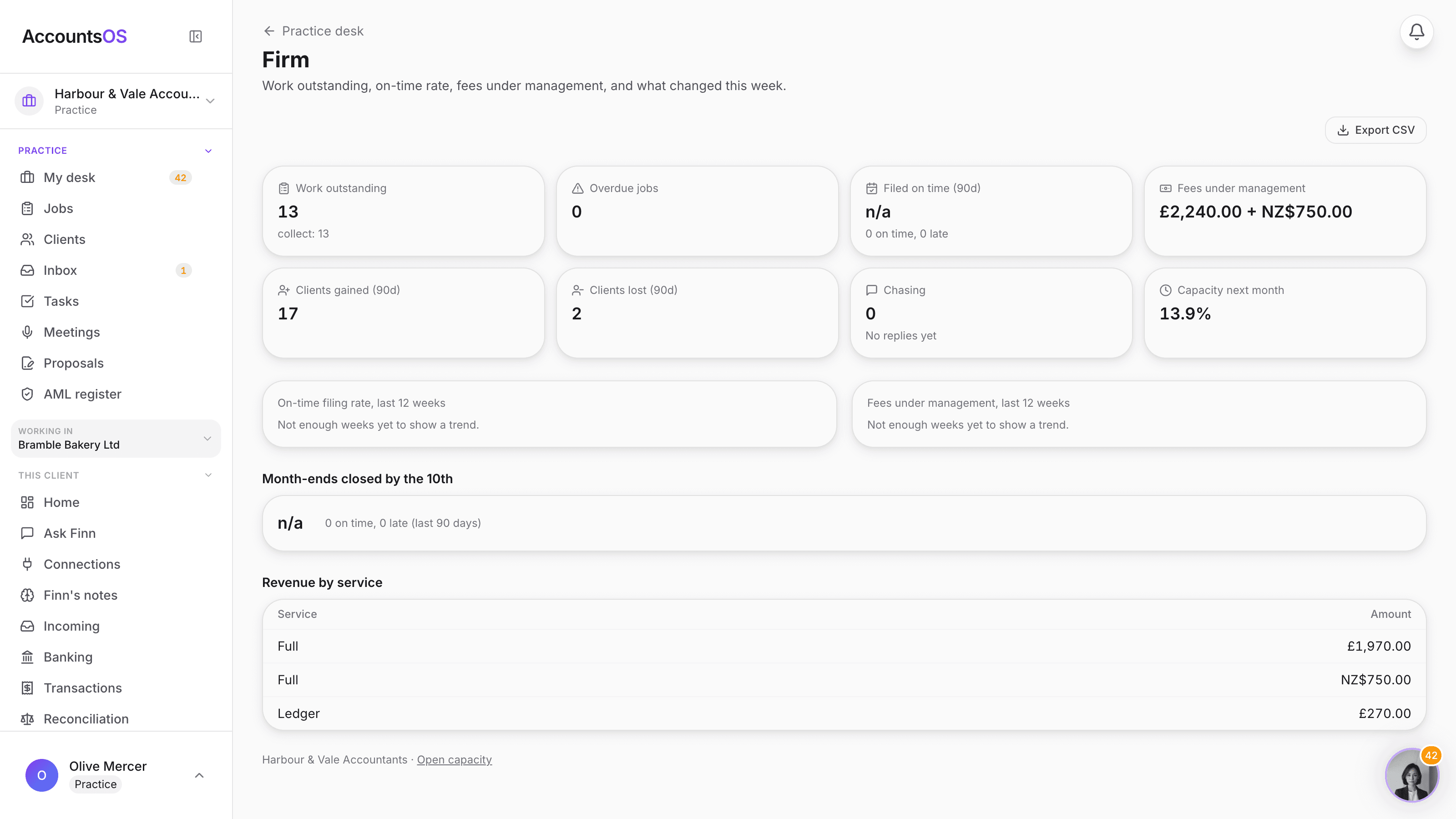
Work outstanding, filings on time, fees under management, revenue by service and clients gained and lost, on one page. Finn adds a line on what changed since last week.
Optional
AccountsOS · The owner's one page
How it works
Firm dashboard, step by step
01
One page of the numbers that matter
Work by stage, overdue jobs, on-time filing, fees and revenue by service.
02
Twelve weeks of trend
On-time filing and fees under management over the last twelve weeks, so a slide shows early.
03
A weekly email and an export
The same tiles arrive every Monday, and any week exports to CSV.
What you get
- Work outstanding by stage, overdue jobs called out
- Deadlines filed on time against late
- Clients gained and lost over the last 90 days
- Month-ends closed by the 10th and capacity next month
- Owner and admin only
Questions
What practices ask
Where do the numbers come from?
From the jobs board, deadlines, client fees, chase history and month-end closes. You enter nothing separately.
Is Finn's line a generic summary?
No. It compares this week's numbers with last week's stored snapshot, so the same inputs give the same line.
Can I get it without logging in?
Yes. A weekly email carries the tiles and the line, and you can mute it in practice settings.
Can staff see it?
No. It is for owners and admins, like economics and team settings.
Switch on just this, or see the whole menu
Open the demo practice with no sign-up, or start your own and add pieces as you go.