Time and billing
See what each client is really worth to you.
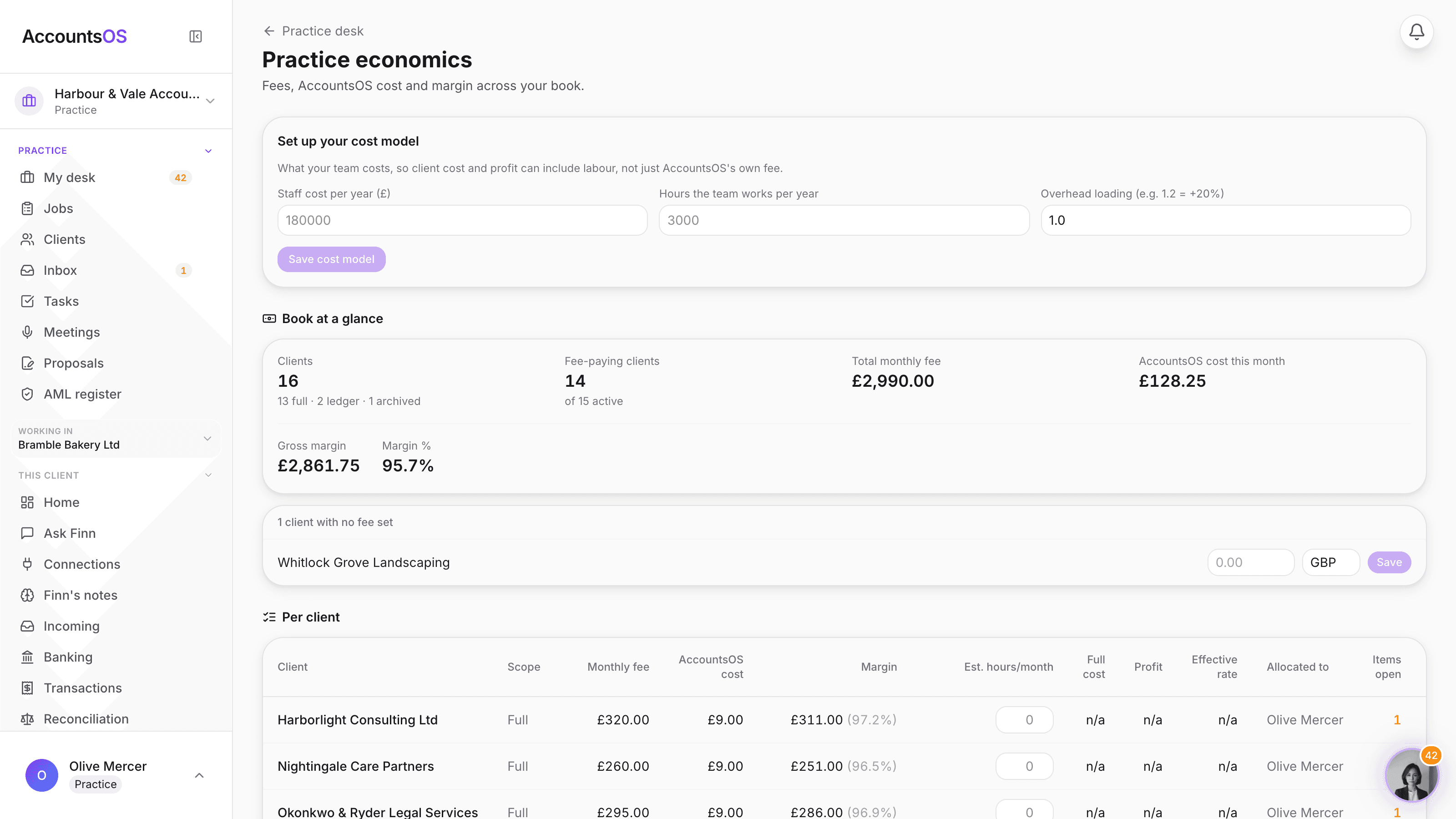
Set what your team costs once and add hours per client. Economics shows real cost, profit and effective rate, not just the software bill.
Optional
AccountsOS · What your team actually costs
How it works
Economics, step by step
01
Set your cost model
Your team's yearly cost, their hours, and an overhead loading if you want one. Typed once.
02
Add hours per client
Type your own estimate, or accept the suggestion built from the work actually done on that client.
03
See the real cost
Hours at your blended rate, plus the AccountsOS cost, gives each client a cost that means something.
04
Read the margin
Fee less cost is profit, and fee over hours is your effective rate. Both per client and per fee earner.
What you get
- One cost model for the whole practice
- Hours typed by you, or suggested from real activity on the file
- A marker flags when your estimate drifts far from the suggestion
- Profit and effective rate per client and per fee earner
Questions
What practices ask
Is this my full margin?
It is profit after your estimated staff time and software cost. It is not a full P&L, so rent or insurance only count if you add them to the overhead loading.
Do I need timesheets?
No. Estimates work on their own. If you switch on time tracking, tracked hours show beside the estimates.
What if I do not trust the suggested hours?
Type your own. The suggestion is a starting point and you can see what it was built from.
What if I never set this up?
Economics keeps working on fee less the AccountsOS cost until you are ready to add your own costs.
Switch on just this, or see the whole menu
Open the demo practice with no sign-up, or start your own and add pieces as you go.