VAT Bridging Software UK 2026: What It Is, Whether You Need It, and What to Use Instead
VAT bridging software is a tool that takes the 9 VAT figures from your spreadsheet and submits them to HMRC via the MTD API, creating the required digital link without changing how you keep records. It is mandatory to file through MTD-compatible software for all VAT-registered UK businesses since April 2022, and bridging software is the minimum-effort route if you want to keep using spreadsheets. However, bridging software does no bookkeeping: it is a filing tool only, not an accounting solution.
MTD for VAT mandatory from
April 2022 (all VAT-registered businesses)
VAT return deadline
1 month and 7 days after period end
What bridging software does
Submits your 9 VAT box figures to HMRC; does not do bookkeeping
Typical bridging software cost
From around £10 to £36 per year
Digital links rule
No manual retyping of figures between systems is permitted
AccountsOS trial
14 days free, no card required, then £20/month + VAT
AccountsOS VAT coverage
Live 9-box calculation, direct HMRC MTD submission, full digital links
Who bridging suits
Businesses committed to spreadsheets who only need a compliant filing route
Compliant without the manual work
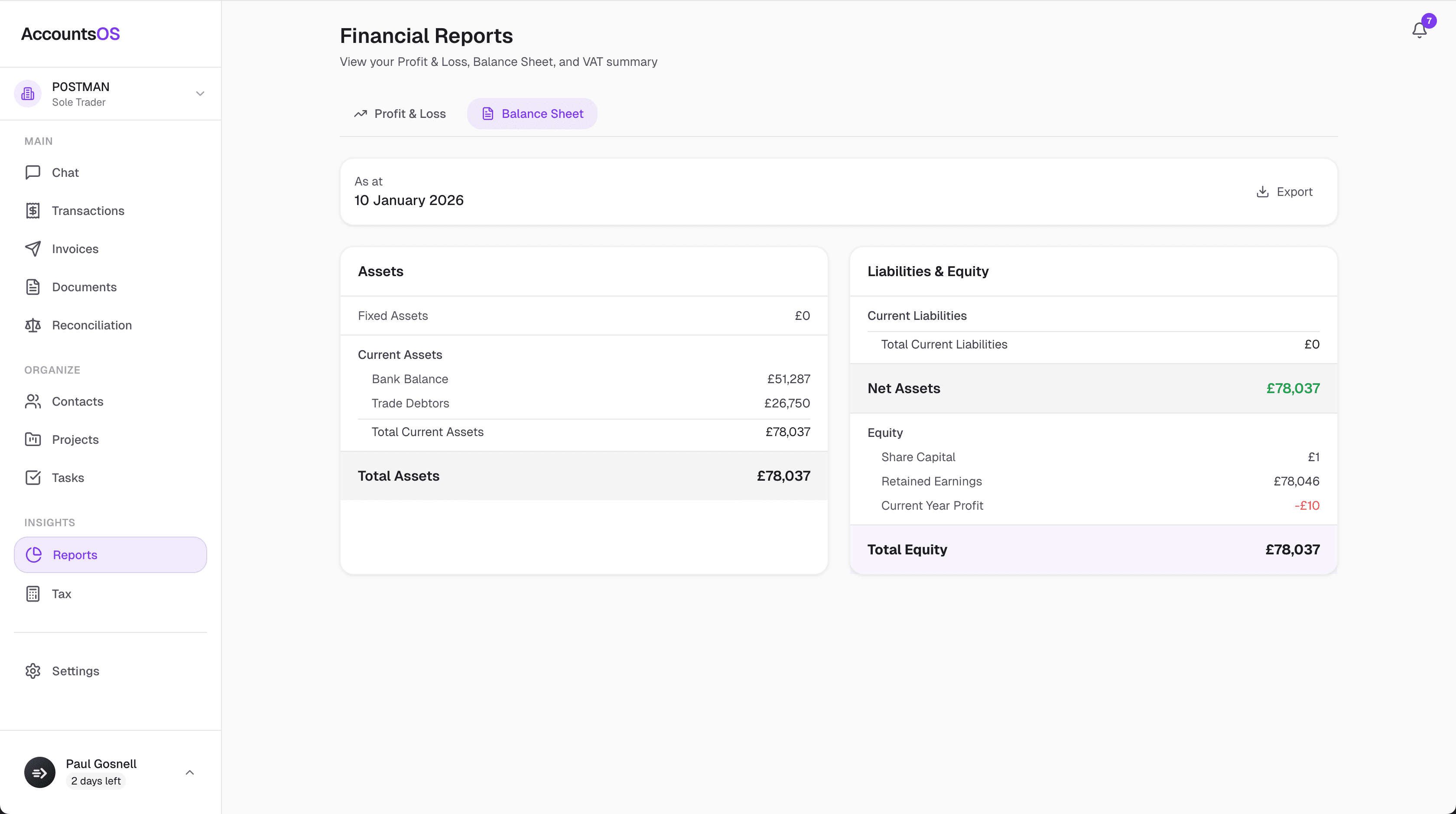
Making Tax Digital means keeping digital records and filing through software. AccountsOS does both for you. Connect your bank and HMRC, and Finn keeps the records, builds the return from your bookkeeping, and files it on your confirmation.
- Digital records kept automatically as money moves
- Returns calculated from your ledger, no bridging spreadsheet
- Submit directly to HMRC once you've checked the figures
- Every deadline tracked so nothing is filed late
Since April 2022, every VAT-registered business in the UK must file returns through MTD-compatible software. HMRC no longer accepts submissions through its old online portal for VAT. For businesses that track income and expenses in a spreadsheet, this created a problem: how do you get your 9 VAT figures from Excel into HMRC without retyping them manually (which is not permitted under the digital links requirement)? The answer the market produced is bridging software: a lightweight add-in or web app that reads your spreadsheet figures and pushes them to HMRC on your behalf. This guide explains how bridging software works, which products exist, what they cost, and when it makes more sense to move to full accounting software that handles the whole job end to end.
What Is VAT Bridging Software and How Does It Work?
MTD for VAT requires two things: you must keep your VAT records digitally, and there must be a continuous digital link between those records and the figures you submit to HMRC. A digital link means that data flows electronically from one system to another without anyone retyping it by hand. Copy-pasting from a spreadsheet into HMRC's website is explicitly not permitted.
Bridging software solves the second requirement. You keep your VAT workings in a spreadsheet as you always have. When it is time to file, the bridging tool connects to your spreadsheet, reads the 9 VAT box values from specific cells, and sends them to HMRC via the MTD API. The submission happens digitally, the digital link is preserved, and HMRC receives the return.
The bridging tool does not touch your bookkeeping. It does not categorise transactions, calculate VAT, check your figures, or store your accounting records. It is a pipe between your spreadsheet and HMRC, nothing more.
Most bridging tools work either as an Excel or Google Sheets add-in that you install and authorise, or as a standalone web app where you paste in your 9 figures and click submit. Either way, you authenticate with your HMRC Government Gateway credentials (or grant the tool access via HMRC's API), and the tool submits on your behalf.
Is Bridging Software the Same as MTD Accounting Software?
No. This is one of the most common points of confusion around MTD compliance.
Full MTD accounting software (such as AccountsOS, Xero, QuickBooks, or Sage) keeps your bookkeeping records digitally within the software itself, calculates your VAT liability from those records automatically, and then submits the return to HMRC directly. The digital link runs from your recorded transactions all the way through to HMRC without any manual steps.
Bridging software assumes you are already keeping records digitally in a spreadsheet and only handles the last step: filing. It does not create a link from your underlying transactions to your spreadsheet; that is your responsibility. If you are working from a paper ledger and typing totals into Excel, bridging software does not make you compliant because the digital link from source transaction to submission still has a gap.
The distinction matters practically. With full software, the entire journey is handled. With bridging software, you are responsible for everything up to the 9 box figures.
| Bridging Software | Full Accounting Software (AccountsOS) | |
|---|---|---|
| Keeps your bookkeeping records | No | Yes |
| Calculates your 9 VAT boxes | No | Yes, automatically |
| Submits to HMRC via MTD API | Yes | Yes |
| Creates a complete digital link | Partial (you manage the rest) | Yes, end to end |
| Receipt and expense capture | No | Yes (AI-powered) |
| Profit and loss / balance sheet | No | Yes |
| Invoicing and billing | No | Yes |
| Typical annual cost | From around £10 to £36 | £240/year + VAT (£20/month after free trial) |
Which VAT Bridging Software Products Are Available in the UK?
Several bridging tools are available. Prices quoted here are indicative at the time of writing and may change; always check the provider's current pricing before purchasing.
123 Sheets is one of the most widely used. It works as a Google Sheets add-in and an Excel add-in, reads named cells in your spreadsheet, and submits to HMRC. Annual pricing is from around £12 to £36 depending on the plan.
VitalTax is a web-based bridging tool with an Excel add-in option. It supports MTD VAT and is straightforward to use. Pricing starts from around £12 per year for a single business.
Easy MTD VAT is a desktop Windows application rather than a cloud tool. It stores your VAT returns locally and submits via the MTD API. It suits businesses that prefer not to use cloud services. Pricing is from around £10 per year.
#GoFile is another web-based option with a focus on simplicity. You enter or paste your 9 box figures and submit. Pricing is from around £10 to £20 per year.
All four tools are MTD-compatible, meaning they connect to HMRC's API and create the required digital link for the submission step.
| Tool | Format | Approximate Annual Cost | Notes |
|---|---|---|---|
| 123 Sheets | Google Sheets / Excel add-in | From around £12 to £36 | Reads cells directly from your spreadsheet |
| VitalTax | Web app / Excel add-in | From around £12 | Clean interface, supports multiple businesses |
| Easy MTD VAT | Windows desktop app | From around £10 | Local storage, no cloud requirement |
| #GoFile | Web app | From around £10 to £20 | Minimal setup, enter figures manually or import |
Who Is Bridging Software Actually Suitable For?
Bridging software makes sense in a specific and fairly narrow situation: you run a business where your VAT records are complete and accurate in a spreadsheet, the spreadsheet itself maintains a digital link from your transaction records to the 9 box figures (no manual retyping within the spreadsheet), and you have no need for accounting software beyond filing your VAT return.
The typical user is a very small business or sole trader who has kept records in Excel for years, is familiar with their spreadsheet, and simply needs a compliant way to submit. For that use case, bridging software does the job at low cost.
The situation where bridging software becomes a burden rather than a solution is more common than people expect. As your transaction volume grows, maintaining a spreadsheet that satisfies the digital links requirement correctly is time-consuming and error-prone. Bridging software gives you no help with categorisation, no error checking on the figures, no audit trail, and no alerts if your spreadsheet structure breaks the digital link.
What Are the Limitations and Risks of Using Bridging Software?
The core limitation is that bridging software does not do any accounting. Every record, every categorisation, every VAT calculation is your responsibility in your spreadsheet. The bridging tool only transmits what you give it.
The digital links requirement is broader than many people realise. HMRC's rules require a digital link not just between your spreadsheet and the submission, but between your primary accounting records and the figures that feed into the 9 boxes. If you are computing Box 1 (VAT due on sales) by adding up a column of manually entered numbers with no underlying digital transaction record, you may not fully satisfy the spirit of the requirement, even if the bridging tool itself creates a compliant submission.
Common practical risks include: entering figures in the wrong cells so the bridging tool picks up incorrect values; changing your spreadsheet layout so cell references break; making manual errors in your bookkeeping that are submitted unchecked; and missing the filing deadline because there is no automated reminder or live view of when your next return is due.
There is also no integration with anything else. You cannot ask bridging software how much VAT you have collected this quarter, whether a specific invoice has been accounted for, or what your effective VAT rate is. It has one function.
For businesses that are growing, adding employees, or dealing with more complex VAT situations (such as partial exemption, multiple rates, or reverse charge), bridging software quickly becomes inadequate.
How Does AccountsOS Replace Both Your Spreadsheet and Your Bridging Tool?
AccountsOS is built for UK founders and small business owners who want their accounting handled, not managed. Finn, the AI accountant inside AccountsOS, keeps your books, handles VAT, and submits directly to HMRC under MTD. You do not need a bridging tool because the digital link runs end to end within the platform: from the transaction, through categorisation, to the 9-box VAT calculation, to the HMRC submission.
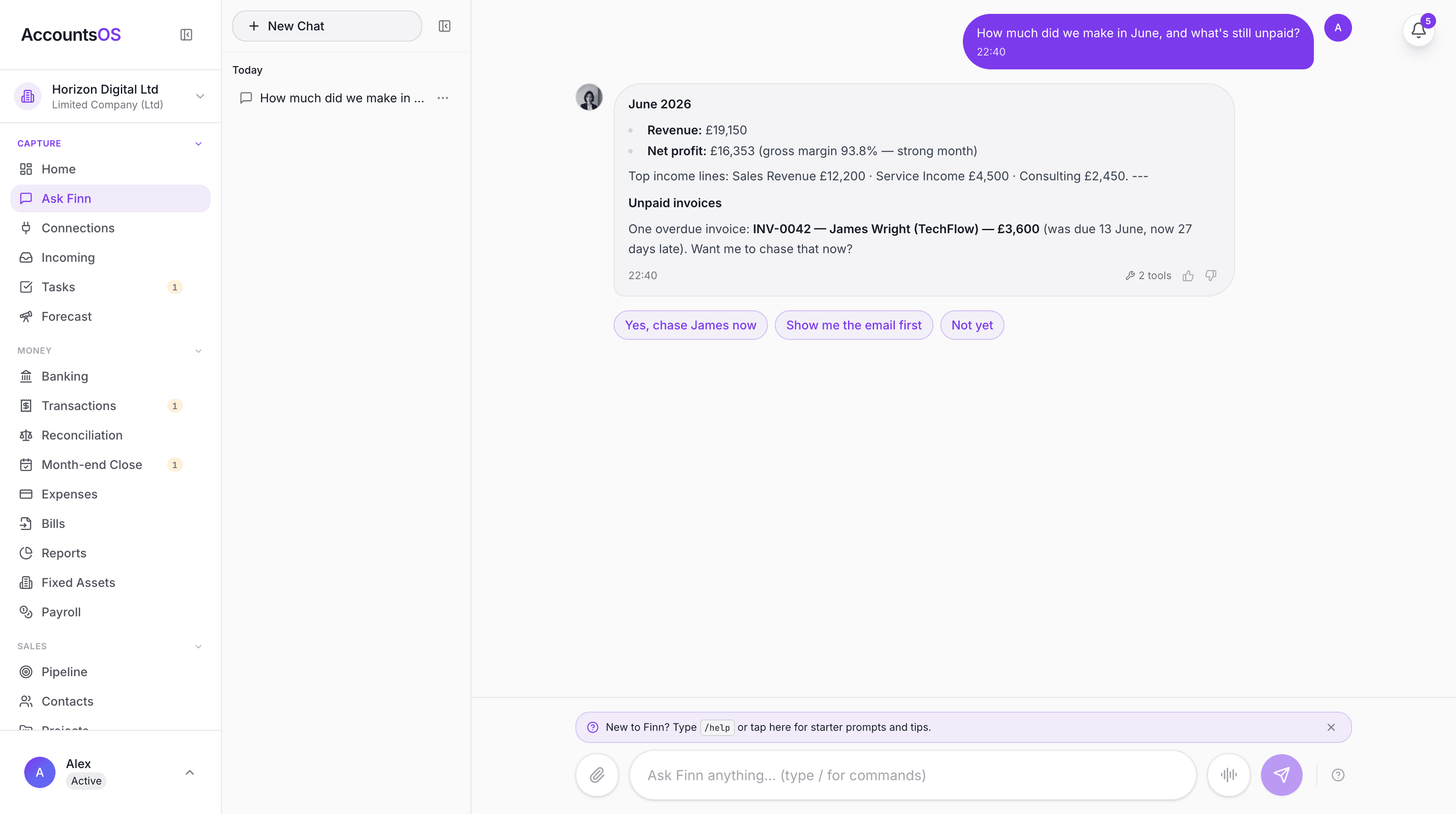
In practical terms: when a payment comes in or goes out, you can forward the receipt to AccountsOS (by email, WhatsApp, or Slack), and Finn categorises it. Your VAT position updates automatically. When your VAT period closes, Finn prepares your return, you review it, and it submits directly to HMRC via the MTD API. No spreadsheet, no bridging tool, no manual steps.
If you are currently using a spreadsheet, you can import it into AccountsOS. The import maps your existing columns using AI, so you do not start from zero.
AccountsOS is MTD-compatible software built to HMRC's MTD VAT API specification and submits VAT returns directly to HMRC. The 14-day free trial requires no card, so you can verify it handles your situation before committing.
The cost comparison is straightforward: bridging software from around £10 to £36 per year, but you still maintain all your records manually. AccountsOS at £20 per month plus VAT handles your bookkeeping, VAT, invoicing, expenses, and MTD filing. For a business spending even two hours a month on spreadsheet maintenance, the time saving is material.
MTD for VAT: the Rules You Need to Know for 2026
MTD for VAT has been mandatory for all VAT-registered UK businesses since April 2022. There is no threshold exemption: if you are VAT-registered, you must file through MTD-compatible software.
Your VAT return is due 1 month and 7 days after the end of your VAT period. For a period ending 31 March, the return and payment are due by 7 May. HMRC charges surcharges and interest on late submissions and late payments.
The digital links requirement means that data must flow electronically at every stage between your accounting records and the figures submitted to HMRC. You cannot manually retype or copy-paste figures between systems at any point in the chain. This applies even within a single spreadsheet: if you have a data entry sheet and a VAT calculation sheet, the link between them must be a formula or cell reference, not a manual entry.
HMRC has a soft-landing period for certain aspects of digital links now behind us. As of 2026, full digital links compliance is expected throughout your record-keeping and submission process.
For most small businesses, the simplest way to be certain you are compliant is to use accounting software that handles the entire chain. Bridging software leaves the first part of the chain in your hands.
| VAT Period End | Return and Payment Due |
|---|---|
| 31 January | 7 March |
| 28/29 February | 7 April |
| 31 March | 7 May |
| 30 April | 7 June |
| 31 May | 7 July |
| 30 June | 7 August |
| 31 July | 7 September |
| 31 August | 7 October |
| 30 September | 7 November |
| 31 October | 7 December |
| 30 November | 7 January |
| 31 December | 7 February |
When Should You Switch from Bridging Software to Full Accounting Software?
If any of the following apply, bridging software is likely costing you more than you realise in time, risk, or missed information:
Your transaction volume has grown to the point where spreadsheet maintenance takes more than an hour per month. At that volume, automated categorisation saves meaningful time.
You want to know your VAT position mid-quarter, not just at filing time. Bridging software tells you nothing until you have completed the spreadsheet yourself.
You are spending time reconciling your spreadsheet against your bank statement. Accounting software with a bank connection does this for you.
You are sending invoices and want them automatically included in your VAT calculation. Bridging software does not touch your invoices.
You have had a bridging submission that contained an error you did not notice until after the fact. Full software calculates from your transactions; a human error in the spreadsheet propagates; a categorisation error in accounting software is caught at the transaction level.
You want your accountant (if you use one) to see your books without you sending them a spreadsheet. Cloud accounting software gives them direct access.
For most growing businesses, the question is not whether to switch, but when. The earlier you build accurate digital records, the cleaner your historical data when it matters.
Frequently asked questions
Do I legally need bridging software or can I file VAT manually through HMRC's website?
You cannot file VAT manually through HMRC's website if you are VAT-registered. Since April 2022, all VAT-registered businesses must file through MTD-compatible software. This means either bridging software (if you use spreadsheets) or full accounting software. HMRC's old online VAT portal is no longer available for standard VAT returns.
Is bridging software free?
Most bridging software is not free, but it is inexpensive. Typical pricing is from around £10 to £36 per year for a single business. Some providers offer a free trial or a limited free tier. There is no widely-used completely free bridging tool that is reliable for ongoing use.
Can I use Google Sheets as my VAT spreadsheet for MTD?
Yes. Google Sheets is a digital format and counts as digital record-keeping for MTD purposes, provided the link between your transaction records and your VAT figures is maintained digitally within the spreadsheet (using formulas, not manual retyping). You would then use a bridging tool such as 123 Sheets, which has a Google Sheets add-in, to submit to HMRC.
What are the 9 boxes in a VAT return?
Box 1: VAT due on sales and other outputs. Box 2: VAT due on acquisitions from EU member states (post-Brexit, applies to Northern Ireland businesses using the NI Protocol). Box 3: Total VAT due (Box 1 plus Box 2). Box 4: VAT reclaimed on purchases and other inputs. Box 5: Net VAT to pay or reclaim (difference of Box 3 and Box 4). Box 6: Total value of sales excluding VAT. Box 7: Total value of purchases excluding VAT. Box 8: Total value of supplies to EU excluding VAT (NI Protocol). Box 9: Total value of acquisitions from EU excluding VAT (NI Protocol).
Does bridging software check whether my VAT figures are correct?
No. Bridging software submits whatever figures it reads from your spreadsheet. It does not validate, check, or flag errors in your calculations. If Box 1 and Box 4 are transposed, or if you have miscalculated your net VAT, the tool will submit the wrong figures. Responsibility for the accuracy of the return rests with you.
Can I use AccountsOS if I have been using a spreadsheet for years?
Yes. AccountsOS supports importing existing records from spreadsheets. The AI import tool maps your existing columns to the correct accounting categories, so you do not have to rebuild your history from scratch. You can also enter an opening balance to start from a clean point if you prefer.
How does AccountsOS handle the digital links requirement?
AccountsOS maintains a continuous digital link from your transactions through to the HMRC submission. When a transaction is recorded (whether entered manually, imported from a bank statement, or extracted from a receipt), it flows digitally through to the VAT calculation and then to the return submitted via the MTD API. No manual copying or retyping occurs at any stage.
What happens if I miss my VAT filing deadline?
HMRC operates a penalty points system for late VAT submissions introduced in January 2023. Each late submission earns a penalty point. When you reach the threshold for your filing frequency (4 points for quarterly filers, 2 for half-yearly, 5 for monthly), HMRC issues a £200 financial penalty and a further £200 for each subsequent late submission while you are at the threshold. Separate late payment interest applies if you pay your VAT bill late.
Is AccountsOS on the HMRC software finder list?
AccountsOS is MTD-compatible software built to HMRC's MTD VAT API specification and submits VAT returns directly to HMRC. For the current status of its listing on HMRC's published software-finder tool, check the HMRC website directly, as listing status can change.
Can a sole trader use bridging software, or is it only for limited companies?
Bridging software can be used by any VAT-registered business, whether a sole trader, partnership, or limited company. The MTD for VAT rules apply equally to all legal structures. The choice between bridging software and full accounting software depends on your record-keeping approach and complexity, not your business structure.
Related MTD guides
MTD for VAT Software UK 2026: Submit Your VAT Return Directly to HMRC
MTD for VAT software keeps your VAT records digitally and submits your VAT return directly to HMRC. Every VAT-registered UK business must file this way. AccountsOS is connected to HMRC's Making Tax Digital for VAT service in production: it calculates your nine-box return live from your bookkeeping and, on your confirmation, files it directly to HMRC. Unlike software that just hands you the nine boxes to fill in, the AI does the categorising and the calculation for you. From £20 a month plus VAT after a 14-day free trial.
Free MTD VAT Software UK 2026: Your Options, Honestly Compared
Yes, free MTD VAT software is available in the UK. FreeAgent is free for NatWest, RBS, Ulster and Mettle business banking customers. QuickFile is free for smaller businesses, and My Tax Digital offers free bridging for filing only. All three are MTD-compatible and can submit VAT returns directly to HMRC. The trade-off: free software leaves the bookkeeping and VAT calculation work entirely to you.
Best MTD Software UK 2026: Free and Paid Options Compared
Several free MTD-compatible software options exist for UK taxpayers, including QuickFile, My Tax Digital, and FreeAgent (free via NatWest or Mettle banking). Paid all-in-one options include Xero, QuickBooks, and Sage. AccountsOS is MTD-compatible software that uses AI to do the bookkeeping for you and submits your VAT return directly to HMRC, from £20 a month plus VAT after a 14-day free trial.
Making Tax Digital for VAT: Complete Compliance Guide (2026)
MTD for VAT is mandatory for all VAT-registered businesses regardless of turnover since April 2022. You must keep digital VAT records and submit your VAT return through MTD-compatible software — not the HMRC online portal.
How to Submit Your VAT Return to HMRC Under MTD (2026 Step-by-Step)
To submit a VAT return under Making Tax Digital (MTD), you must use MTD-compatible software connected to HMRC via OAuth authorisation. Your software calculates the 9-box VAT figures from your digital records, you review them, and submit directly to HMRC through the software. The old HMRC online portal can no longer be used by VAT-registered businesses to file returns.
Get MTD-ready with AccountsOS
Connect your bank and HMRC, and let Finn keep the records, build the return and submit it for you. Be ready for Making Tax Digital without the admin.
Free for 14 days. No credit card required.