Making Tax Digital for VAT: Complete Compliance Guide (2026)
MTD for VAT is mandatory for all VAT-registered businesses regardless of turnover since April 2022. You must keep digital VAT records and submit your VAT return through MTD-compatible software — not the HMRC online portal.
Mandatory since
April 2022 (all VAT-registered)
Turnover threshold
None — all VAT-registered businesses
Filing method
MTD-compatible software only (not HMRC portal)
VAT return format
9-box return via API
Digital records required
All sales and purchases with VAT details
Penalty points (quarterly filer)
4 points = £200 fine
Late payment penalty (31+ days)
4% of outstanding VAT
Digital exclusion
Available by application for qualifying reasons
Compliant without the manual work
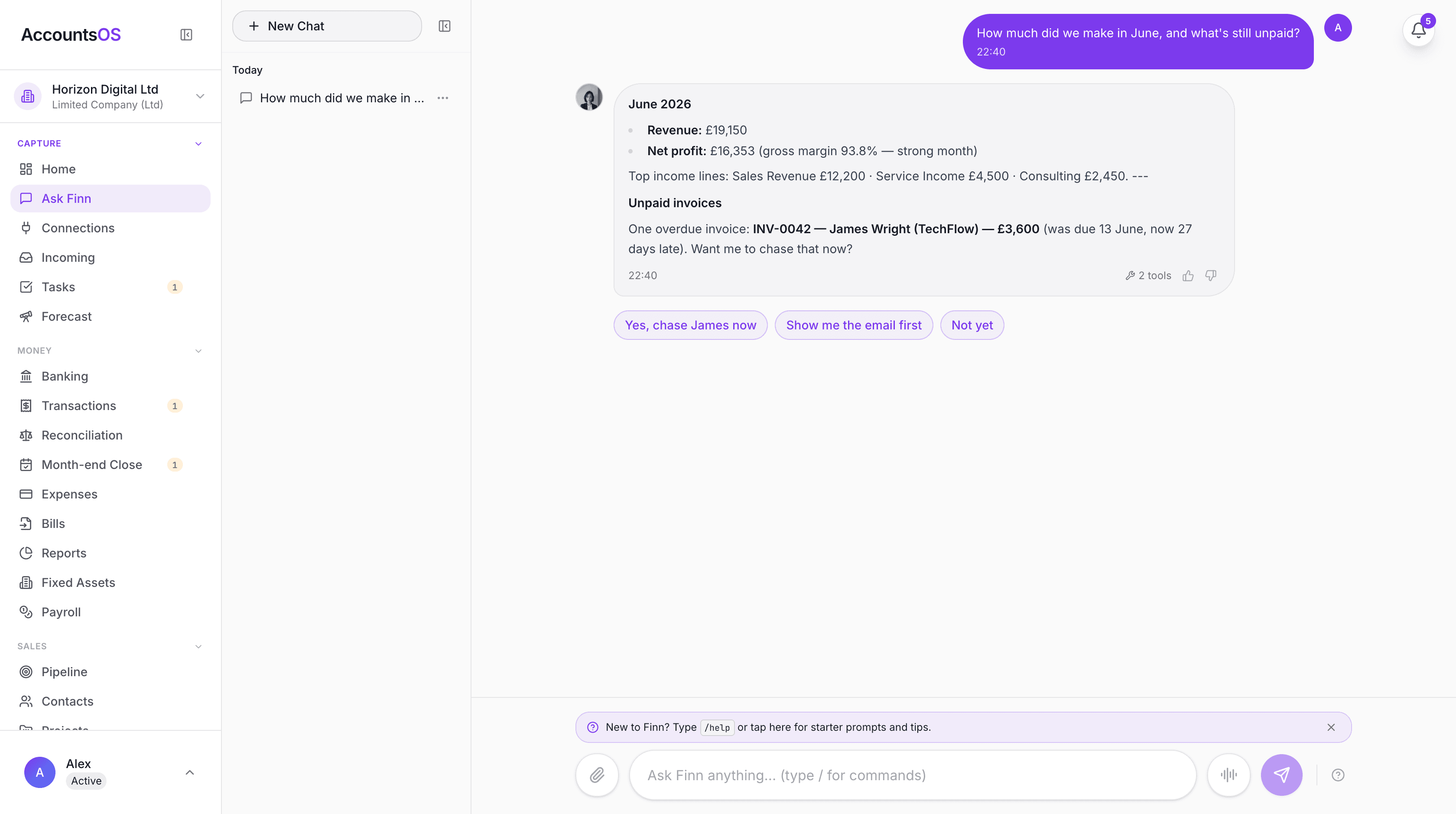
Making Tax Digital means keeping digital records and filing through software. AccountsOS does both for you. Connect your bank and HMRC, and Finn keeps the records, builds the return from your bookkeeping, and files it on your confirmation.
- Digital records kept automatically as money moves
- Returns calculated from your ledger, no bridging spreadsheet
- Submit directly to HMRC once you've checked the figures
- Every deadline tracked so nothing is filed late
Making Tax Digital for VAT is the most mature phase of HMRC's MTD programme. Since April 2022, every VAT-registered business in the UK must keep digital VAT records and submit VAT returns using MTD-compatible software. There is no turnover threshold — if you are VAT-registered (whether mandatory or voluntary), you must comply. The HMRC online VAT portal can no longer be used for filing. This guide covers what digital records you must keep, what digital links mean in practice, how the 9-box VAT return works under MTD, what software you need, exemptions, penalties for non-compliance, and how bridging software works if you want to keep using spreadsheets.
Who must comply with MTD for VAT?
Every VAT-registered business must comply with MTD for VAT. There is no turnover threshold. Whether you registered voluntarily (below the £90,000 VAT threshold) or mandatorily (above it), the requirement is the same: digital records, compatible software, API submission. This applies to sole traders, partnerships, limited companies, charities, and any other entity that is VAT-registered. The only exemptions are for businesses that have applied for and received a digital exclusion (covered in the exemptions section below). MTD for VAT became mandatory for businesses above the VAT threshold in April 2019, and was extended to all VAT-registered businesses from April 2022. If you registered for VAT after April 2022, you are automatically in scope from day one. If your VAT registration is cancelled (either voluntarily or by HMRC), you are no longer in scope for MTD for VAT from the date your registration is cancelled. However, you must still file your final VAT return for the period ending on your deregistration date through MTD-compatible software. Businesses in an insolvency procedure are generally exempt from MTD for VAT requirements during the insolvency period. The insolvency practitioner may file returns through the standard HMRC process.
What digital records must I keep for MTD VAT?
Under MTD for VAT, you must maintain specific digital records that HMRC can request for inspection. These records must be created and stored in compatible software — not on paper or in a non-digital format. The mandatory digital records cover two areas: your business designatory data (name, address, VAT registration number, VAT accounting scheme used) and your transaction data. For every supply you make (sale) and every supply you receive (purchase), you must digitally record: the date of supply, the net value excluding VAT, the VAT rate applied, and the gross value including VAT. For each VAT period, your software must be able to generate the nine boxes of the VAT return directly from these digital records. If you use the Flat Rate Scheme, you must still keep digital records of your gross income (including VAT) and the flat rate percentage applied. If you use the Cash Accounting Scheme, transactions are recorded when payment is made or received, not when the invoice is issued. Retail businesses that cannot issue individual VAT invoices for every sale may use a daily gross takings summary — but this summary must be recorded digitally.
| Record Category | What Must Be Recorded | Format |
|---|---|---|
| Business details | Business name, address, VAT number, accounting scheme | Digital — in software |
| Sales (outputs) | Date, net value, VAT rate, gross value per transaction | Digital — in software |
| Purchases (inputs) | Date, net value, VAT rate, gross value per transaction | Digital — in software |
| VAT adjustments | Bad debt relief, reverse charges, partial exemption adjustments | Digital — in software |
| Flat Rate Scheme | Daily gross income, flat rate percentage | Digital — in software |
| Retail scheme | Daily gross takings summaries | Digital — in software |
What are digital links and why do they matter?
Digital links are one of the most misunderstood aspects of MTD for VAT. A digital link is a transfer of data between software programmes, products, or applications without manual re-entry. If data moves from one system to another, it must flow digitally — not be manually retyped. Examples of acceptable digital links include: importing a CSV or XML file from one application to another, using an API connection between systems, copy-and-paste between cells in a spreadsheet or between applications, and automated bank feeds that pull transaction data into your accounting software. Examples that are NOT acceptable digital links: reading figures from one screen and typing them into another system, printing a report from one system and keying the data into another, and manually transferring totals between a spreadsheet and your VAT return software. The digital links requirement applies to the entire chain from source data to submitted VAT return. If your process is: bank feed into a spreadsheet, then spreadsheet totals into accounting software, then accounting software submits to HMRC — every step in that chain must be a digital link. HMRC can inspect your digital links during a compliance check. If they find a break in the digital chain (a point where data was manually re-entered), they may issue a penalty. In practice, using a single integrated accounting package like AccountsOS that handles bank feeds, record-keeping, and submission in one system eliminates the digital links concern entirely.
How does the 9-box VAT return work under MTD?
The MTD VAT return contains the same nine boxes as the traditional VAT return. The difference is in how it is generated and submitted: your software calculates the figures from your digital records and submits them via HMRC's API. Box 1: VAT due on sales and other outputs. This is the VAT you have charged to your customers on your sales during the period. Box 2: VAT due on acquisitions from other EU member states. Post-Brexit, this applies to goods moved from Northern Ireland under the Windsor Framework. Box 3: Total VAT due (Box 1 + Box 2). Box 4: VAT reclaimed on purchases and other inputs. This is the input VAT you are claiming back on your business purchases. Box 5: Net VAT to pay or reclaim (Box 3 - Box 4). A positive figure means you owe HMRC; a negative figure means HMRC owes you a refund. Box 6: Total value of sales and other outputs excluding VAT. Box 7: Total value of purchases and other inputs excluding VAT. Box 8: Total value of dispatches to EU member states (Northern Ireland trade only post-Brexit). Box 9: Total value of acquisitions from EU member states (Northern Ireland trade only post-Brexit). Your software must calculate these figures directly from your digital records. You cannot manually override the figures before submission unless you are making a legitimate adjustment (e.g. bad debt relief, fuel scale charges, or partial exemption adjustments).
| Box | Description | Calculation |
|---|---|---|
| Box 1 | VAT due on sales | Sum of output VAT on all sales |
| Box 2 | VAT due on EU acquisitions | Reverse-charge VAT on NI goods acquisitions |
| Box 3 | Total VAT due | Box 1 + Box 2 |
| Box 4 | VAT reclaimed on purchases | Sum of input VAT on all purchases |
| Box 5 | Net VAT to pay/reclaim | Box 3 - Box 4 |
| Box 6 | Total sales excl. VAT | Net value of all outputs |
| Box 7 | Total purchases excl. VAT | Net value of all inputs |
| Box 8 | Dispatches to EU (NI only) | Net value of NI dispatches |
| Box 9 | Acquisitions from EU (NI only) | Net value of NI acquisitions |
What software do I need for MTD VAT?
You need software that appears on HMRC's list of MTD-compatible software for VAT. The software must be able to: store your digital VAT records, maintain digital links throughout the record-keeping chain, calculate your 9-box VAT return from those records, and submit the return to HMRC via API. You cannot submit your VAT return through the HMRC online portal. The old online VAT return service has been closed for MTD-registered businesses. Your only option is compatible software. There are two categories of compatible software: 1. Full accounting software that handles everything from transaction recording to submission. This is the simplest option and eliminates digital links concerns. 2. Bridging software that connects a spreadsheet to HMRC's API. You maintain your records in a spreadsheet, and the bridging software reads the 9-box figures and submits them. The spreadsheet must maintain digital links throughout — no manual retyping of figures between cells or sheets. When choosing software, consider: does it support your VAT scheme (standard, flat rate, cash accounting)? Does it offer bank feeds? Can it handle multiple VAT rates? Does it support the reverse charge for construction industry or other sectors? AccountsOS connects directly to HMRC's MTD for VAT API. Digital records are maintained automatically, bank transactions are imported and categorised by AI, and your 9-box return is calculated and submitted without leaving the app.
What are the penalties for MTD VAT non-compliance?
HMRC introduced a new points-based penalty system for VAT from January 2023, replacing the old default surcharge. This applies to all VAT-registered businesses, whether or not they file under MTD. For late submission, you receive one penalty point each time you file a VAT return after the deadline. The threshold for a financial penalty depends on your filing frequency: quarterly filers receive a £200 penalty when they reach four points, monthly filers at five points, and annual filers at two points. Each subsequent late submission while at the threshold triggers another £200 penalty. Penalty points expire after a period of compliance. For quarterly filers, all points reset to zero after 12 months of on-time submissions (four consecutive on-time returns). You must also submit any outstanding returns from the previous 24 months. For late payment, a two-tier penalty applies. No penalty if you pay within 15 days of the due date. Between 16 and 30 days late, a penalty of 2% of the outstanding amount applies. After 30 days, a 4% penalty applies. A further 4% per annum accrues on tax outstanding after 31 days. Additionally, HMRC charges interest on any late-paid VAT from the day after the payment deadline. The interest rate is set at the Bank of England base rate plus 2.5%. Using non-MTD-compatible software or failing to maintain digital records can also result in penalties. HMRC may issue a £400 penalty for each VAT period where digital record-keeping requirements are not met.
| Offence | Penalty |
|---|---|
| Late VAT return (quarterly filers) | 1 point per late return; £200 fine at 4 points |
| Subsequent late returns at threshold | £200 per late return |
| Late payment (16-30 days) | 2% of outstanding VAT |
| Late payment (31+ days) | 4% of outstanding VAT + 4% p.a. ongoing |
| Non-digital record-keeping | Up to £400 per VAT period |
| Late payment interest | Bank of England base rate + 2.5% |
Who is exempt from MTD for VAT?
Exemptions from MTD for VAT are limited and must be applied for. HMRC may grant a digital exclusion if you can demonstrate that you cannot use software due to age, disability, remoteness of location, religious beliefs that preclude the use of electronic communications, or if you are subject to an insolvency procedure. To apply for exemption, call the VAT helpline (0300 200 3700) and request a digital exclusion. HMRC will assess your circumstances and may ask for supporting evidence. If granted, you can continue submitting VAT returns through the old postal process. Businesses in insolvency are generally exempt during the insolvency procedure. The insolvency practitioner handles VAT filings through the standard HMRC process. If your VAT registration is cancelled, you must still file your final VAT return for the period ending on deregistration through MTD-compatible software. After that final return, you are no longer in scope. There is no exemption based on turnover. Even if your taxable turnover is well below the £90,000 VAT threshold, if you are voluntarily VAT-registered, you must comply with MTD for VAT. The only way to exit the requirement (other than a digital exclusion) is to deregister from VAT entirely. Charities and not-for-profit organisations that are VAT-registered are fully in scope. There is no exemption for charitable status.
What is bridging software and should I use it?
Bridging software is an application that connects a spreadsheet (usually Excel or Google Sheets) to HMRC's MTD API. It reads the 9-box VAT return figures from specified cells in your spreadsheet and submits them to HMRC. Bridging software is a legitimate way to comply with MTD for VAT. HMRC explicitly allows it. However, there are important conditions: Your spreadsheet must maintain digital links throughout. This means data must flow into and within the spreadsheet digitally — no manual retyping of figures between cells, sheets, or systems. Bank data imported via CSV is fine. Copy-and-paste between cells is fine. Manually reading a figure from a bank statement and typing it in is not fine. The 9-box figures that the bridging software reads must be calculated by the spreadsheet from underlying transaction data, not manually typed into summary cells. Bridging software is best suited for businesses that have well-established spreadsheet systems and do not want to migrate to dedicated accounting software. It is the minimum-change approach to MTD compliance. However, bridging software only handles submission — it does not help with transaction categorisation, bank reconciliation, receipt storage, or financial reporting. For most small businesses, dedicated MTD-compatible accounting software provides a better experience and reduces the risk of digital links non-compliance. AccountsOS eliminates the need for bridging software entirely. Your transactions are recorded, categorised, and reconciled in one system, and your VAT return is submitted directly to HMRC from the same application.
Frequently asked questions
Is MTD for VAT mandatory?
Yes. MTD for VAT has been mandatory since April 2022 for all VAT-registered businesses, regardless of turnover. If you are VAT-registered — whether voluntarily or because you exceed the £90,000 threshold — you must keep digital records and submit returns through compatible software.
Can I still file my VAT return on the HMRC website?
No. The HMRC online VAT return portal is no longer available for MTD-registered businesses. You must use MTD-compatible software to submit your VAT return via API. Bridging software connected to a spreadsheet is an alternative.
What is a digital link for MTD VAT?
A digital link is a transfer of data between software systems without manual re-entry. Importing CSVs, API connections, copy-paste, and automated bank feeds all count as digital links. Manually reading a figure from one screen and typing it into another does not.
Do I need MTD for VAT if I am voluntarily registered?
Yes. There is no turnover threshold for MTD for VAT. If you are VAT-registered for any reason — including voluntary registration below the £90,000 threshold — you must comply.
Can I use a spreadsheet for MTD VAT?
Yes, with bridging software that submits the 9-box figures to HMRC via API. Your spreadsheet must maintain digital links throughout — no manual retyping of data. The 9-box figures must be calculated from transaction data, not manually entered.
What VAT schemes work with MTD?
All VAT schemes are compatible with MTD: standard accounting, flat rate scheme, cash accounting scheme, and annual accounting scheme. Your software must support the specific scheme you use. Not all software supports all schemes, so check before choosing.
What happens if I do not comply with MTD for VAT?
HMRC may issue penalty points for late submissions (£200 fine at 4 points for quarterly filers), late payment penalties (2-4% of outstanding VAT), and up to £400 per period for failing to maintain digital records. Interest also accrues on late-paid VAT.
Can I get an exemption from MTD for VAT?
Only in limited circumstances: if you cannot use digital tools due to age, disability, remoteness, or religious beliefs; or if you are subject to an insolvency procedure. You must apply to HMRC by calling the VAT helpline.
How often do I submit a VAT return under MTD?
Most businesses submit quarterly, though monthly and annual schemes exist. The deadline is one calendar month and seven days after the end of each VAT period. Your MTD-compatible software submits the 9-box return directly to HMRC.
Does MTD for VAT apply to limited companies?
Yes — if the limited company is VAT-registered. MTD for VAT applies to all VAT-registered entities including sole traders, partnerships, limited companies, and charities. The entity type does not matter; only VAT registration status matters.
Related MTD guides
Making Tax Digital for Income Tax: Complete Guide for Sole Traders & Landlords (2026)
MTD for Income Tax Self Assessment requires sole traders and landlords with qualifying income of £50,000 or more to submit quarterly digital updates to HMRC using compatible software from April 2026. Qualifying income is gross self-employment plus UK property income combined, before expenses.
Does Making Tax Digital Apply to Limited Companies? (2026 Guide)
Limited companies are NOT in scope for MTD for Income Tax — HMRC has cancelled MTD for Corporation Tax. However, VAT-registered limited companies must comply with MTD for VAT (mandatory since April 2022), and company directors with personal rental or self-employment income of £50,000 or more are personally in scope for MTD ITSA from April 2026.
Making Tax Digital Penalties: Late Submission Fines Explained
MTD uses a points-based penalty system. Each late submission earns 1 penalty point. When you reach 4 points, you receive a £200 fine. The good news: the soft landing year (2026/27) means no penalty points for late quarterly updates — but the Final Declaration deadline of 31 January 2028 is still enforced.
MTD for VAT Software UK 2026: Submit Your VAT Return Directly to HMRC
MTD for VAT software keeps your VAT records digitally and submits your VAT return directly to HMRC. Every VAT-registered UK business must file this way. AccountsOS is connected to HMRC's Making Tax Digital for VAT service in production: it calculates your nine-box return live from your bookkeeping and, on your confirmation, files it directly to HMRC. Unlike software that just hands you the nine boxes to fill in, the AI does the categorising and the calculation for you. From £20 a month plus VAT after a 14-day free trial.
VAT Bridging Software UK 2026: What It Is, Whether You Need It, and What to Use Instead
VAT bridging software is a tool that takes the 9 VAT figures from your spreadsheet and submits them to HMRC via the MTD API, creating the required digital link without changing how you keep records. It is mandatory to file through MTD-compatible software for all VAT-registered UK businesses since April 2022, and bridging software is the minimum-effort route if you want to keep using spreadsheets. However, bridging software does no bookkeeping: it is a filing tool only, not an accounting solution.
Best MTD Software UK 2026: Free and Paid Options Compared
Several free MTD-compatible software options exist for UK taxpayers, including QuickFile, My Tax Digital, and FreeAgent (free via NatWest or Mettle banking). Paid all-in-one options include Xero, QuickBooks, and Sage. AccountsOS is MTD-compatible software that uses AI to do the bookkeeping for you and submits your VAT return directly to HMRC, from £20 a month plus VAT after a 14-day free trial.
Get MTD-ready with AccountsOS
Connect your bank and HMRC, and let Finn keep the records, build the return and submit it for you. Be ready for Making Tax Digital without the admin.
Free for 14 days. No credit card required.