Your AI accountant can now open any website and do the job for you
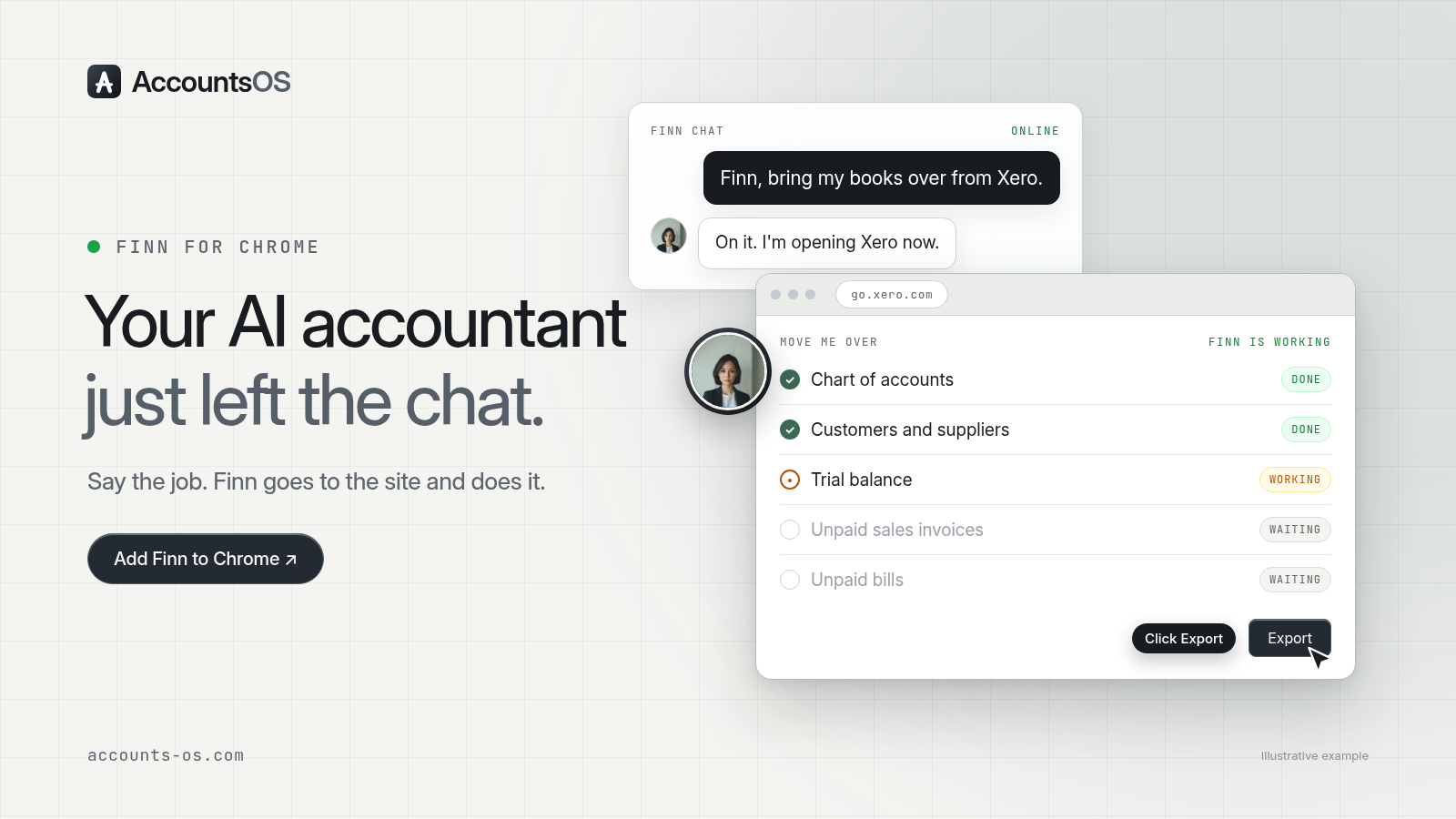
Finn, the AI accountant in AccountsOS, can now open websites on demand. Say 'bring my books over from Xero' and she goes, navigates and brings it all into your books.
Last updated: November 2026
Until today, Finn was the accountant you asked. You asked her a question, she answered. You asked her to prepare something, she prepared it. When the thing she needed lived on a website, she asked you to go and get it.
From today, Finn goes herself.
An agent, working for you
You have probably seen browser agents: AI that opens a website and works through it on its own. Finn for Chrome puts that power inside your accountant, working on your books.
Say what you need, in your own words, in the Finn chat. She opens the site, finds her way around, does the job and brings the result into AccountsOS. You carry on with your day.
Jobs to hand her
- "Finn, bring my books over from Xero." She works down your chart of accounts, customers and suppliers, trial balance, unpaid sales invoices and bills, fixed assets and the last 12 months of transactions. The same goes for QuickBooks, FreeAgent, Sage and other accounting software.
- "Pull every invoice from my invoicing software." All of them, in one go.
- "Grab this month's statements." From your bank, ready in your books.
- "Get last month's payout reports." From your payment provider or your shop.
- "Fetch every invoice from my wholesaler since April." Straight from their portal.
- "Collect my energy, phone and software bills." One sentence instead of five logins.
Why no API is the point
Most software only talks to other software if someone has built a connection for it. That takes months, it covers a short list of products, and it breaks.
Finn does not need one. She reads each page the way you would, so if you use a website, she can go there. There is no connector to set up and no supported list to check first. Your old accounting software, your bank, your payments, your invoicing and your suppliers are all within reach.
For founders
Your month used to end with a morning of downloading and uploading: bank, payments, suppliers, the lot. Now it ends with a sentence. Tell Finn what you need, and the files and figures arrive in your books while you get on with running the business.
Thinking of moving off old software? "Bring my books over" is the whole job. She exports, you check what arrived, and you are moved.
For practices
A new client on one tool, the next on another, a third with a bank that only gives PDFs. Open the client, send Finn to their software, and their books are waiting when you come back, ready for you to review and sign off. No more chasing clients for exports. One extension covers every client on your book.
Get Finn for Chrome
Add Finn to Chrome from the Chrome Web Store, then ask her for your first job from the Finn chat. There is more on the Finn for Chrome page, and if you are changing software you can start from moving to AccountsOS.
Safety, in two lines
You sign in to your own accounts, so your logins stay yours, and the buttons that pay, send or delete stay off limits to Finn, enforced in code. Every job is logged in your account, so you can always see where she went and what she brought back.
The AccountsOS team combines AI expertise with UK accounting knowledge to help small businesses thrive.
Let Finn run your accounts
Finn handles bookkeeping, VAT, deadlines and expenses for UK limited companies. Ask it anything about your numbers in plain English.
Start freeRelated Articles
Finn can now move your books across from your old software
Press Move me over in the free Finn for Chrome extension and Finn, the AI accountant, opens your old accounting software, exports your trial balance, contacts, open invoices and bills, and brings them into AccountsOS for you to check.
Finn now connects to US and Canadian banks
AccountsOS now has bank feeds in the US and Canada. Connect your business accounts and credit cards with your normal online banking login, and Finn categorises and reconciles every transaction.
AccountsOS Now Has a Built-In Sales Pipeline. Here's Why That Matters.
Track deals where you track money. AccountsOS now includes a full sales pipeline with customisable stages, AI deal summaries, weighted forecast, and email-to-pipeline magic — no separate CRM required.