Finn can now move your books across from your old software
Press Move me over in the free Finn for Chrome extension and Finn, the AI accountant, opens your old accounting software, exports your trial balance, contacts, open invoices and bills, and brings them into AccountsOS for you to check.
Last updated: November 2026
The hardest part of changing accounting software has never been the new software. It is getting your books out of the old one. Finding the right reports, setting the right dates, exporting each one, then working out where it all goes. Most people put it off for another year.
Move me over hands that job to Finn.
What is new
- A Move me over button in Finn for Chrome. Open your old accounting software in a tab and press it in the Finn side panel.
- You pick what comes across. Trial balance, contacts, open invoices and bills.
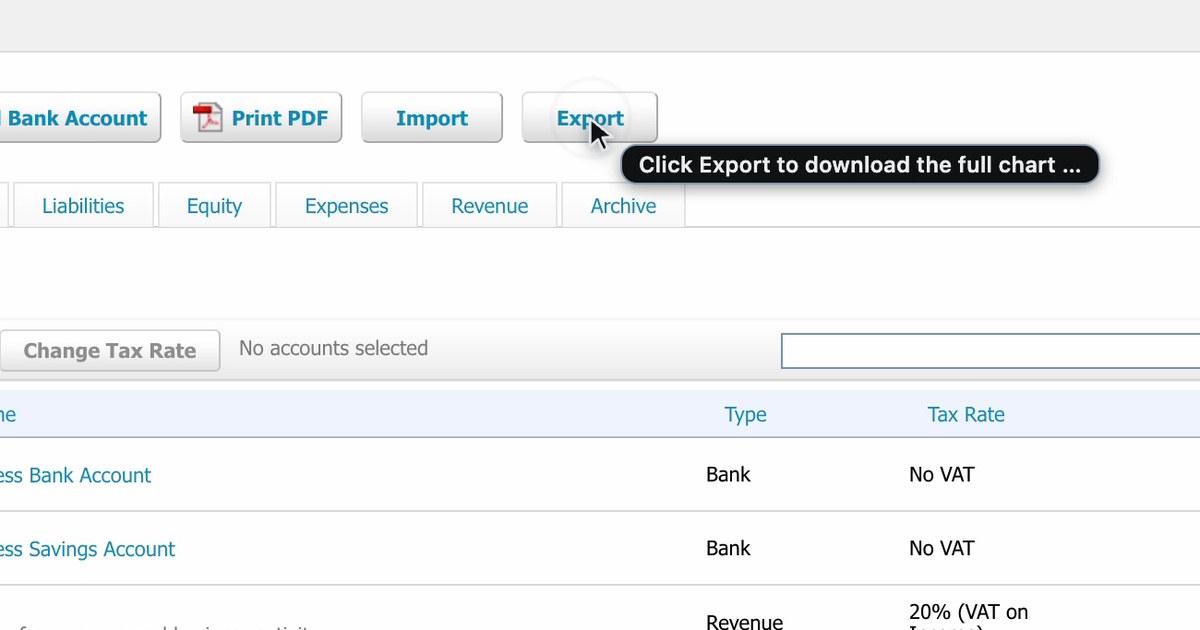
- Finn does the clicking. She finds each report, sets the report date, exports it and brings it into AccountsOS.
- You watch every step. The tab glows, a "Finn is working here" bar shows with a Stop button, and her cursor shows each click with a label before she makes it.
- You check before anything is saved. The files land in AccountsOS for you to review. Nothing goes into your books until you confirm.
What Finn will and won't do in your old software
Finn only opens menus, sets report dates and presses export. She never creates, edits, deletes, sends or pays anything there. If the only way forward would change your data, she stops and asks you. You can press Stop at any time.
For founders
If you have been meaning to move off your current software but never found the afternoon to do it, this is that afternoon, done for you. Install the extension, sign in, open your old software and press Move me over. Then check what Finn brought across.
For practices
Taking on a new client usually starts with a pile of exports. Move me over pulls the opening position from the client's old software in front of you, so the person doing the onboarding reviews rather than retypes. A person still reviews and signs.
How to get it
Finn for Chrome is free on the Chrome Web Store. See it working in the 60-second video on the Finn for Chrome page, or start from moving to AccountsOS.
The AccountsOS team combines AI expertise with UK accounting knowledge to help small businesses thrive.
Let Finn run your accounts
Finn handles bookkeeping, VAT, deadlines and expenses for UK limited companies. Ask it anything about your numbers in plain English.
Start freeRelated Articles
Finn now connects to US and Canadian banks
AccountsOS now has bank feeds in the US and Canada. Connect your business accounts and credit cards with your normal online banking login, and Finn categorises and reconciles every transaction.
AccountsOS Now Has a Built-In Sales Pipeline. Here's Why That Matters.
Track deals where you track money. AccountsOS now includes a full sales pipeline with customisable stages, AI deal summaries, weighted forecast, and email-to-pipeline magic — no separate CRM required.
Xero Alternatives Under £10/Month: 8 Options for UK Limited Companies (2026)
Xero keeps raising prices. Here are 8 alternatives for UK Ltd company directors, from free up to £20/month, all MTD-compatible.