Time and billing
The fee you set on a client becomes a real invoice.
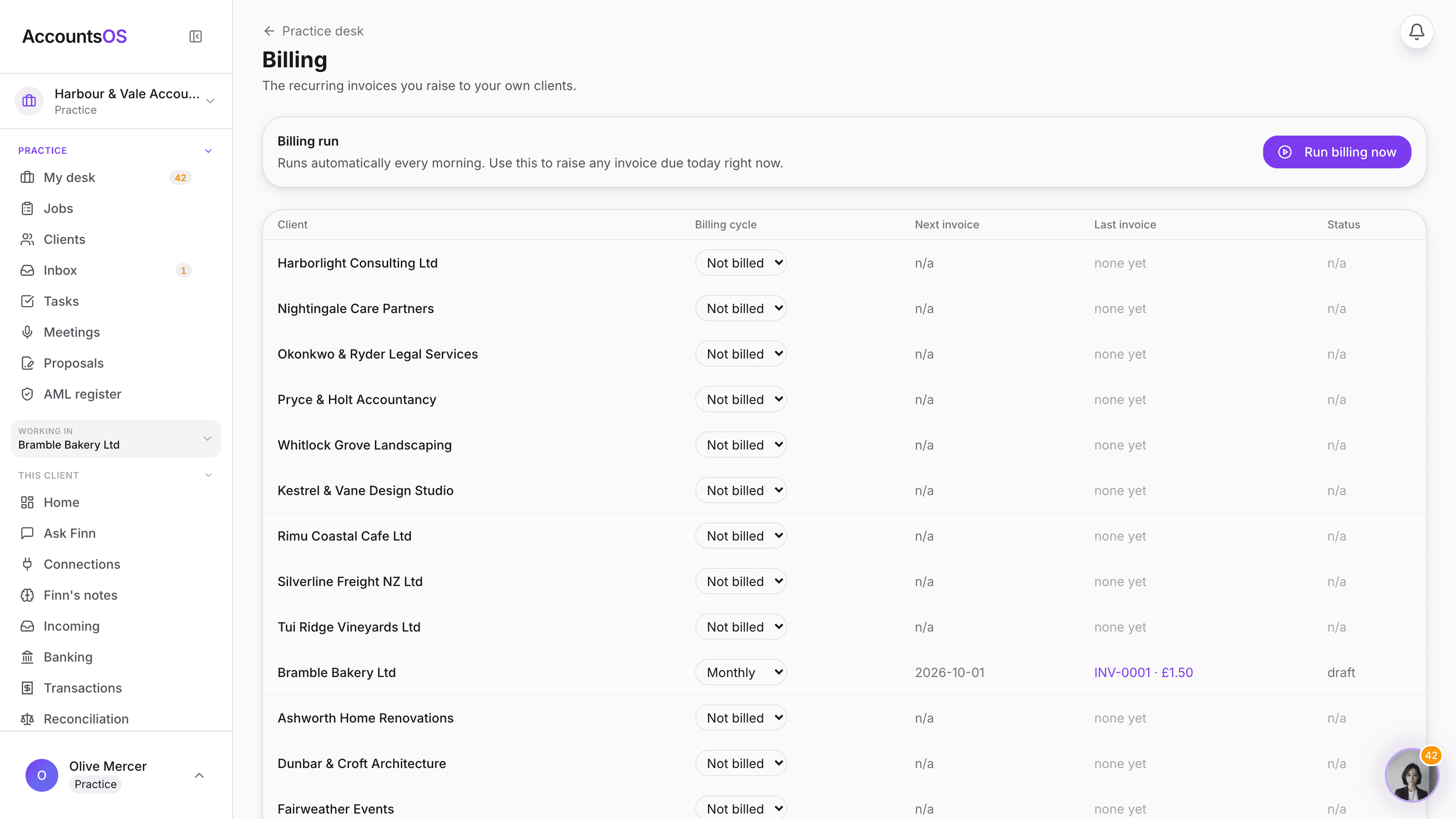
Set a client's billing cycle once and the invoice is raised from your own company's books on the due date. Late ones are chased the same way any overdue invoice is.
Optional
AccountsOS · Every client, on a schedule

How it works
Client invoicing, step by step
01
Set the cycle
Monthly, quarterly or yearly, or not billed at all. Change it any time.
02
The invoice is raised
On the due date it is created from your own company's books, in your numbering and with your terms.
03
It goes out
The client gets it by email with a card payment link and your bank details for transfer.
04
Paid or chased
Payments match into your books like any other. If it goes late, the client gets the usual overdue nudge.
What you get
- One fee schedule per client, in your own invoice numbering
- Raised from your own company's books, not a separate billing tool
- Card payment link and bank transfer live today
- Every client's next invoice date and paid or overdue status on one screen
Questions
What practices ask
Can clients pay by direct debit?
Not yet. Card and bank transfer are live today.
Do I have to raise the invoices myself?
No. Once a client is on a cycle the invoice is raised and sent on the due date. You can also run it on demand from the Billing screen.
Where do these invoices live?
On your own company's books, in the same invoices area you already use.
What if I change a client's fee?
Update it and the next invoice uses the new amount. The schedule stays as it is.
Switch on just this, or see the whole menu
Open the demo practice with no sign-up, or start your own and add pieces as you go.