Your AI
Tell Finn a rule once. It runs every time.
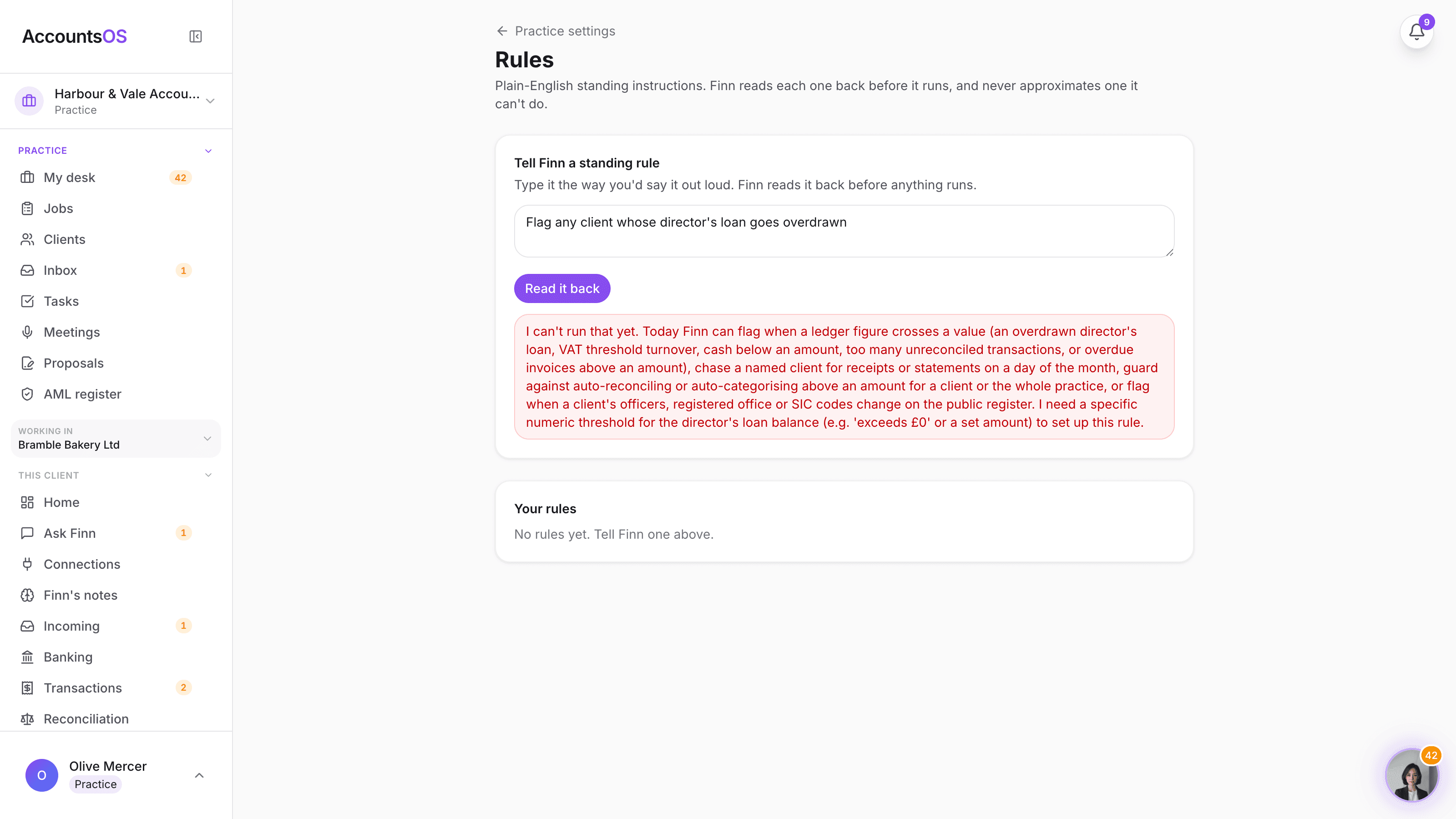
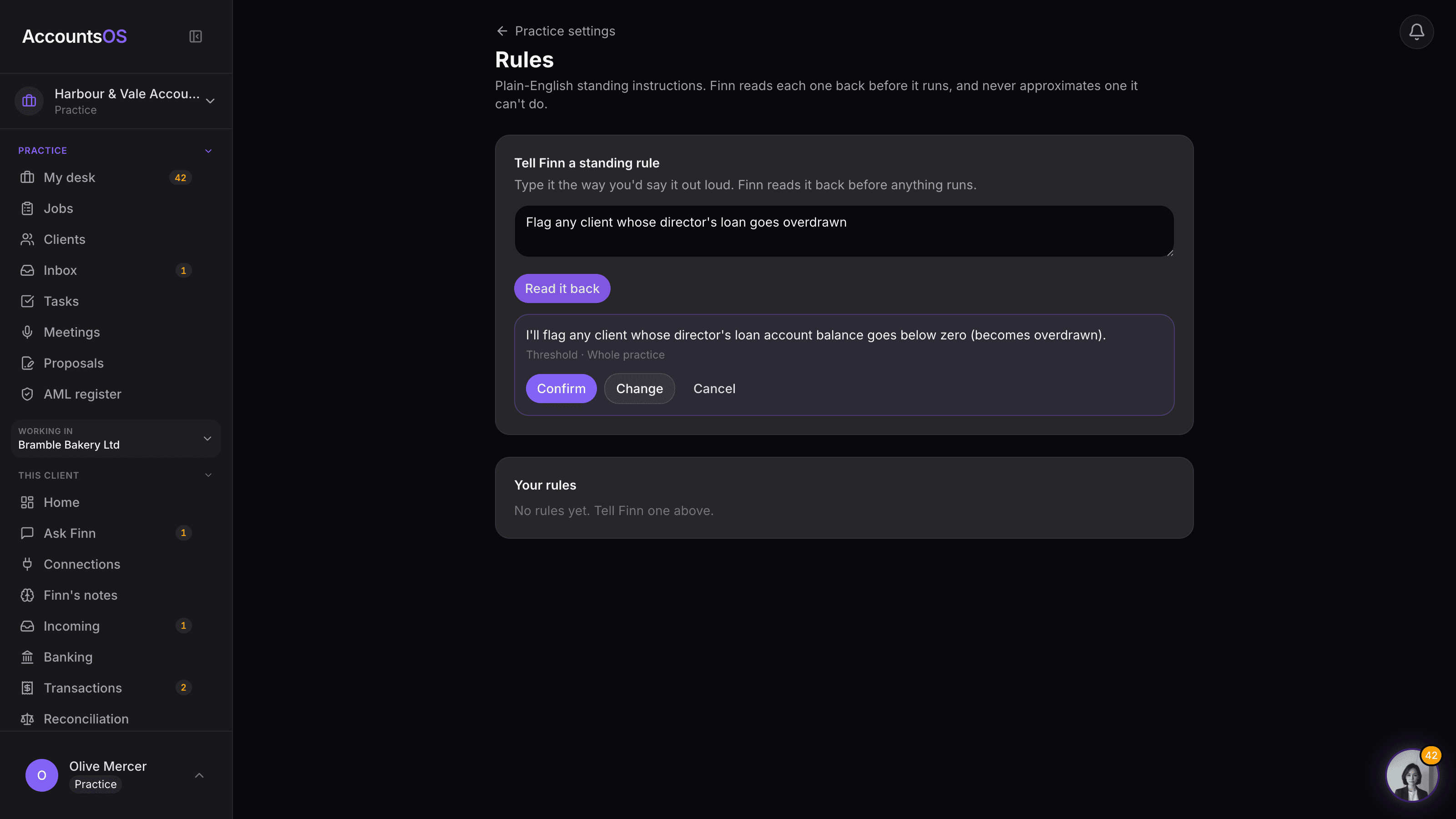
Type a standing instruction the way you would say it out loud, like flagging an overdrawn director's loan or chasing receipts on a set day. Finn reads it back in plain English and nothing runs until you confirm.
Optional
AccountsOS · Tell Finn a standing rule
How it works
Finn rules, step by step
01
Say the rule
Type it plainly in Settings or in the chat. For example: flag any client whose director's loan goes overdrawn.
02
Finn reads it back
One sentence says exactly what will happen and to whom. Confirm it, reword it or cancel.
03
It runs on its own
A threshold rule checks the same figures your desk already watches. A chase rule fires on the day you named.
04
See every firing
Each rule keeps a log of when it fired and for which client. Pause or delete it any time.
What you get
- Flag a figure crossing a value, like cash below an amount or overdue invoices
- Chase a client for receipts on a day of the month
- Guard against auto-reconciling above an amount
- Apply a rule to one client or the whole book
Questions
What practices ask
What if Finn misreads my rule?
She shows her reading before anything runs, and nothing runs until you confirm. Reword it or cancel if it is not quite right.
Can a rule move money or file anything?
No. Rules flag, chase and guard. A return, a filing or a payment stays a person's decision.
What can't Finn run as a rule?
Anything outside a ledger threshold, a scheduled chase, a guard on auto-actions or a register-change flag. Ask for something else and she says so plainly instead of guessing.
Can I see what a rule has done?
Yes. Every firing is logged with when, for which client and why, and you can pause or delete any rule.
Switch on just this, or see the whole menu
Open the demo practice with no sign-up, or start your own and add pieces as you go.