Compliance
One pack per period: checks, exceptions, sign-off.
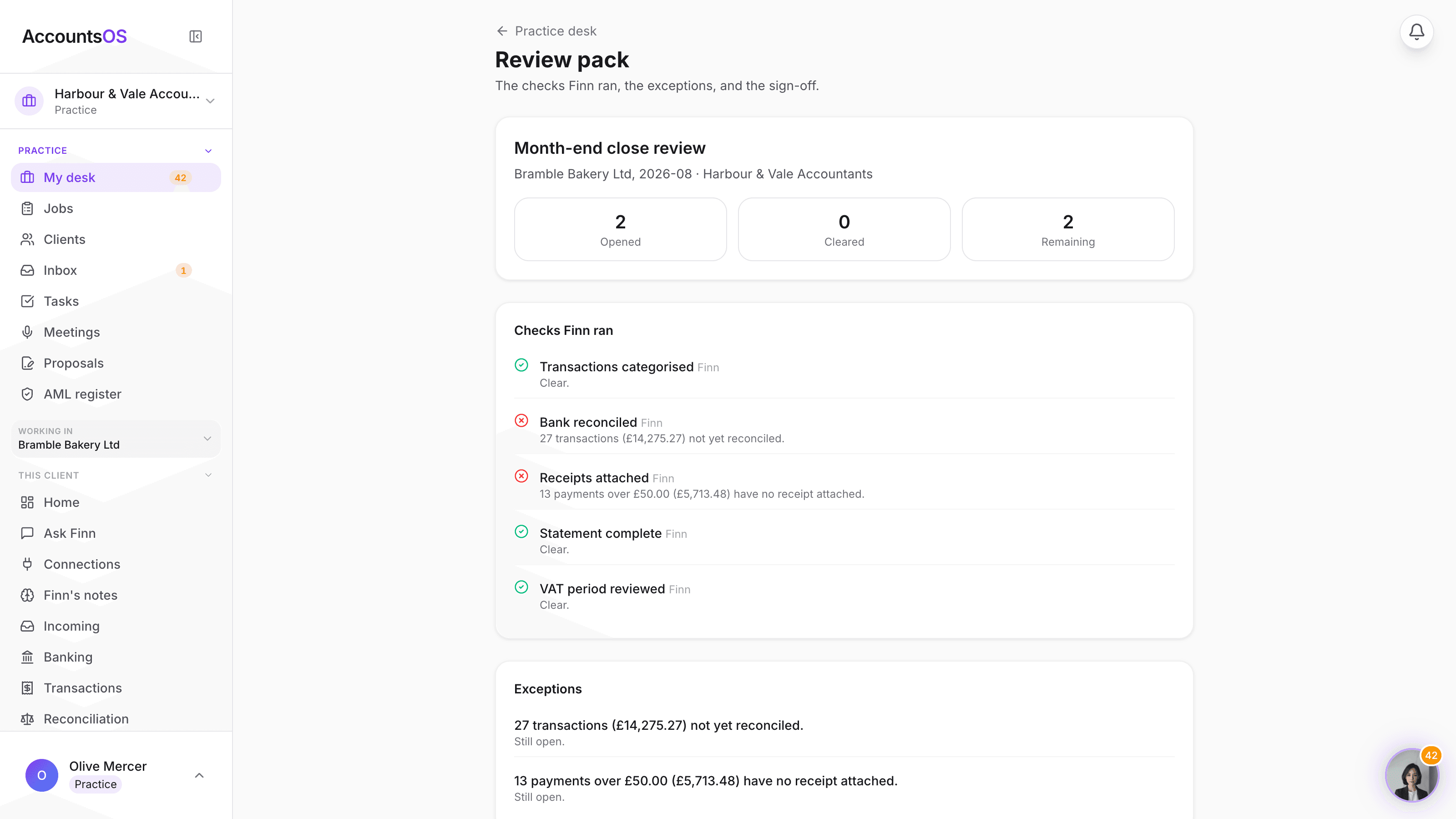
A review pack gathers what was checked, what needed a person and how it was cleared. A reviewer signs it off before the period locks, and it exports to PDF.
Optional
AccountsOS · The checks, the exceptions, the sign-off
How it works
Review packs, step by step
01
Checks run with the work
The checks from month-end close, accounts prep and batch prep go into the pack with a pass or fail.
02
Exceptions show how they cleared
Anything that needed a person is named, with who cleared it and when, or that it was acknowledged and locked.
03
A person signs off
The reviewer reads the pack and signs it off. The sign-off is a record, not a log line.
04
Export and file
A signed pack exports to PDF and files in the practice vault.
What you get
- One pack per company per period
- Checks show what the assistant did and what a person did
- Exceptions carry who cleared them and when
- The pack freezes when the period locks
Questions
What practices ask
Who signs the pack off?
A person on your team. The assistant prepares the pack, and the sign-off is always a human action.
What if a check fails?
It shows as failed with the detail. Nothing is hidden to make the pack look clean.
Can I lock with exceptions open?
Yes, as in month-end close. The pack records that they were open and who acknowledged them.
Does this replace close or accounts prep?
No. It packages what those already do. Switch it on if you want a record per period.
Switch on just this, or see the whole menu
Open the demo practice with no sign-up, or start your own and add pieces as you go.