How it works
Bring your practice into the AI-native world.We’ll help you get there.
Bring your client book across with help on migration and setup. Finn takes on the bookkeeping and helps your team manage the work, so you can focus on clients and growing the practice.
Sign up as a practice
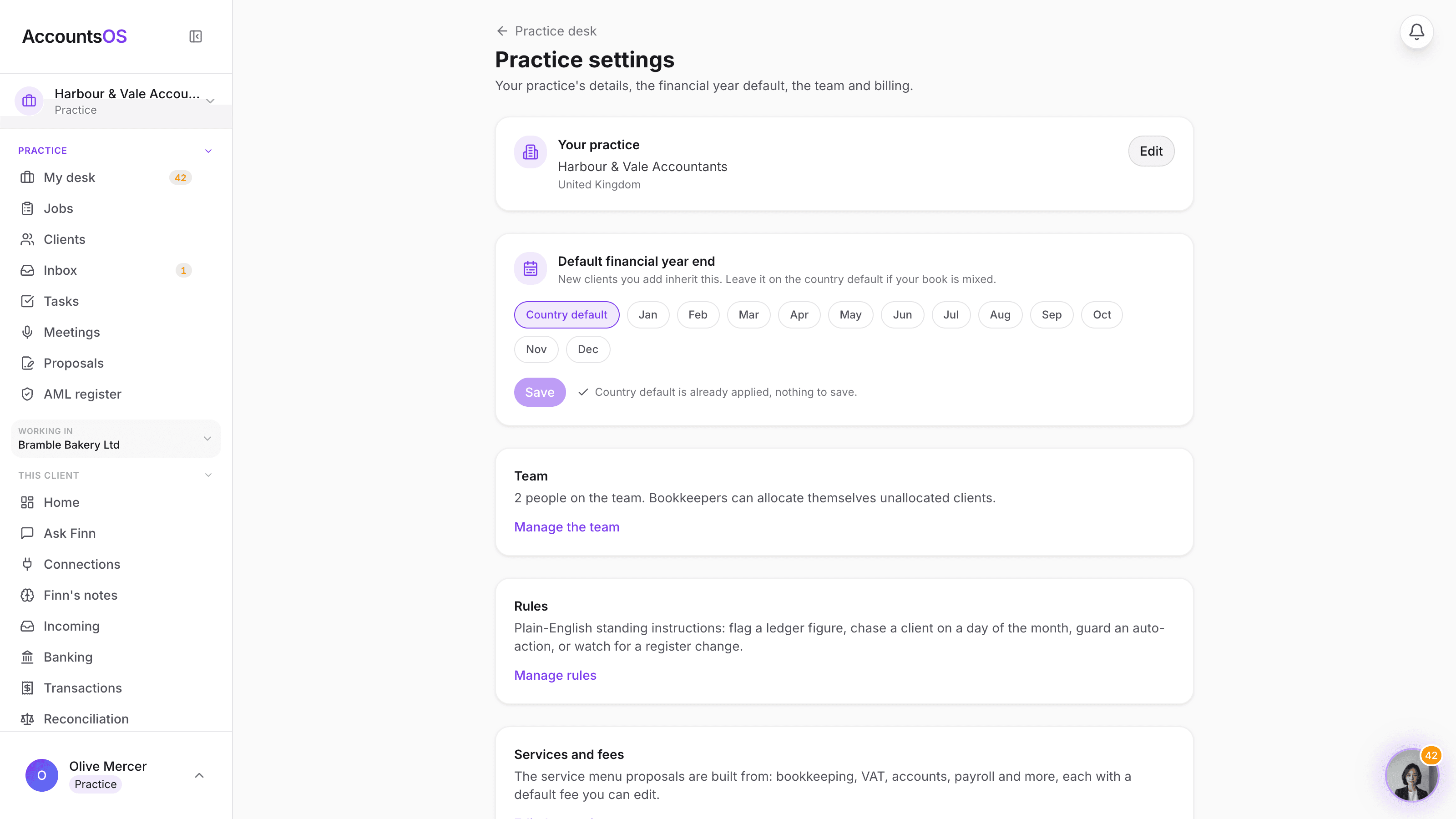
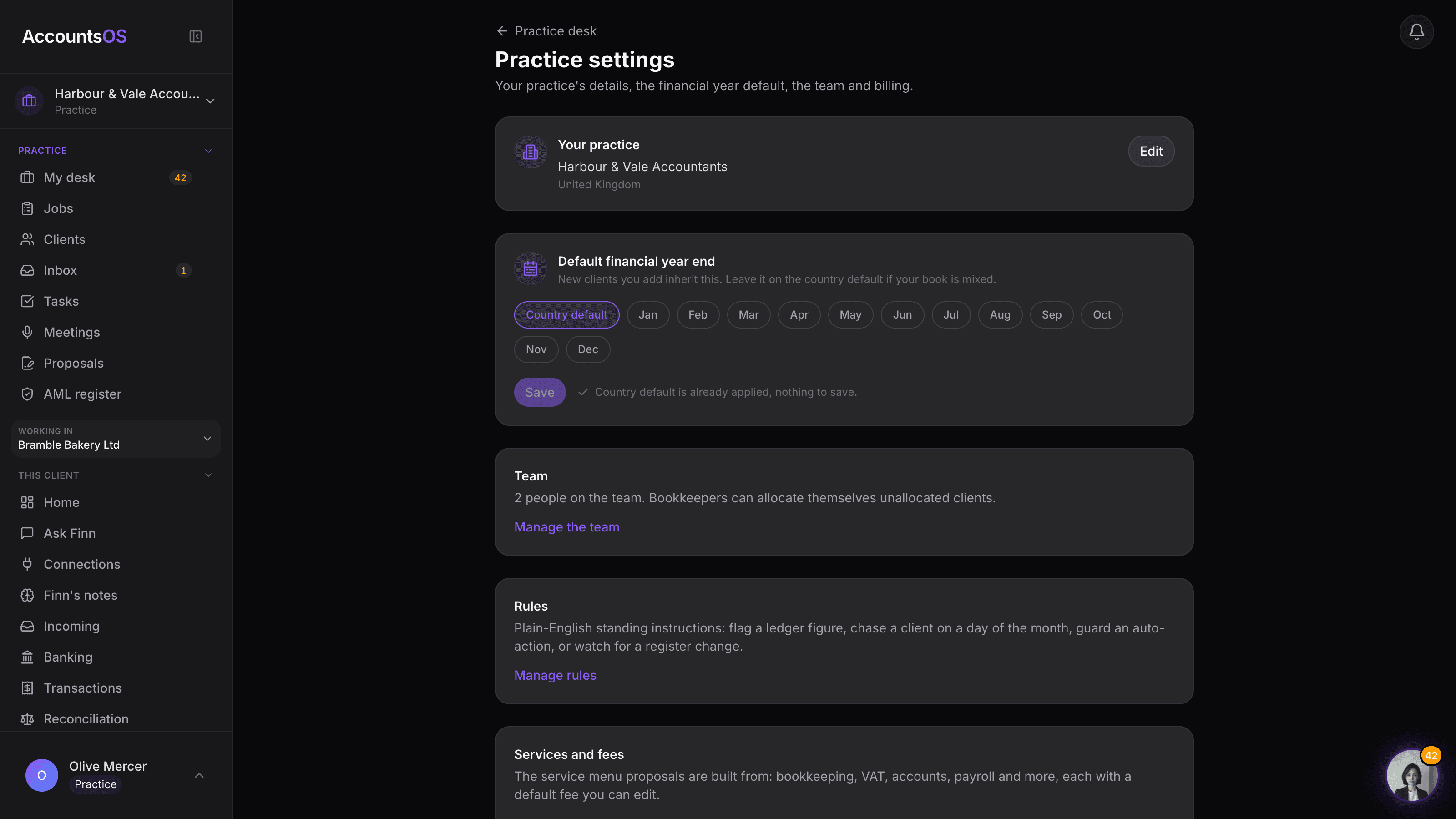
Create your account and tick "I manage accounts for other businesses". Or switch on Practice Mode later in Settings.
- No sales call required, you can start straight away
- Practice details pull in from a Companies House lookup at setup
- Set the default financial year end new clients inherit, then invite your team
AccountsOS · Practice settings
Add one client or the whole book
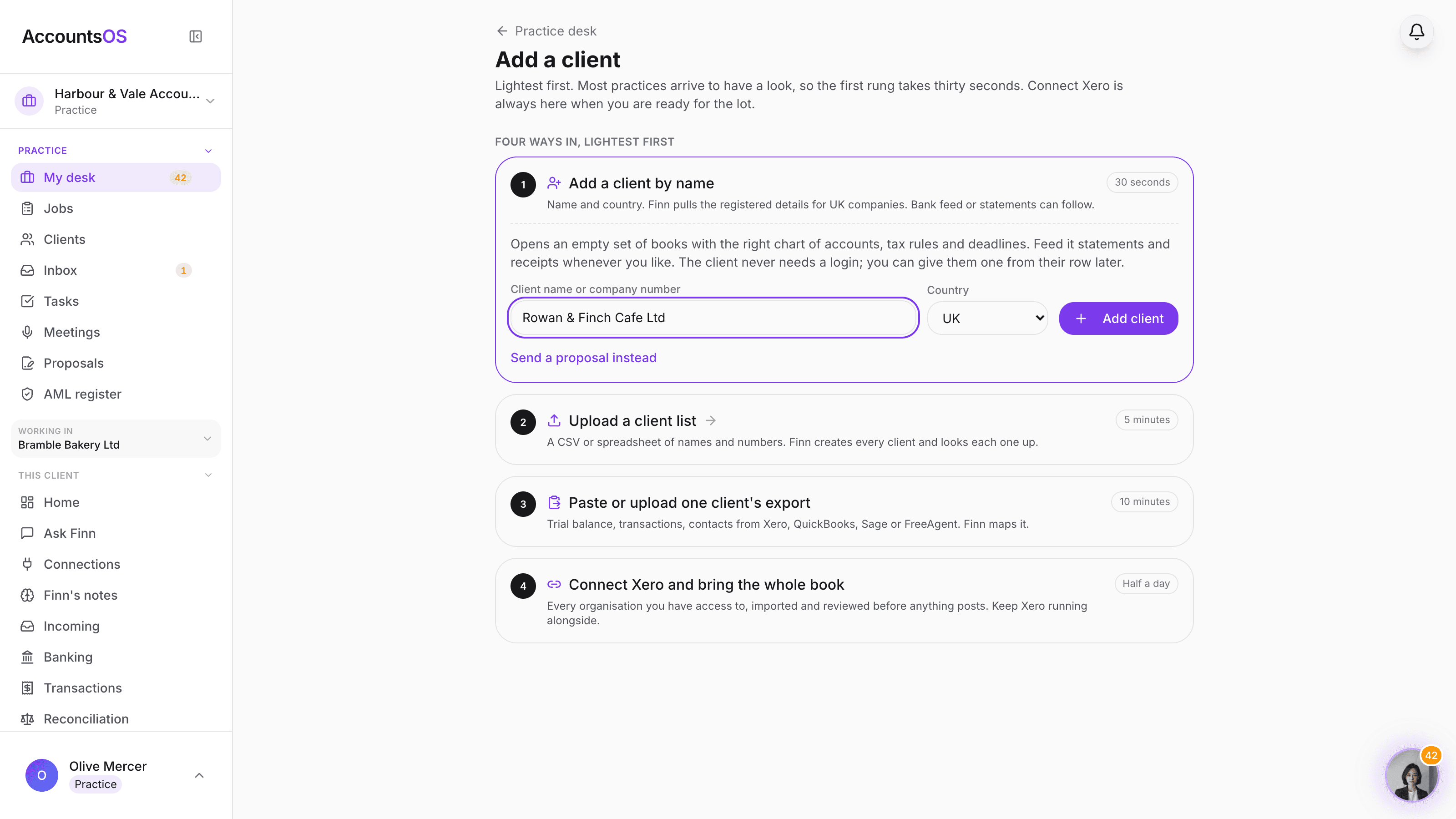
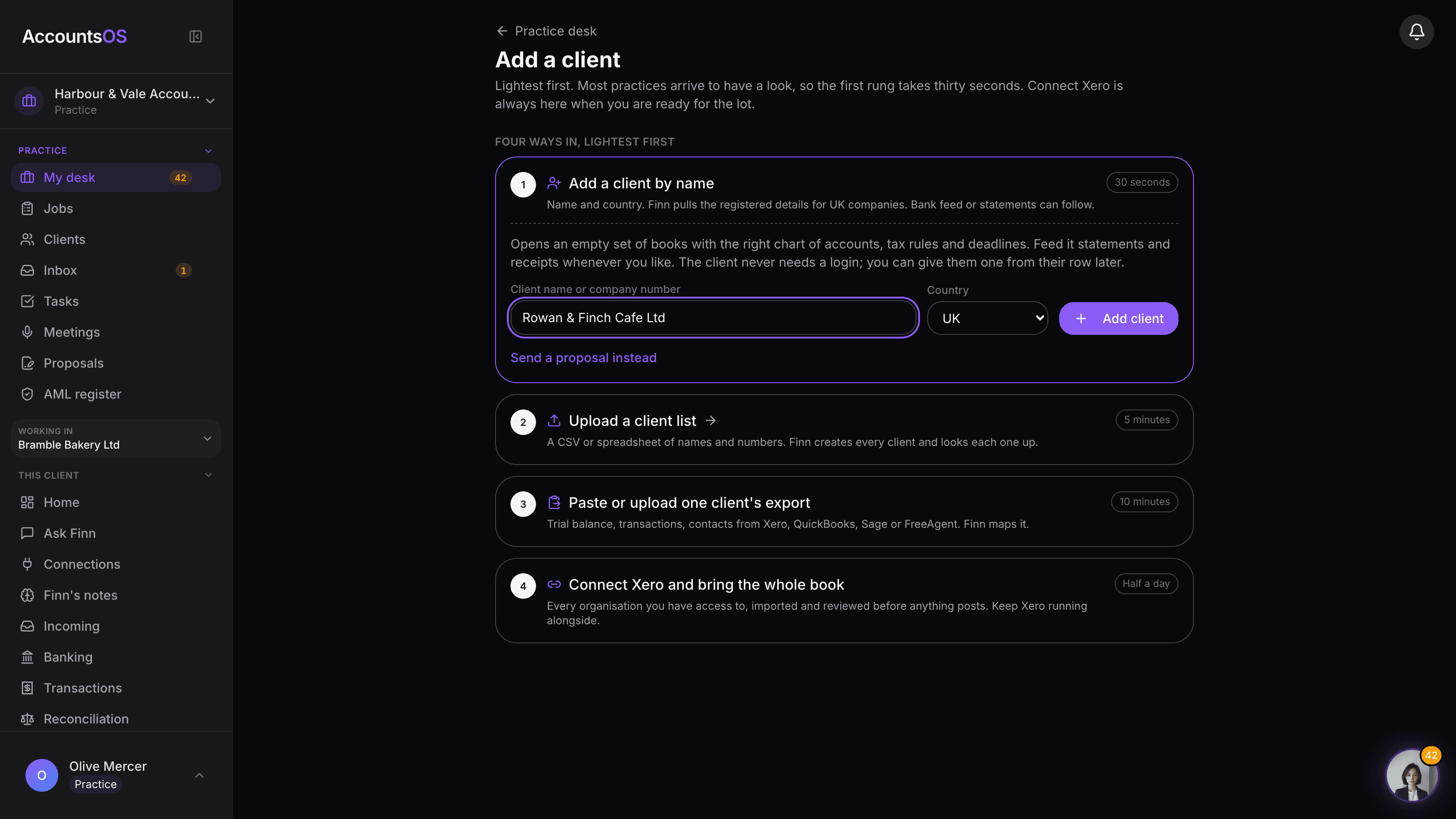
Add a client by name, upload the list, paste one export, or connect Xero and bring every organisation across. One client or two hundred, the desk is the same.
- Add by name in thirty seconds, upload a client list, paste one export, or connect Xero for the whole book
- Your clients never need to log in
- Review the import plan before anything posts
AccountsOS · Four ways in, lightest first
Run a real period
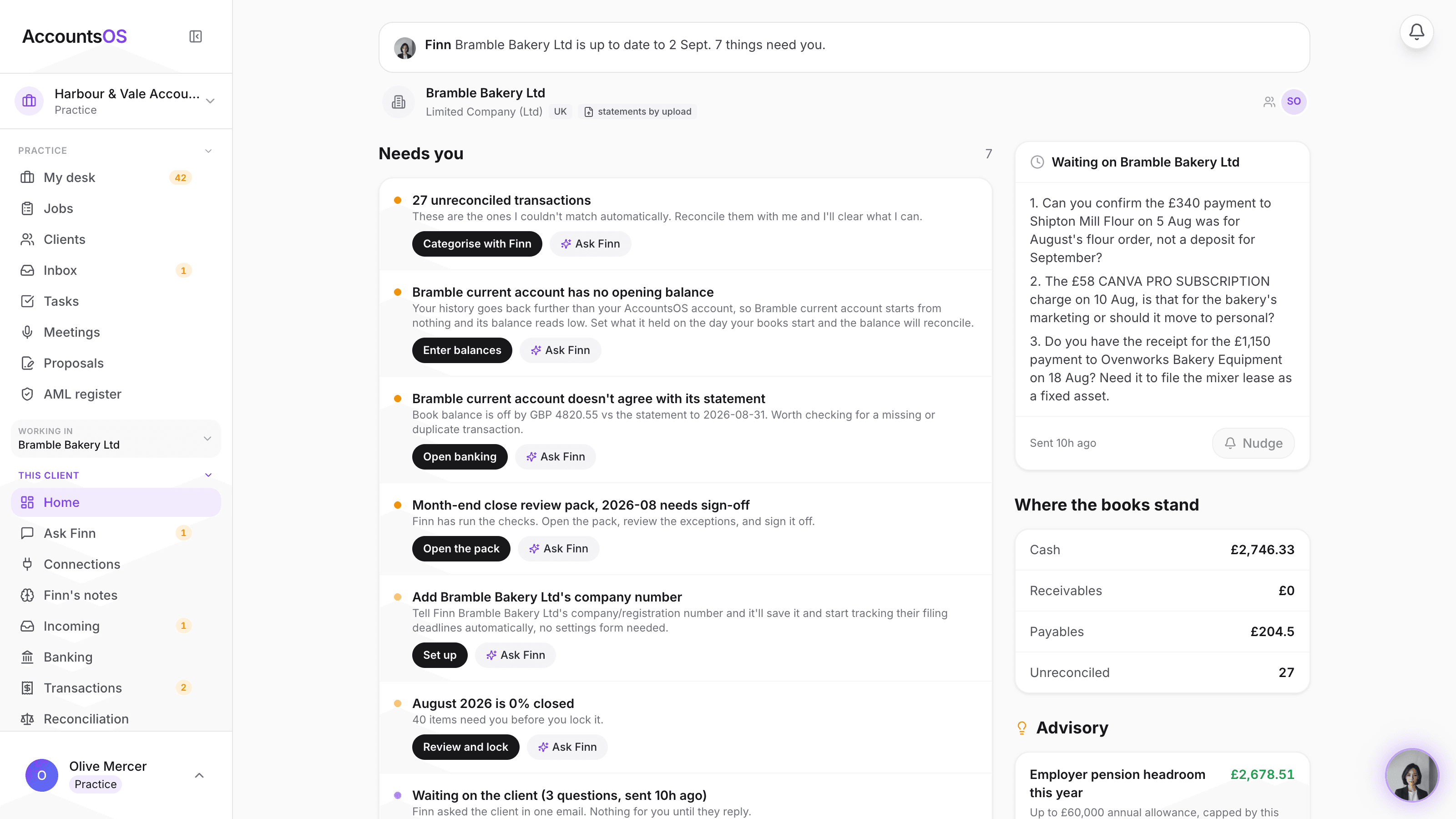
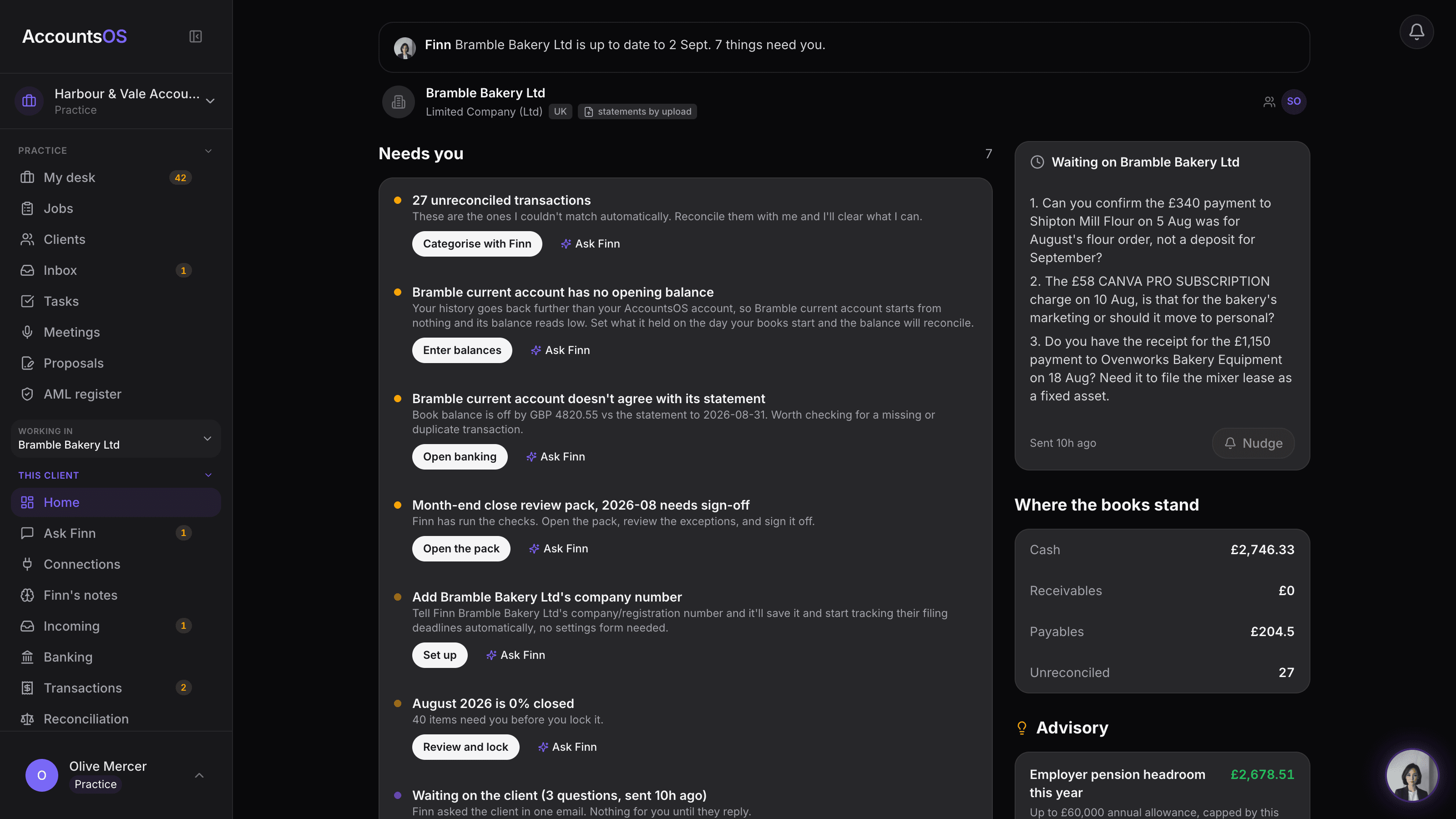
Finn prepares the work across every client and names anything blocking it. Your team clears the exceptions, reviews the result and signs off.
- Finn codes every line with a confidence score, you confirm or fix the odd one
- Reconcile with Finn: it matches the bank to invoices and bills, you review the exceptions
- Use a month-end lock or Prepare with Finn to batch a VAT return, annual accounts or a confirmation statement
AccountsOS · Inside one client's books
Run the practice on it
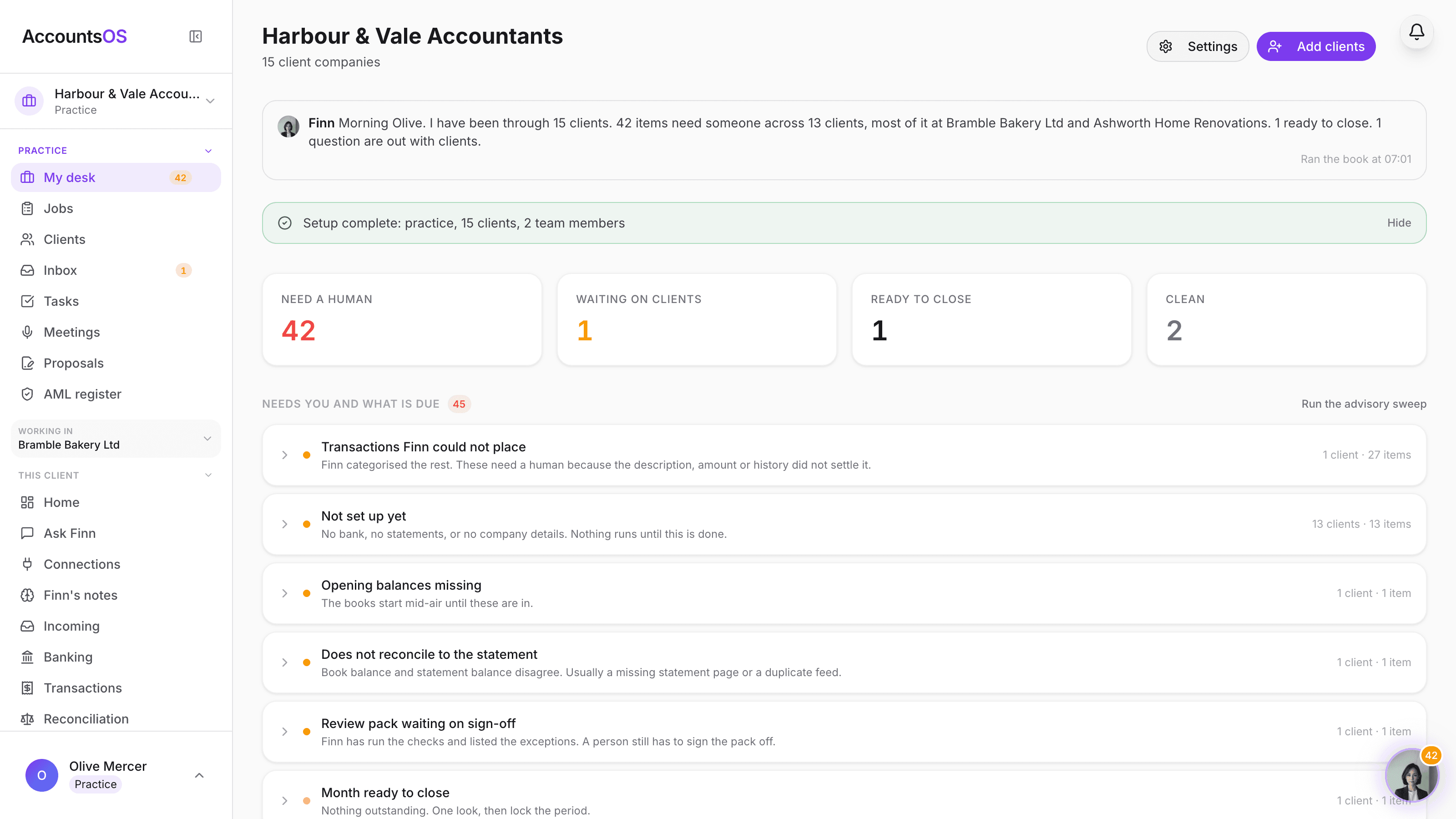
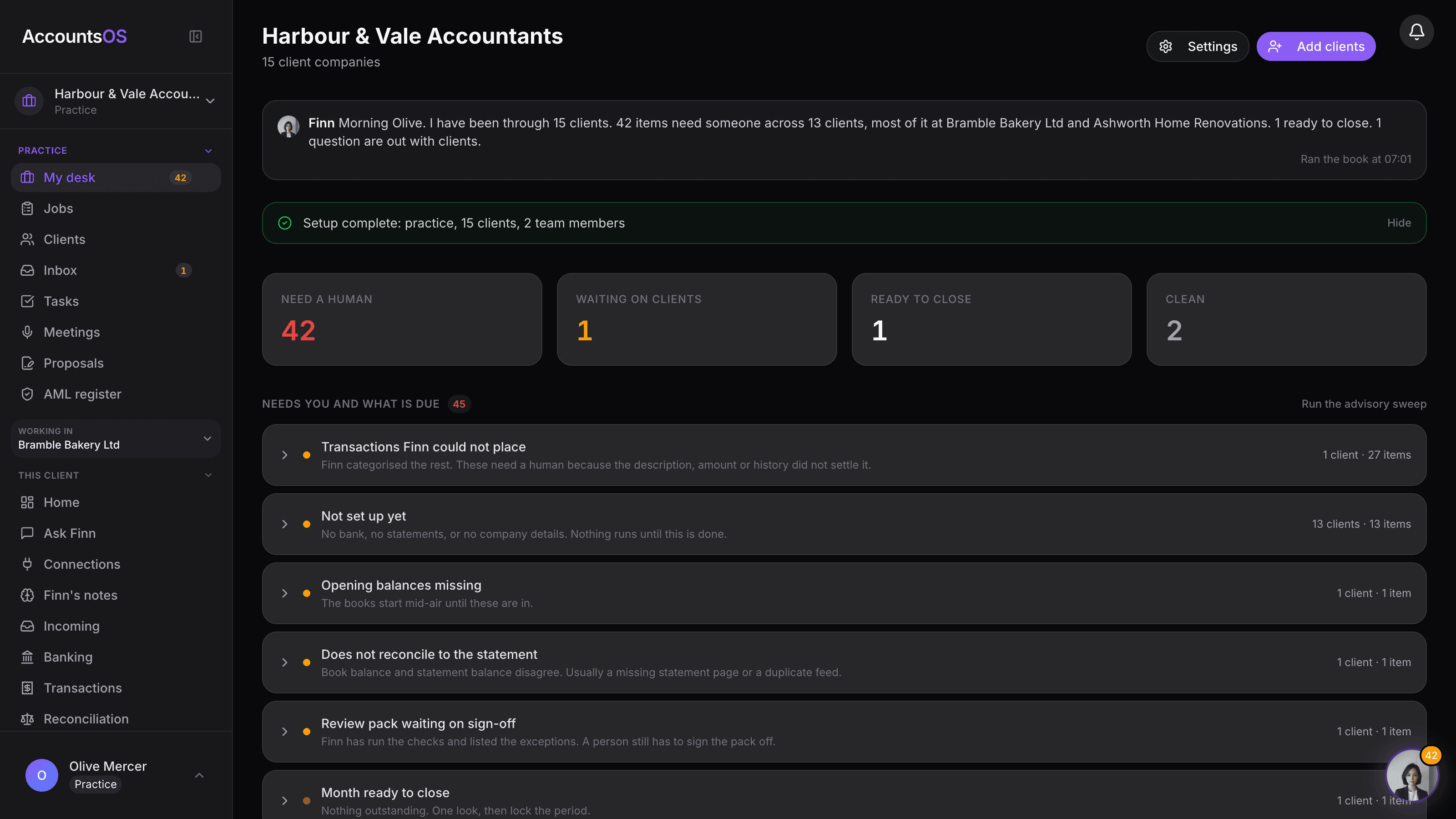
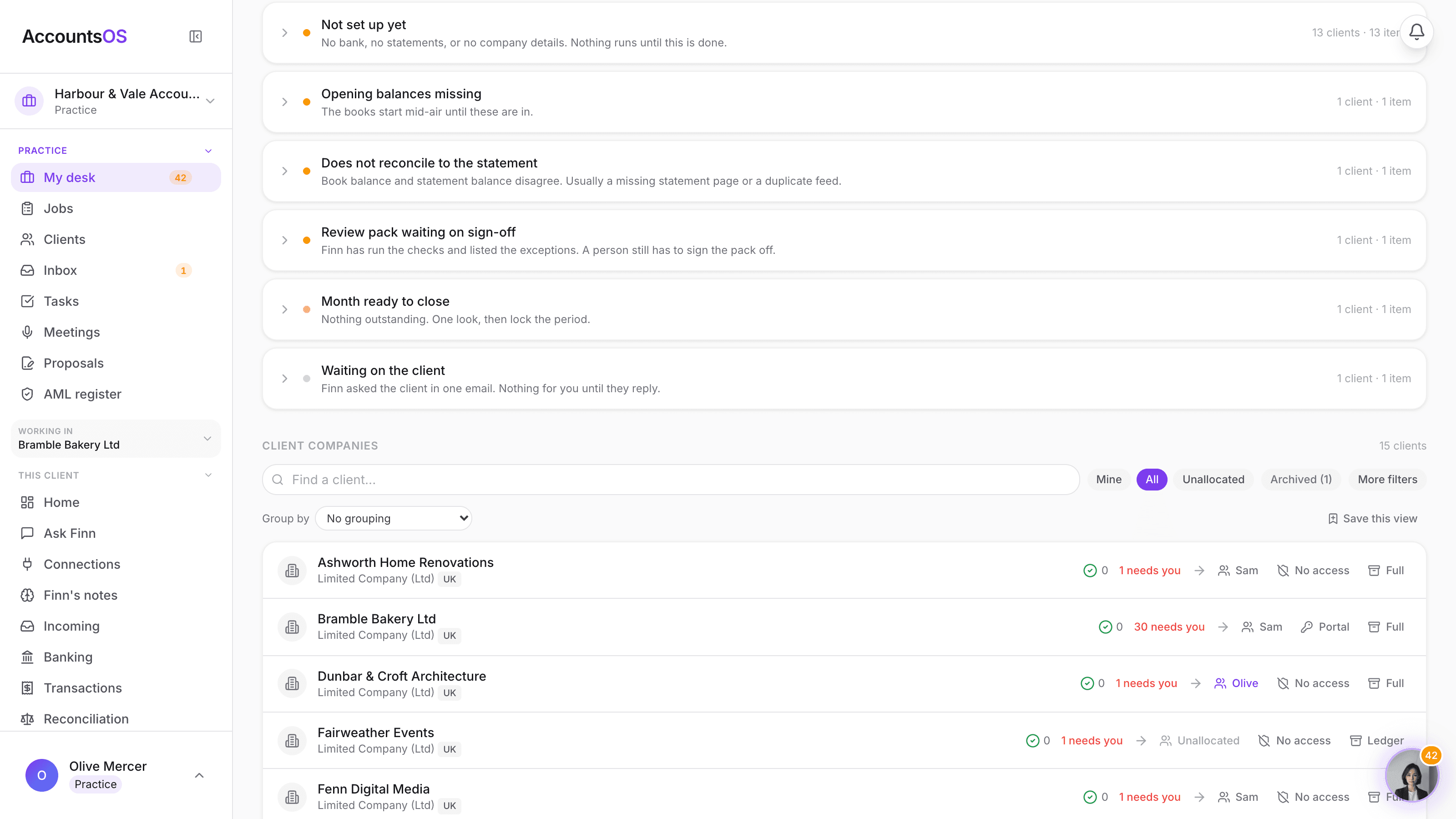
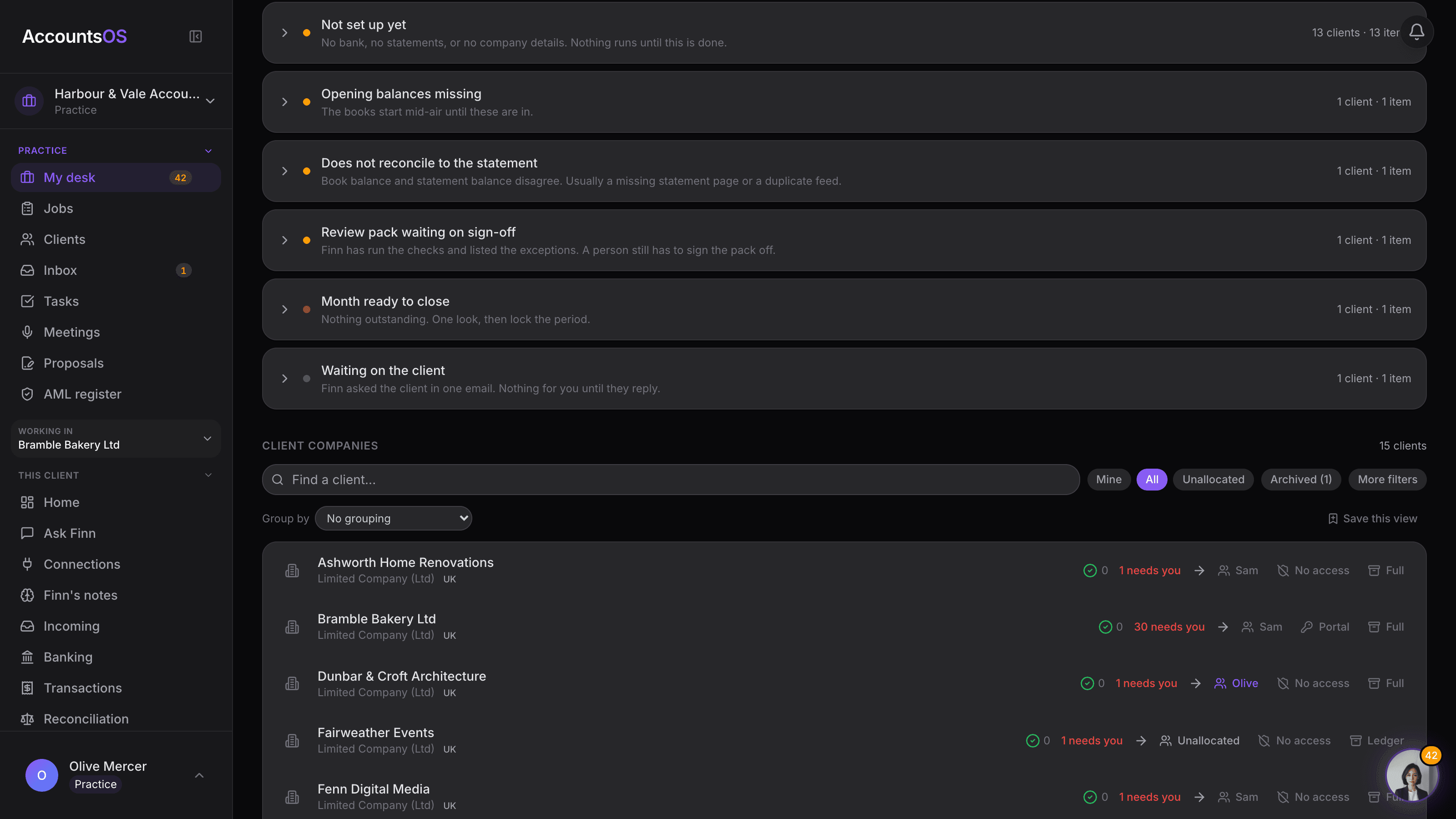
Allocate the work, set each file's scope and fee, and watch the margin. Bring the rest of the book across in whatever batches suit you.
- Allocate the next batch of clients to yourself or the team
- Set each client's scope: Full for live work, Ledger for dormant files, Archived to stop the charge
- Watch the fee, cost and margin on the desk as the book grows
AccountsOS · The practice desk
Then run the practice on it
Invite the team and allocate clients as the book grows. Set each client's scope so dormant files stop costing you like live ones. Watch the fee, the AccountsOS cost and the margin on every client and across the book.
AccountsOS · Invite the team, allocate the work
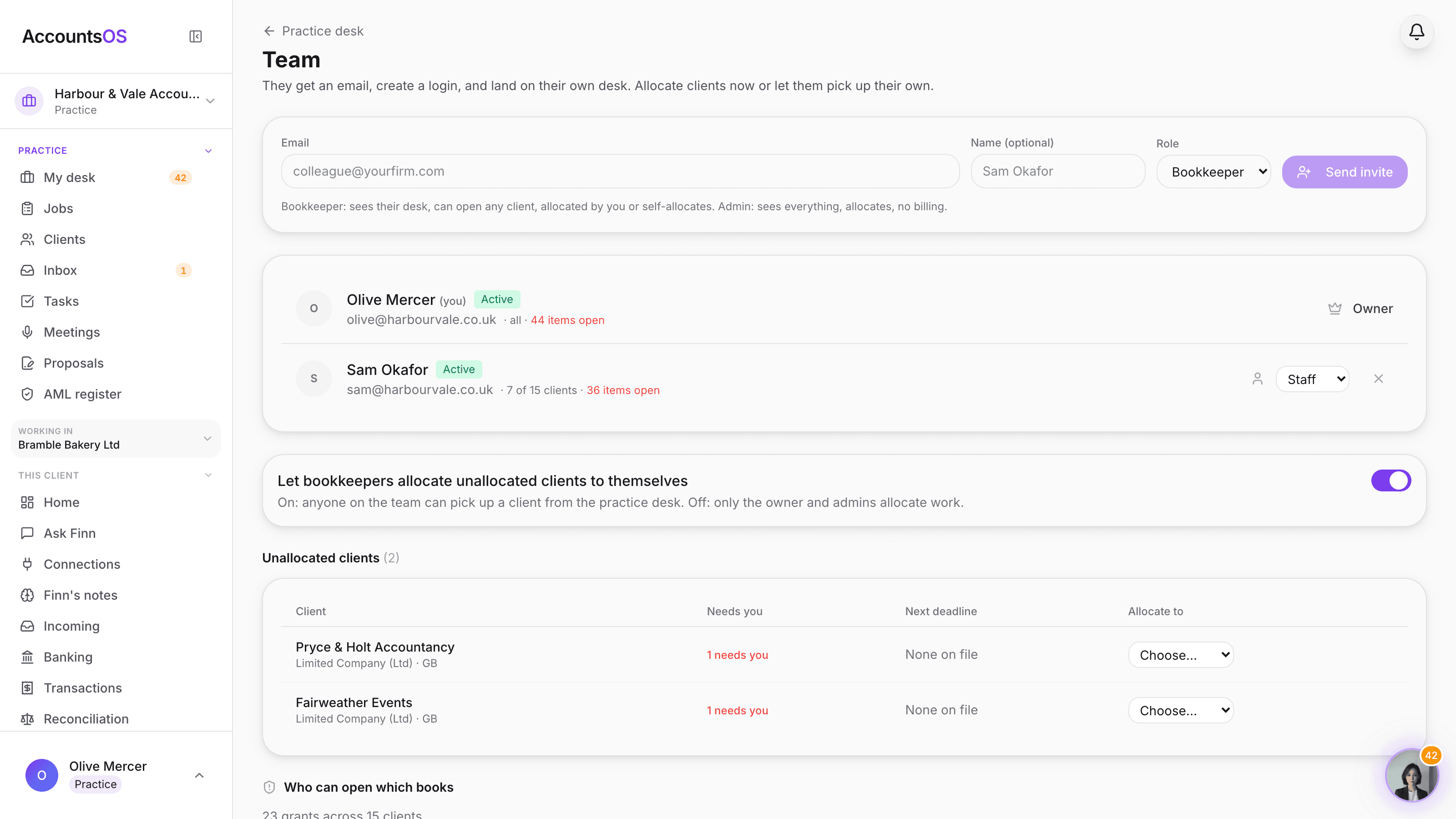
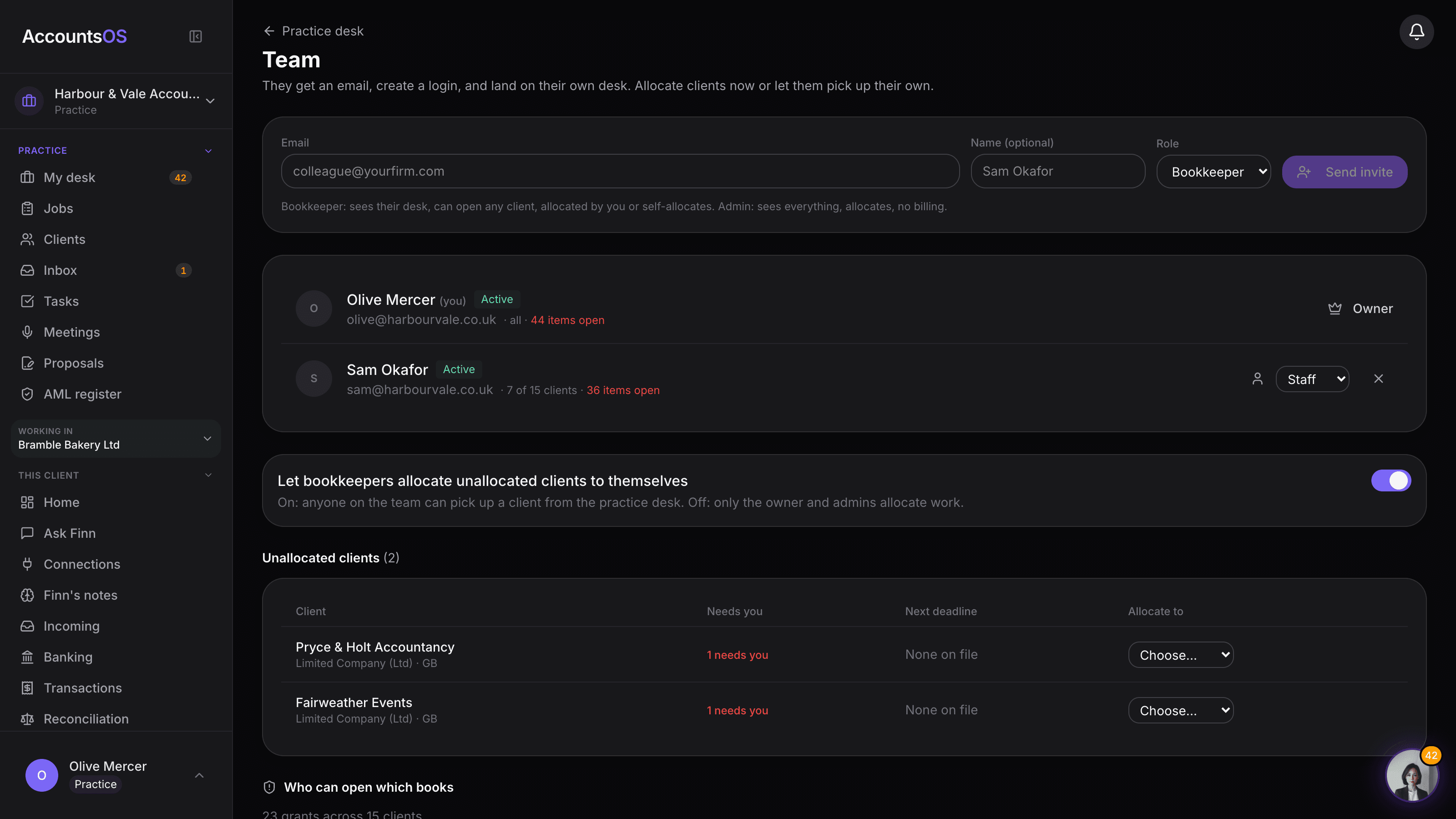
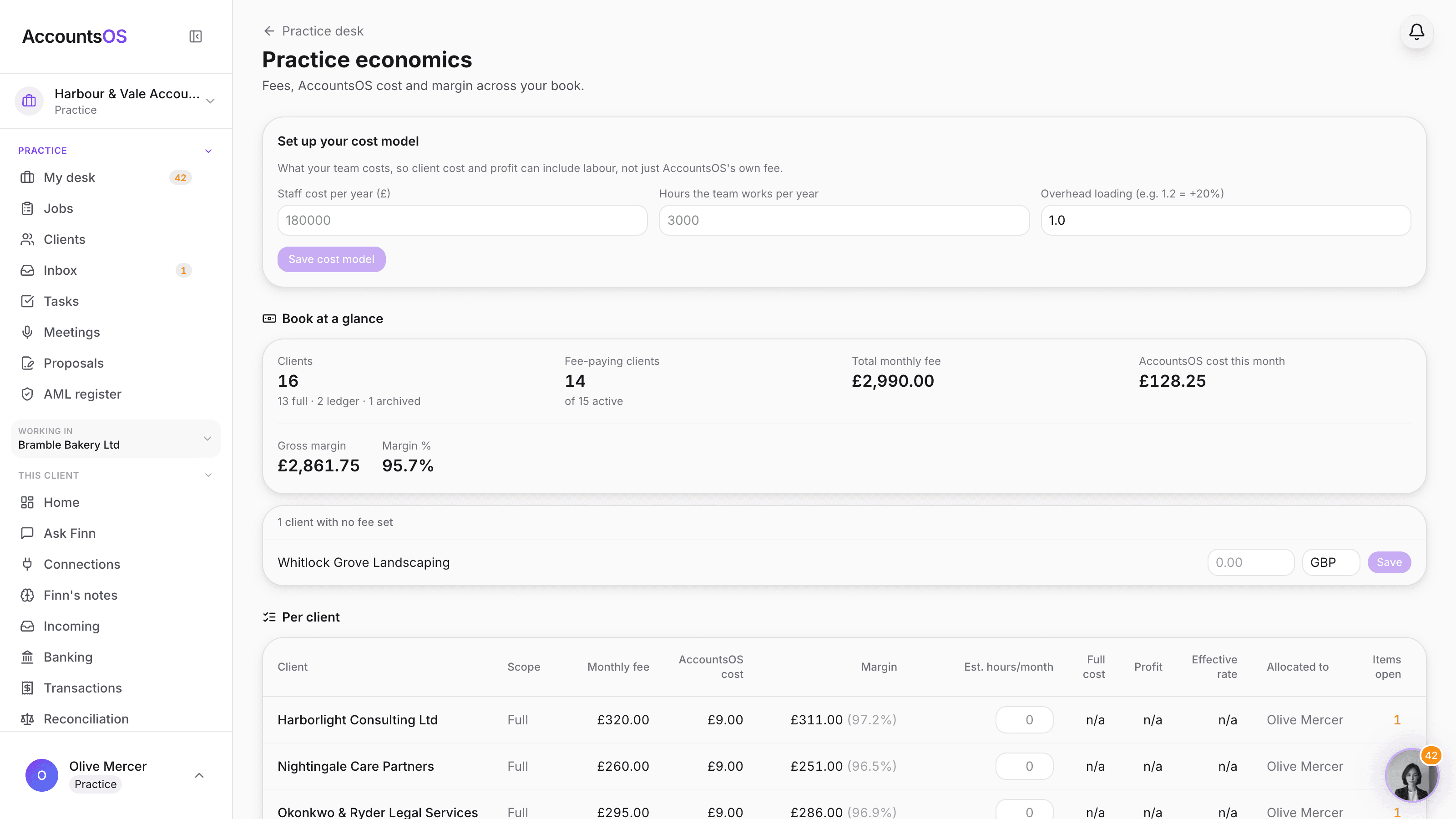
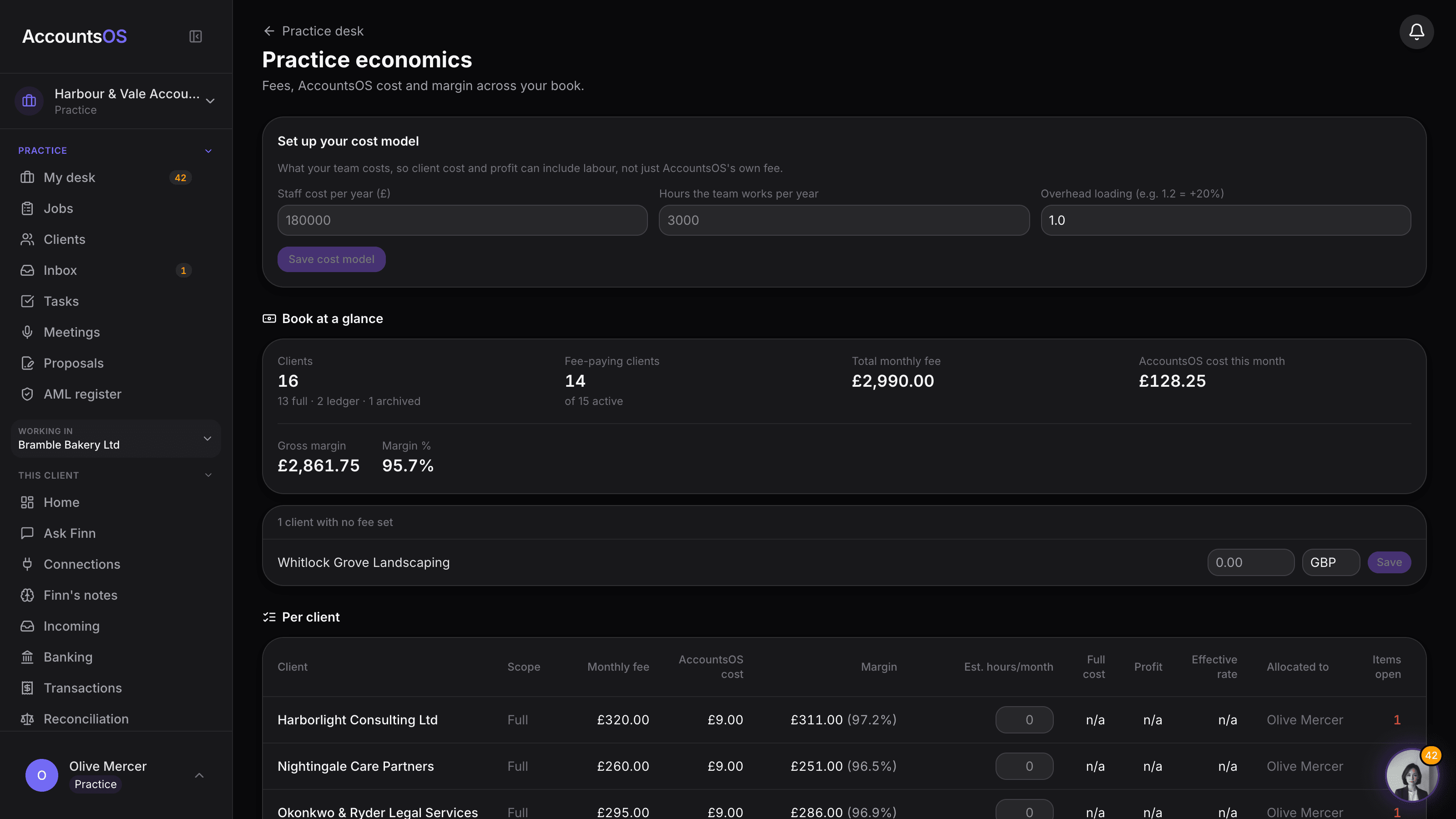
Invite the team, allocate the work
Bookkeepers see their own desk and the clients allocated to them. Admins see everything. Allocate clients yourself or let the team pick up unallocated ones. No per-seat fee.
Help when the work needs it
Finn guides the setup inside the product. The team is available when a migration or production exception needs a human answer.
Email support
Real answers from the team, not a ticket queue
In-app chat
Ask Finn or the team without leaving your dashboard
Help centre
Guides for setup, migration and the common jobs
Walkthrough videos
Short videos for you and any new staff
Practice community
Chat with other accountants. Coming soon.
Common Questions
What if it's not right for us?
Pricing is monthly rolling with no contract, so you can cancel any time. Try it with a client or two before moving your whole book across.
Do I have to move every client at once?
No. Start with the lightest rung that fits the client: add one by name, upload a client list, paste one export, or connect Xero and tick a single organisation. Pilot one client, judge the result, then bring the rest across in batches at your own pace.
Can we migrate historical data?
Yes. Xero can connect at practice level, and exports from Xero, QuickBooks, Sage, FreeAgent and other systems can be brought through the migration flow. You review the plan before it posts.
How long does it take to add a client?
Creating the client takes minutes. A trustworthy migration takes as long as the source data requires, so AccountsOS shows the plan and exceptions instead of promising every book is instant.
Do my clients need to do anything?
No. Your clients never need to log in. You manage everything from your dashboard. If you need us, reach the team by email or in-app chat.
Can we add staff members?
Yes. Open Team in the practice sidebar: invite colleagues as Admin (every client, manages the team) or Staff (only the clients allocated to them). Allocate clients per person from the dashboard, or let staff pick up work themselves. There is no per-seat charge; you pay per live client.
Ready to run the first real cycle?
Create the practice, bring in one client or the whole book, and let Finn run the first period. No call required.