The owner's one page
Everything you'd check on a Monday, already pulled together. With Finn's line on what changed.
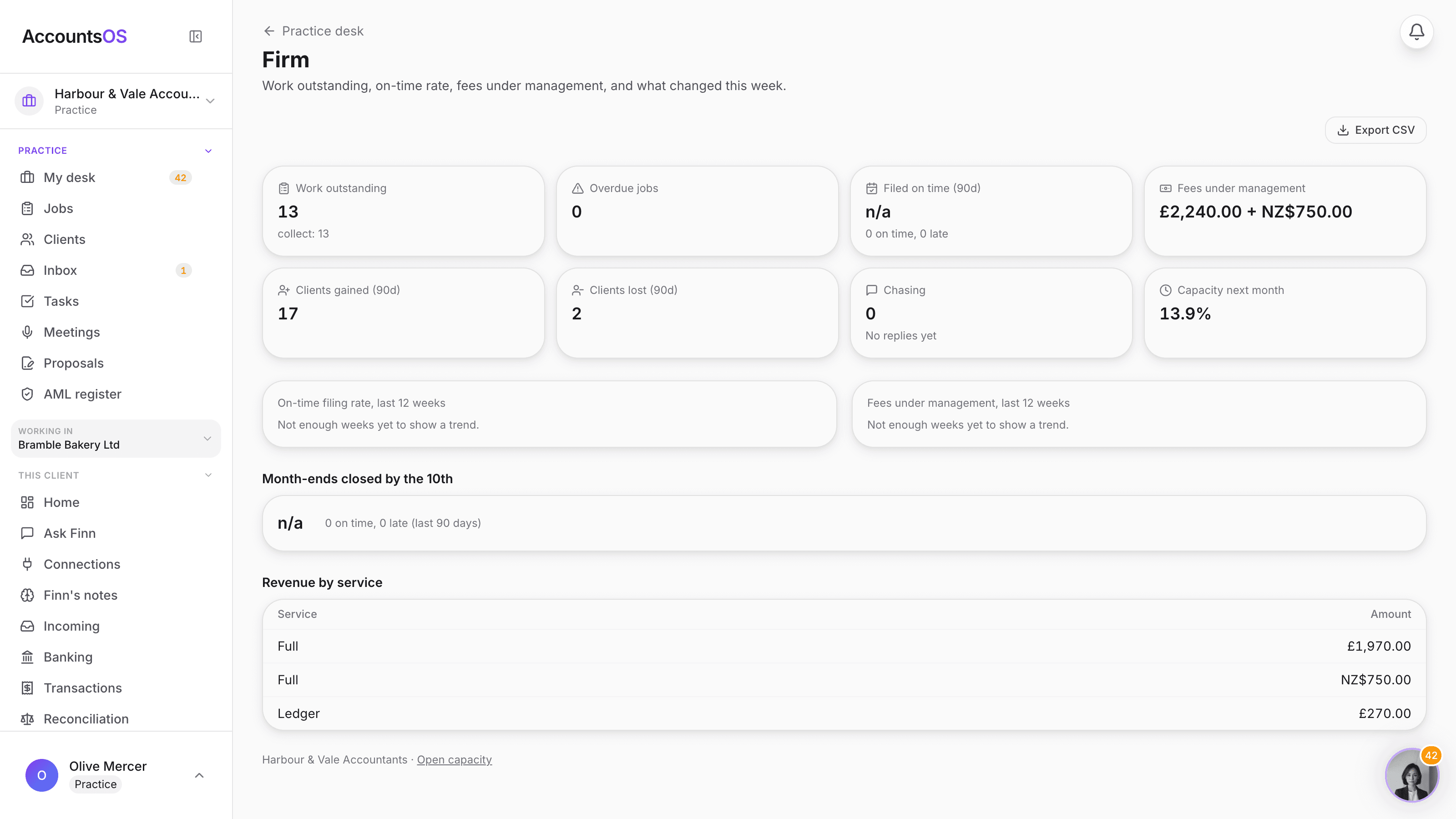
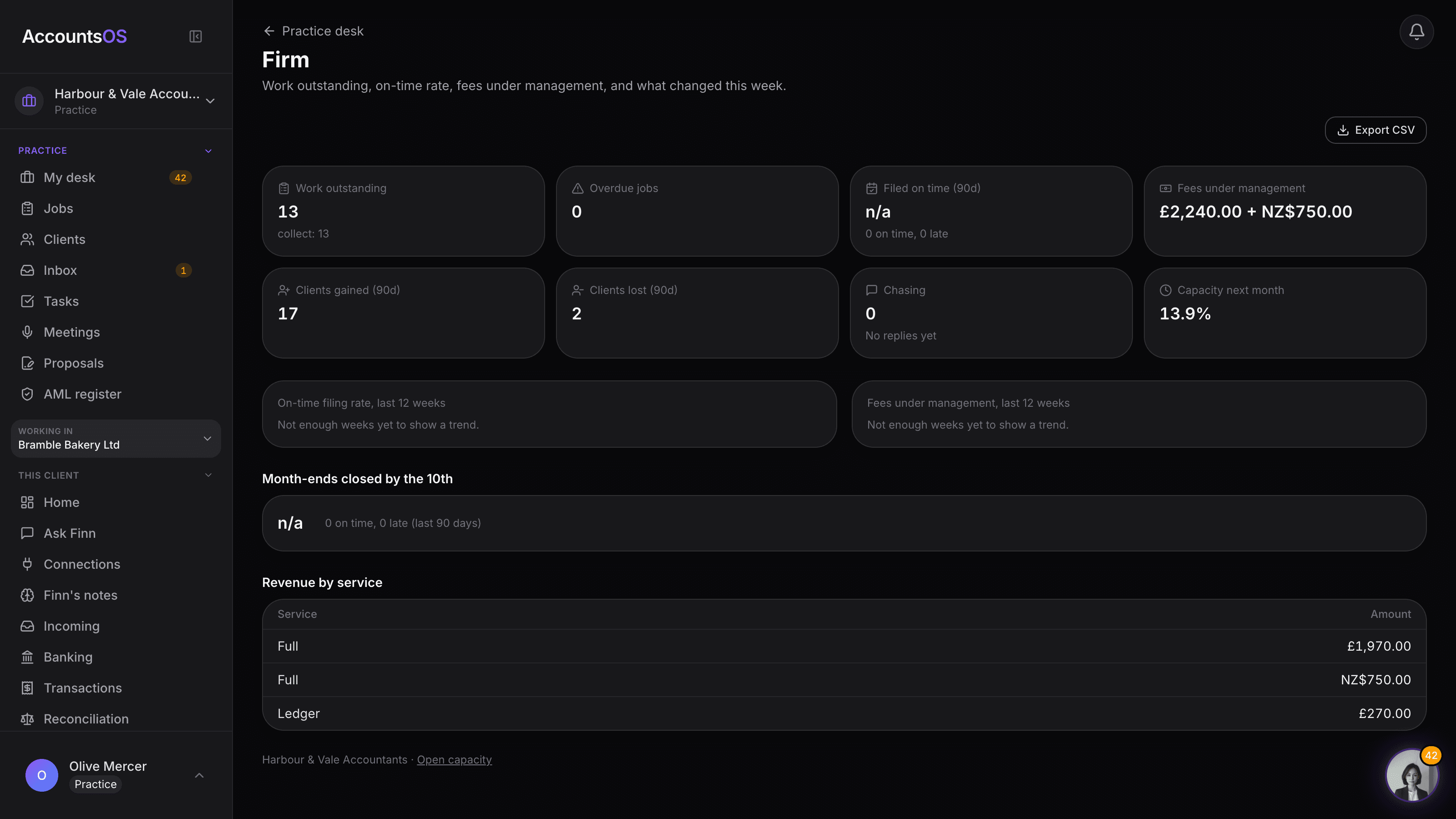
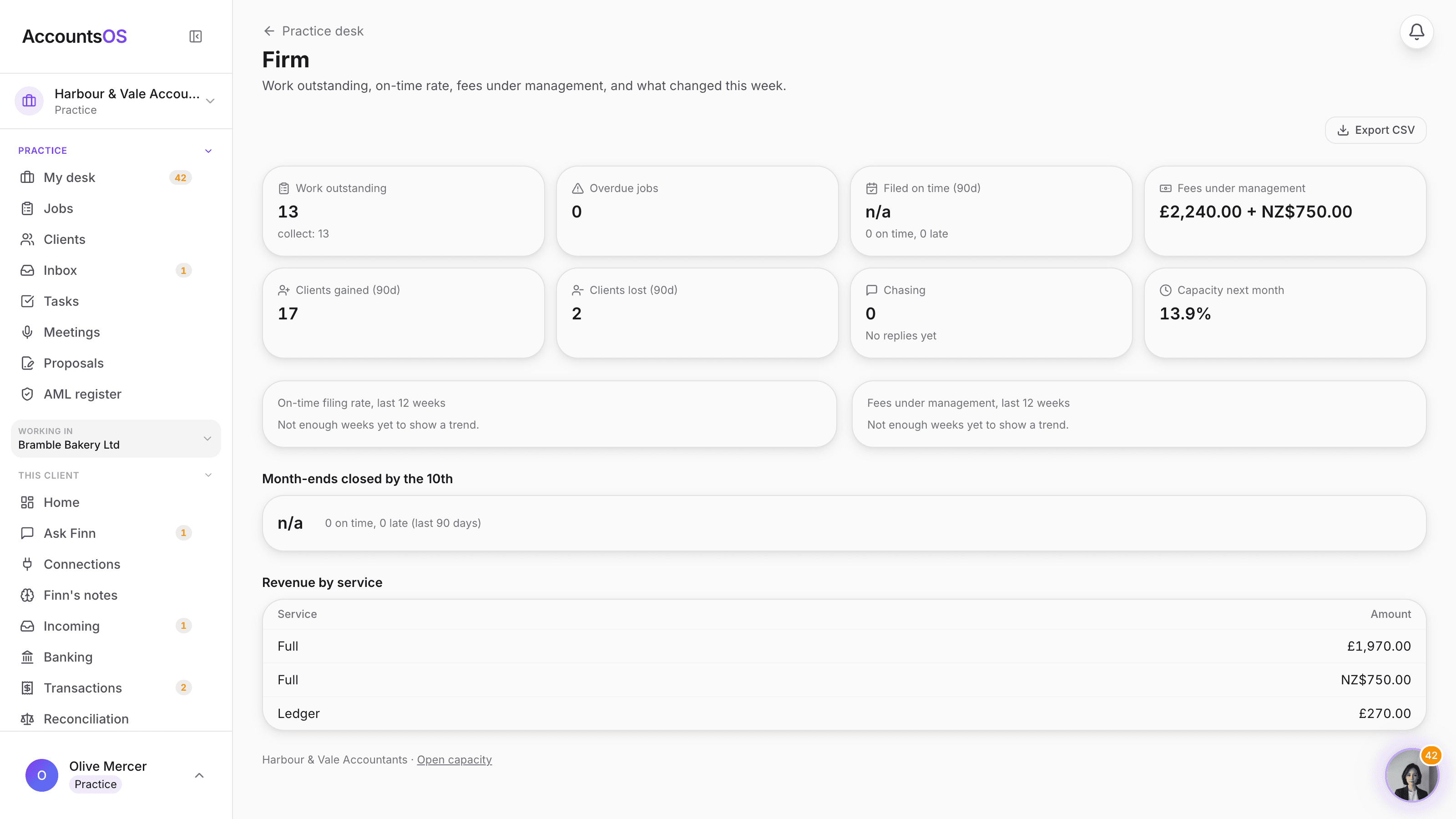
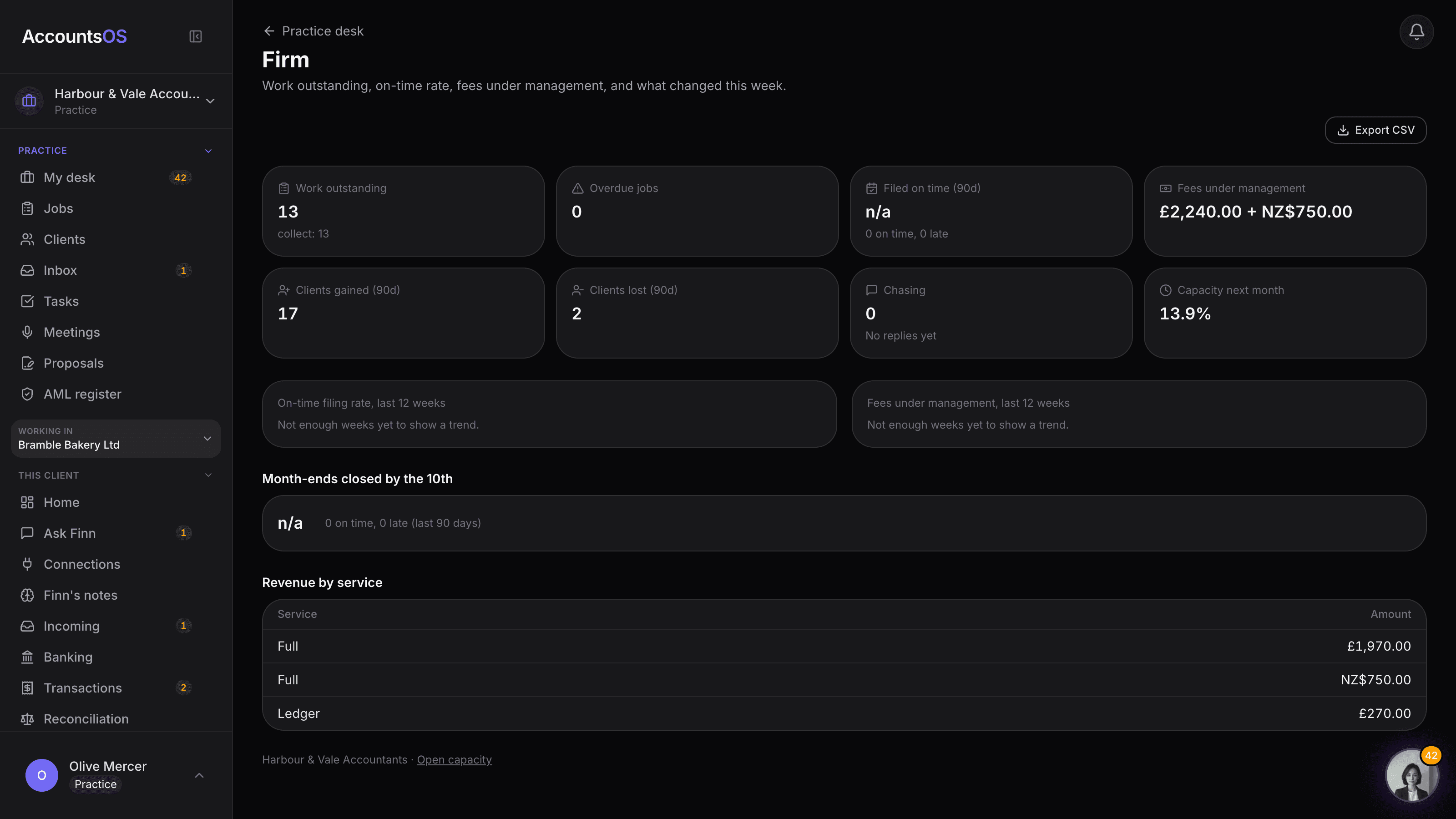
Work outstanding, deadlines filed on time, fees under management, revenue by service, clients gained and lost, chasing response times, month-ends closed by the 10th, and capacity next month. One page, updated weekly, with Finn's own line on what moved.
Export any week to CSV.
Firm dashboard on AccountsOS: Work outstanding, on-time rate, fees under management and what changed this week, on one page.
AccountsOS · The owner's one page
How it works
How it works
One page, every number that matters
Work outstanding by stage, overdue jobs, on-time filing, fees under management, revenue by service and chasing response times, all in one place.
Twelve weeks of trend
On-time filing rate and fees under management plotted over the last twelve weeks, so a slide shows up before it becomes a problem.
Finn's line at the top
A plain-English summary of what actually changed this week, worked out from the numbers, not written by hand.
A weekly email, and an export
The same tiles land in your inbox every Monday, and any week can be exported to CSV for your own records or your accountant's accountant.
- Work outstanding by stage, overdue jobs called out
- Deadlines filed on time vs late, last 90 days
- Fees under management and revenue by service
- Clients gained and lost, last 90 days
- Month-ends closed by the 10th, and capacity next month
AccountsOS · Twelve weeks of trend
FAQ
The questions accountants ask first
Where do these numbers come from?
Is Finn's line just a generic AI summary?
Can I get this without logging in every Monday?
Can I get the raw numbers out?
Can my staff see this?
Related features
Put Firm dashboard to work
30-day free trial, then priced per live client. No minimum.
See every feature on the features page.