A login that carries your name
Your practice's own portal. Not a generic login screen.
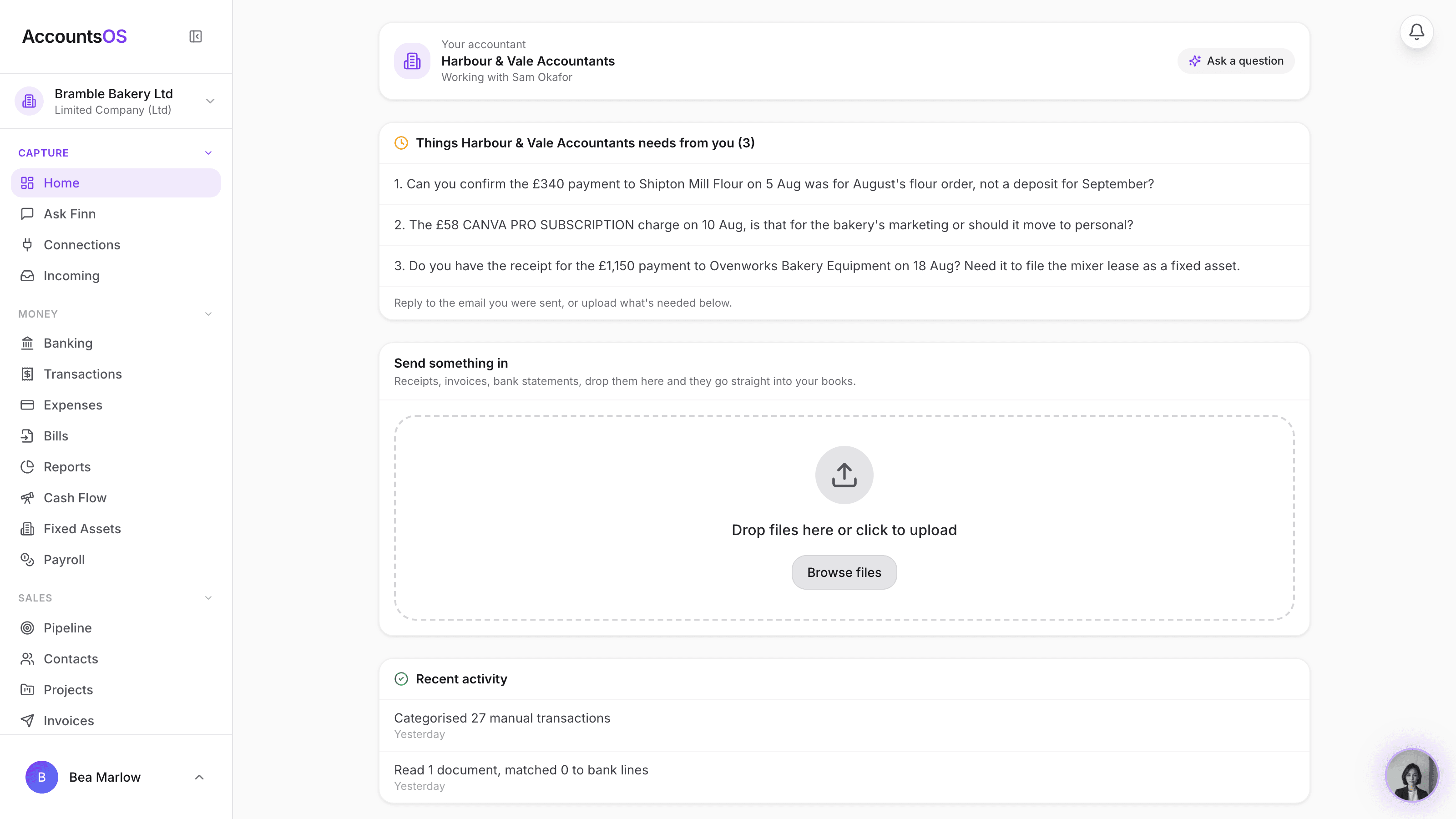
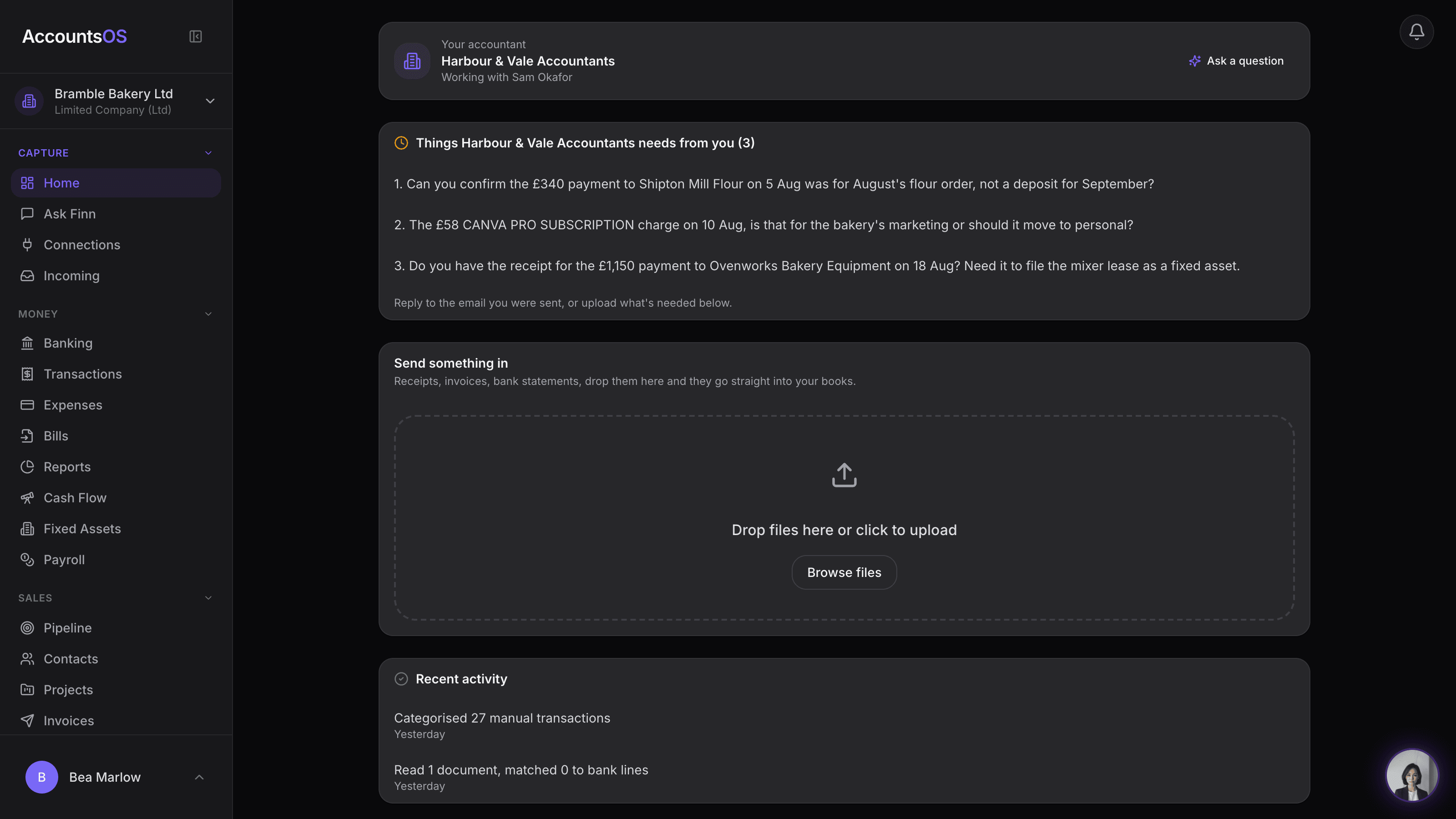
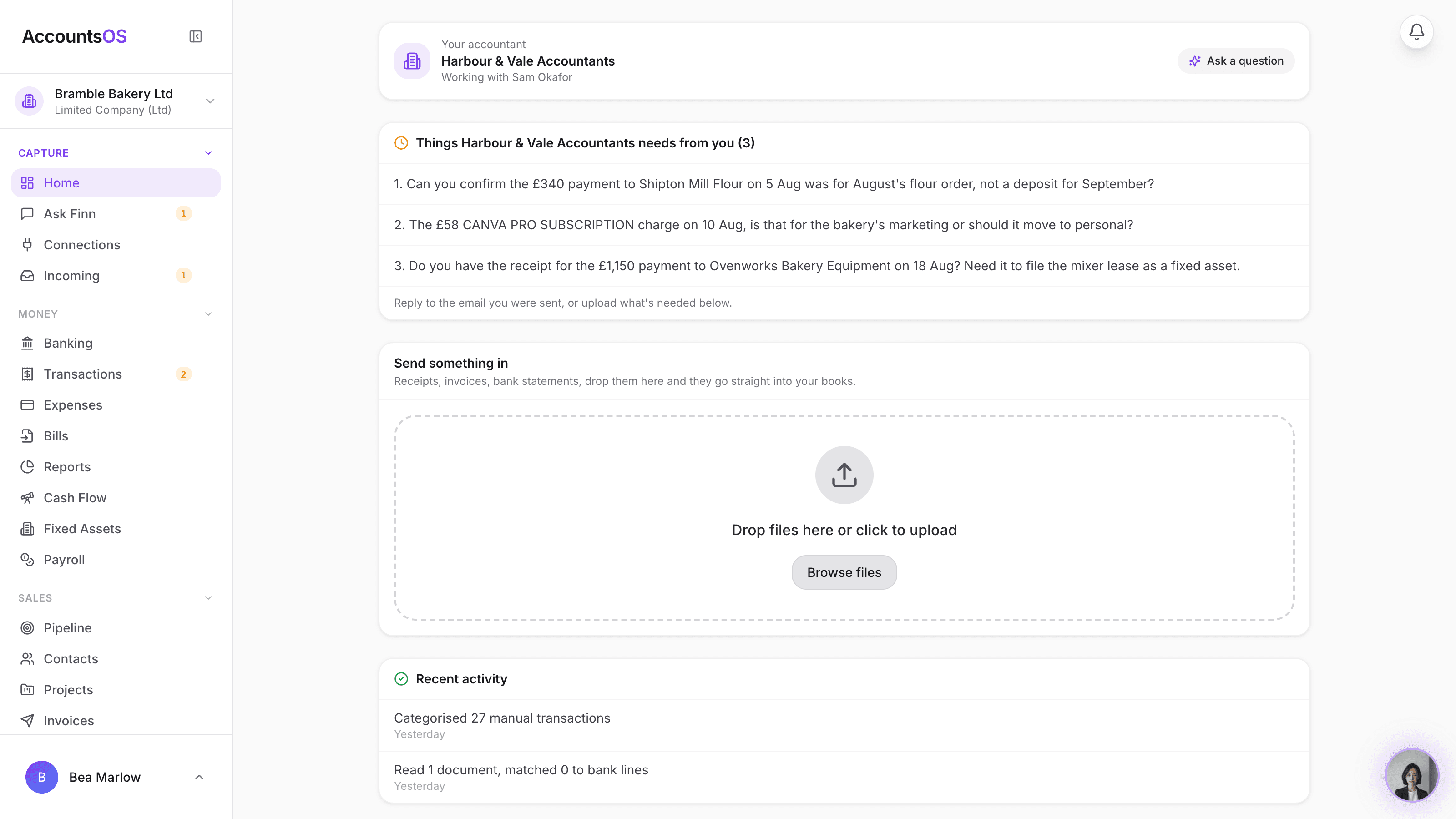
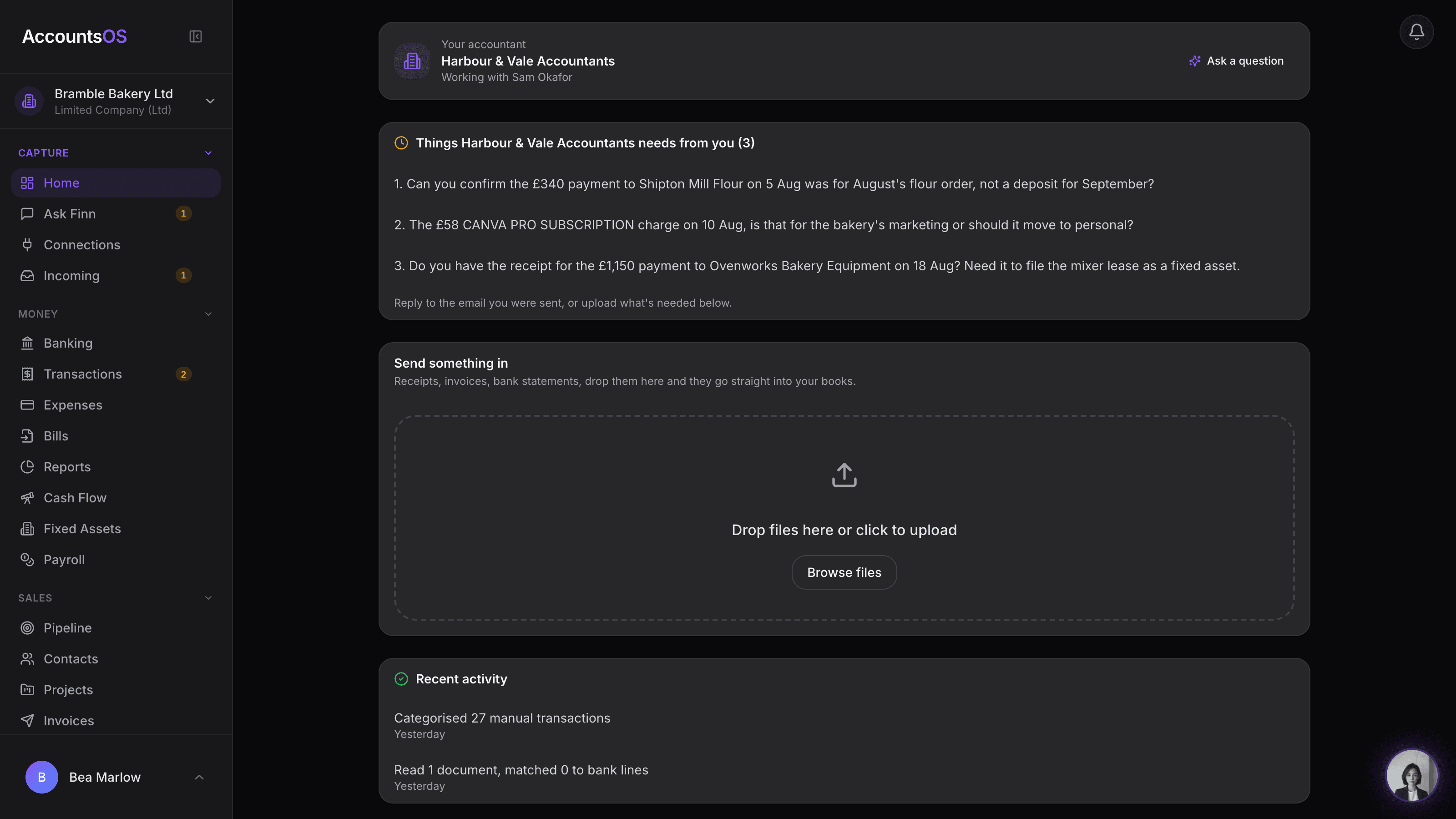
Invite a client from their row and they land on a home carrying your practice's name and logo, what you're waiting on from them, and an upload drop. Finn answers what it can from their books; anything else routes to you.
Invite from the client row. Everything still works by email and WhatsApp too.
Client portal on AccountsOS: Invite a client from their row and they land on a home that carries your name.
AccountsOS · The practice's own framing
How it works
How it works
Invite from the client row
One action on the row sends the invite. Your practice's name and logo carry through from the first email.
Finn, on your team
The client chats with Finn as the assistant on your team, never as a replacement for you. Judgment calls route to your practice by name.
Things you're waiting on
The same chase items you see land on the client's home too, with a place to reply or upload what's needed.
Documents to sign
Engagement letters and proposals awaiting signature show up on the same home, alongside the upload drop.
- Invited from the client row, one action
- Your practice's name and logo, not a generic login
- Finn answers as the assistant on your team, never as your replacement
- The same outstanding items your desk shows, ready for the client to act on
- Upload works the same as everywhere else in AccountsOS
AccountsOS · What the practice needs from you
FAQ
The questions accountants ask first
Do my clients have to use it?
Will the client see anything about my fees or margin?
Does Finn present itself as their accountant?
What can a client actually do in there?
Can I take access away later?
Put Client portal to work
30-day free trial, then priced per live client. No minimum.
See every feature on the features page.