Ask the client, once
One email per client. Not one email per transaction.
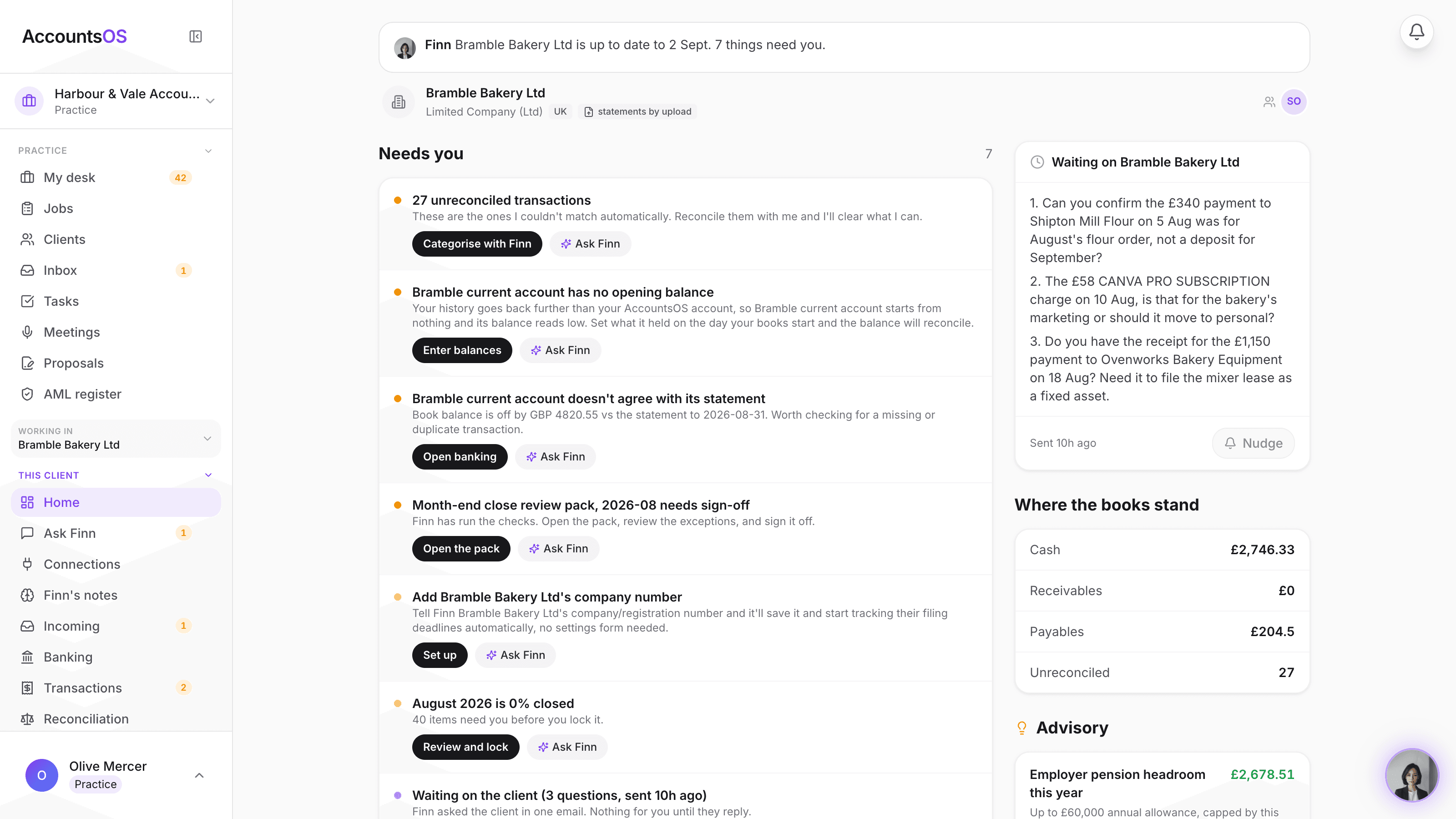
Finn drafts one consolidated email listing the transactions only the client can explain, instead of a chase for every line. Send it, nudge once if it goes quiet, and the answers map straight back to the lines waiting on them.
You send it. Finn drafts it and maps the answers back.
Ask the client on AccountsOS: One consolidated email per client, drafted by Finn, sent by you.
AccountsOS · Inside one client's books
How it works
How it works
Finn drafts one email
Every transaction only the client can explain is gathered into one consolidated draft, named and dated, instead of separate chases.
You send it
Review the draft and send it from the client's own home. Finn does not send anything to a client on its own.
One nudge if it goes quiet
If the client has not replied, Finn offers a single follow-up nudge rather than repeated chasing.
Answers map back to the lines
When the client replies, their answers are mapped back to the specific transactions waiting on them, ready for you to apply.
- One consolidated email per client, not one per transaction
- Draft only. You review and send it.
- One follow-up nudge if the client goes quiet
- Answers map back to the transactions waiting on them
- Fewer emails for a busy client to ignore
FAQ
The questions accountants ask first
Does Finn send the email to the client without me seeing it first?
What if the client only answers some of the questions?
How many times will it chase a client that goes quiet?
How does Finn know which transactions genuinely need the client, rather than something Finn should just categorise itself?
Can I edit the draft before it goes out?
Put Ask the client to work
30-day free trial, then priced per live client. No minimum.
See every feature on the features page.