One inbox for the whole book
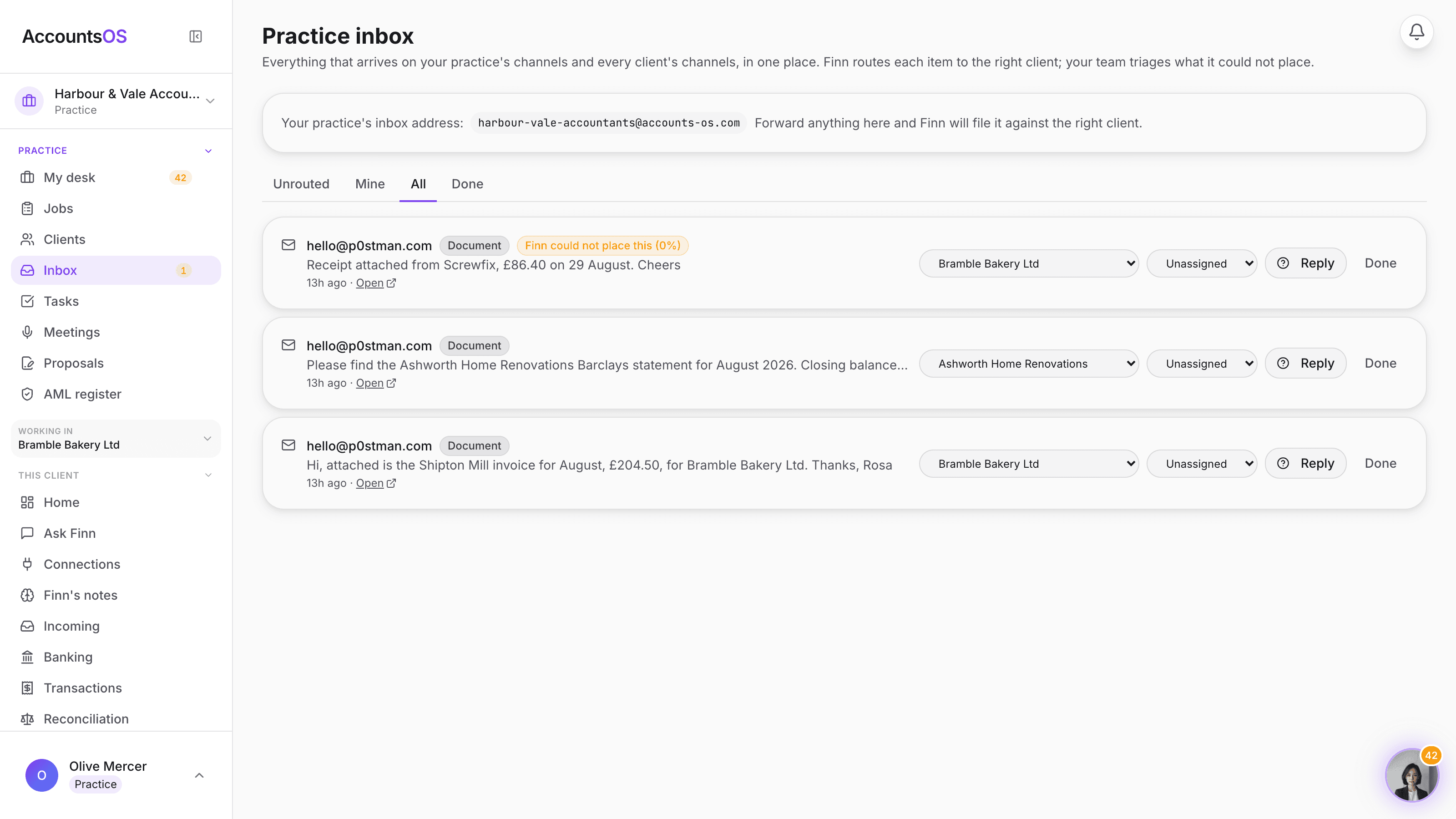
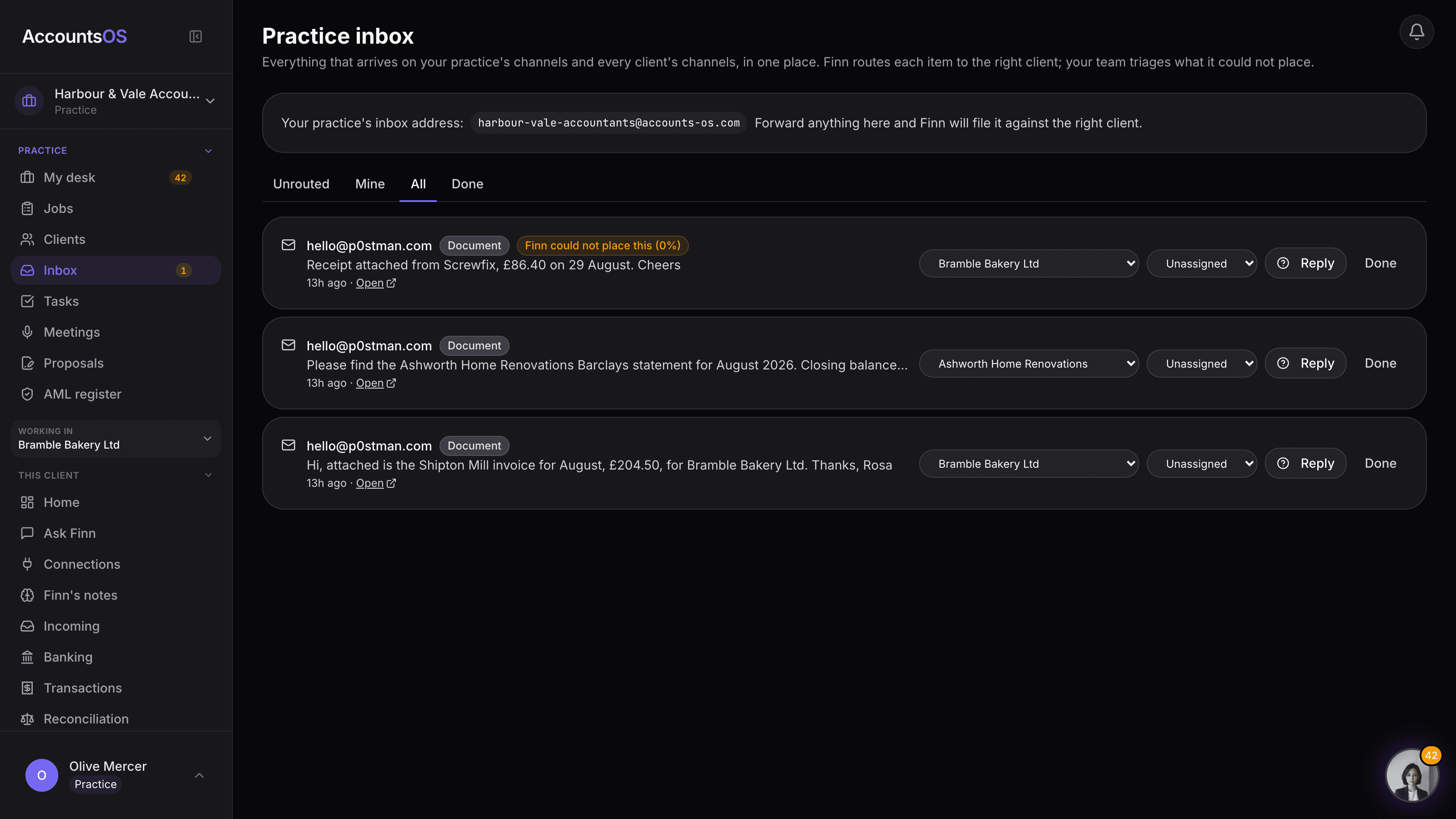
Everything that lands on your practice in one place
Your practice's own inbound address, plus every client's own email, WhatsApp, Slack and Telegram, in one list. Finn reads each one, works out which client it belongs to, and files it. Your team only sees the ones Finn could not place with enough confidence.
Included in the practice plan. No extra inbox to check, no per-seat fee.
Practice inbox on AccountsOS: One inbox for your practice and every client, routed by Finn, triaged by your team.
AccountsOS · One inbox, the whole book
How it works
How it works
One address for the practice
Your practice gets its own forwarding address, same as any client company. Forward or CC it and Finn treats the mail as belonging to the book, not to one client by default.
Finn reads it and takes a guess
Finn matches the sender, the subject and who they mention against your client list, the same matching it already does for a founder's own inbox, just run across your whole book.
You route the ones it's unsure about
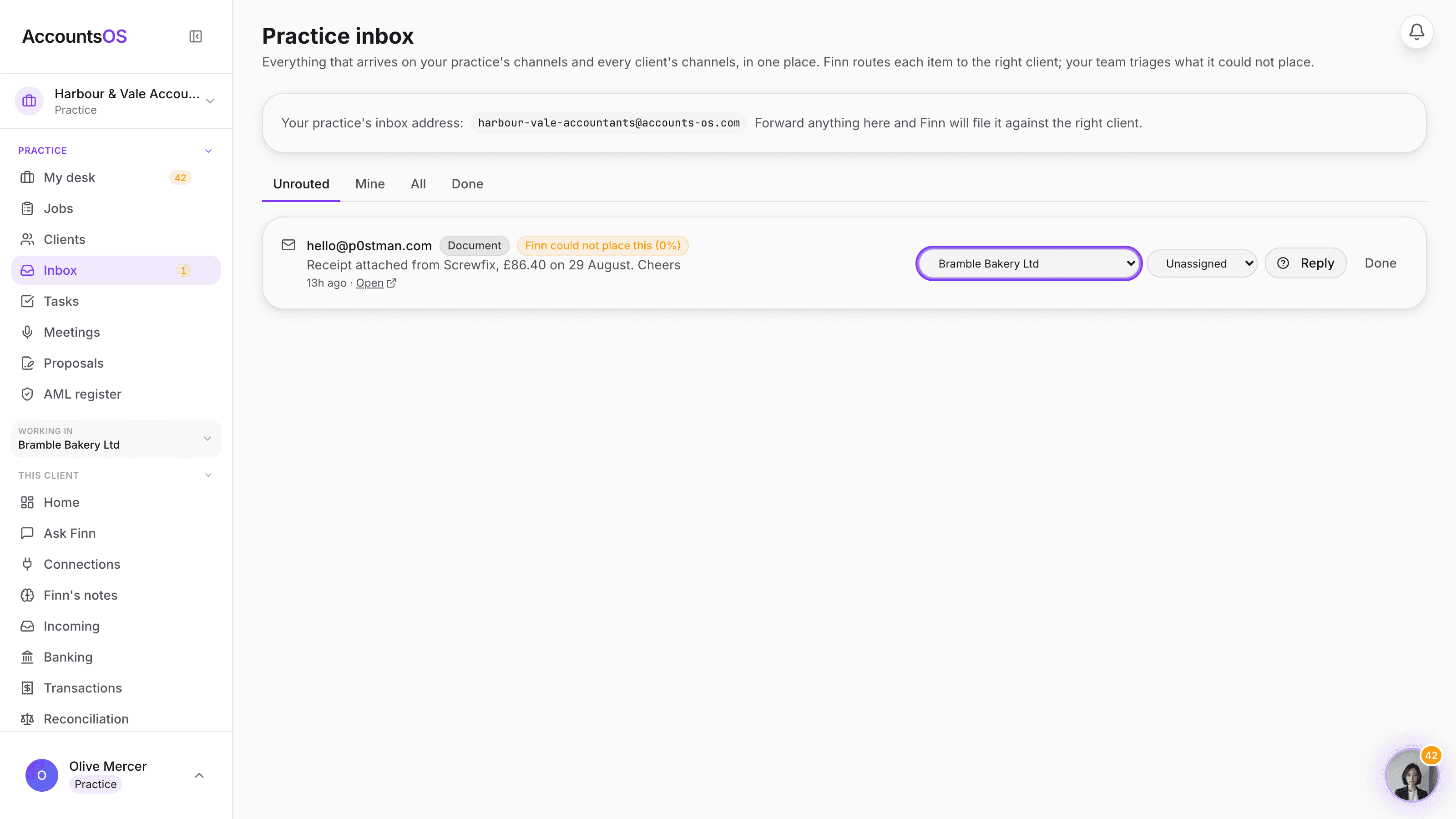
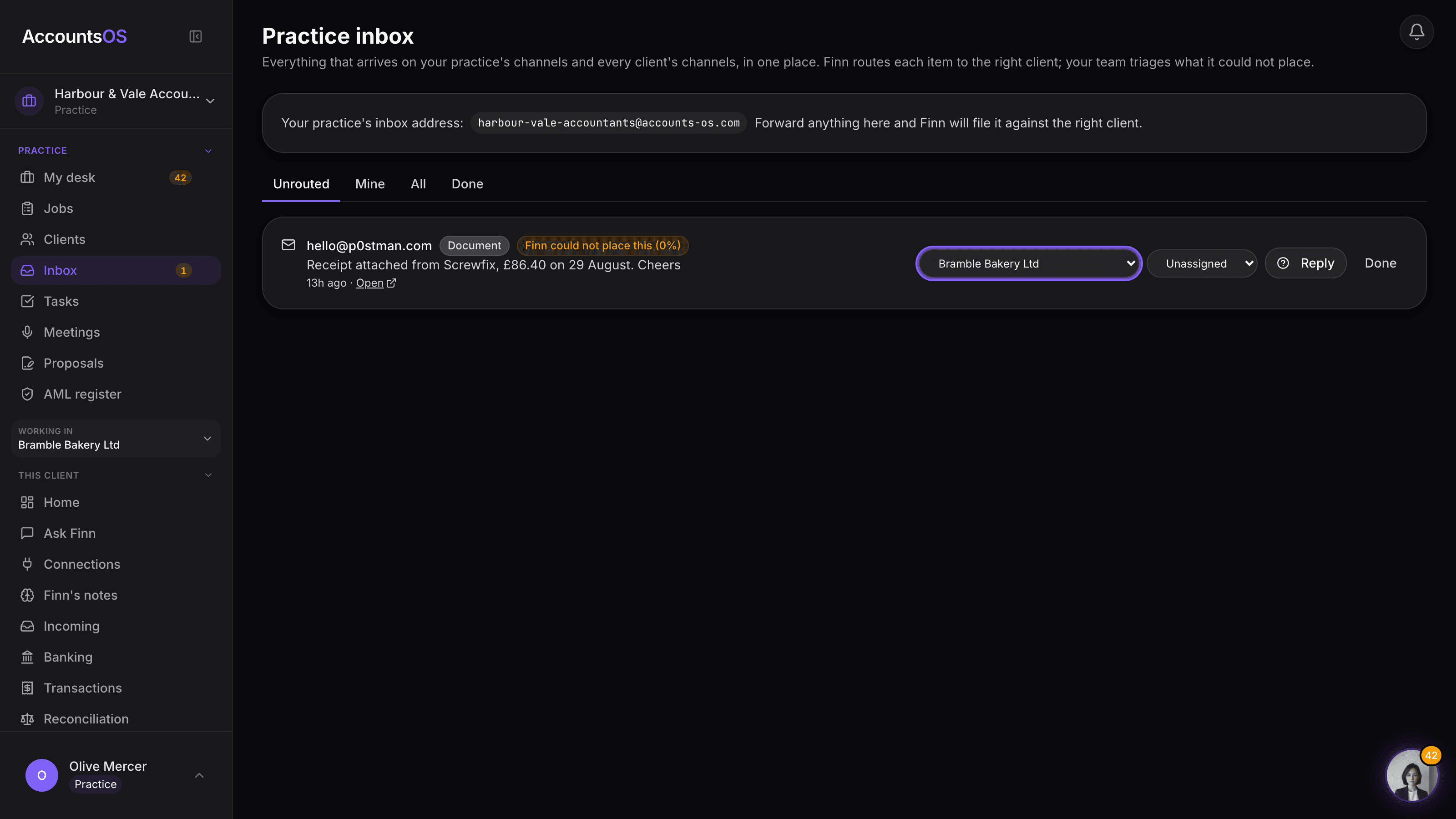
A confident match files itself straight onto the client. Below that, it sits on your practice's own inbox with an amber chip and Finn's guess, and you pick the client in one click.
The team triages, together
Assign an item to whoever is working that client, reply in Finn's voice from the row, and mark it done. Route it once and Finn remembers the sender for next time.
- Your practice's own channels and every client's channels, in one screen
- Finn's routing guess and confidence shown on every unplaced item
- Route an item to a client once and Finn recognises that sender from then on
- Assign items to your team, reply from the row, mark done
- An amber count on the sidebar for anything Finn could not place after a few hours
AccountsOS · Route it once, Finn learns the sender
FAQ
The questions accountants ask first
Do I have to move my email to AccountsOS?
What happens to mail Finn can't place?
Do clients need to change how they send things to us?
Can my team see everything, or just their own clients?
Does this replace our practice management system's inbox?
Put Practice inbox to work
30-day free trial, then priced per live client. No minimum.
See every feature on the features page.