Money
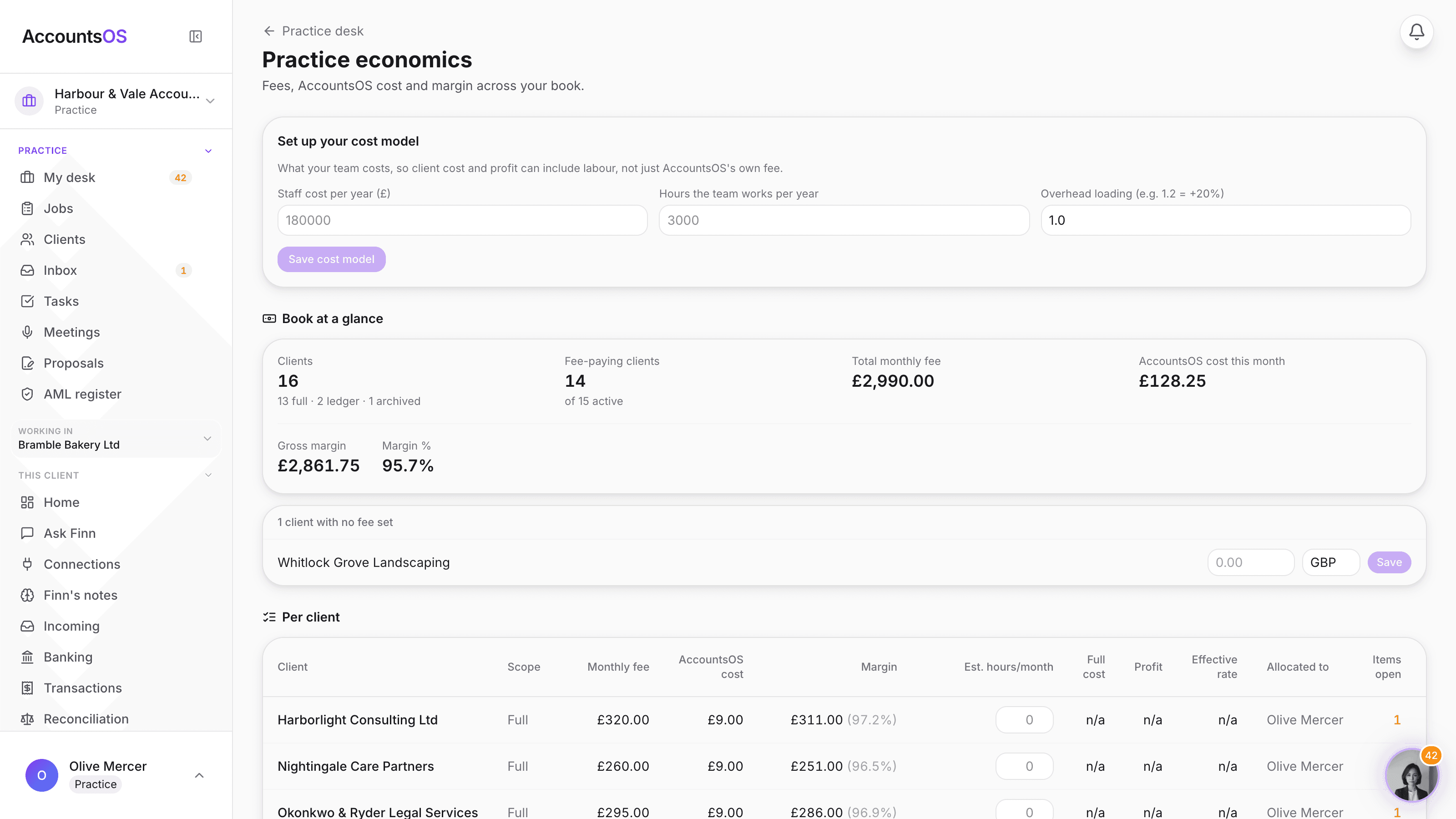
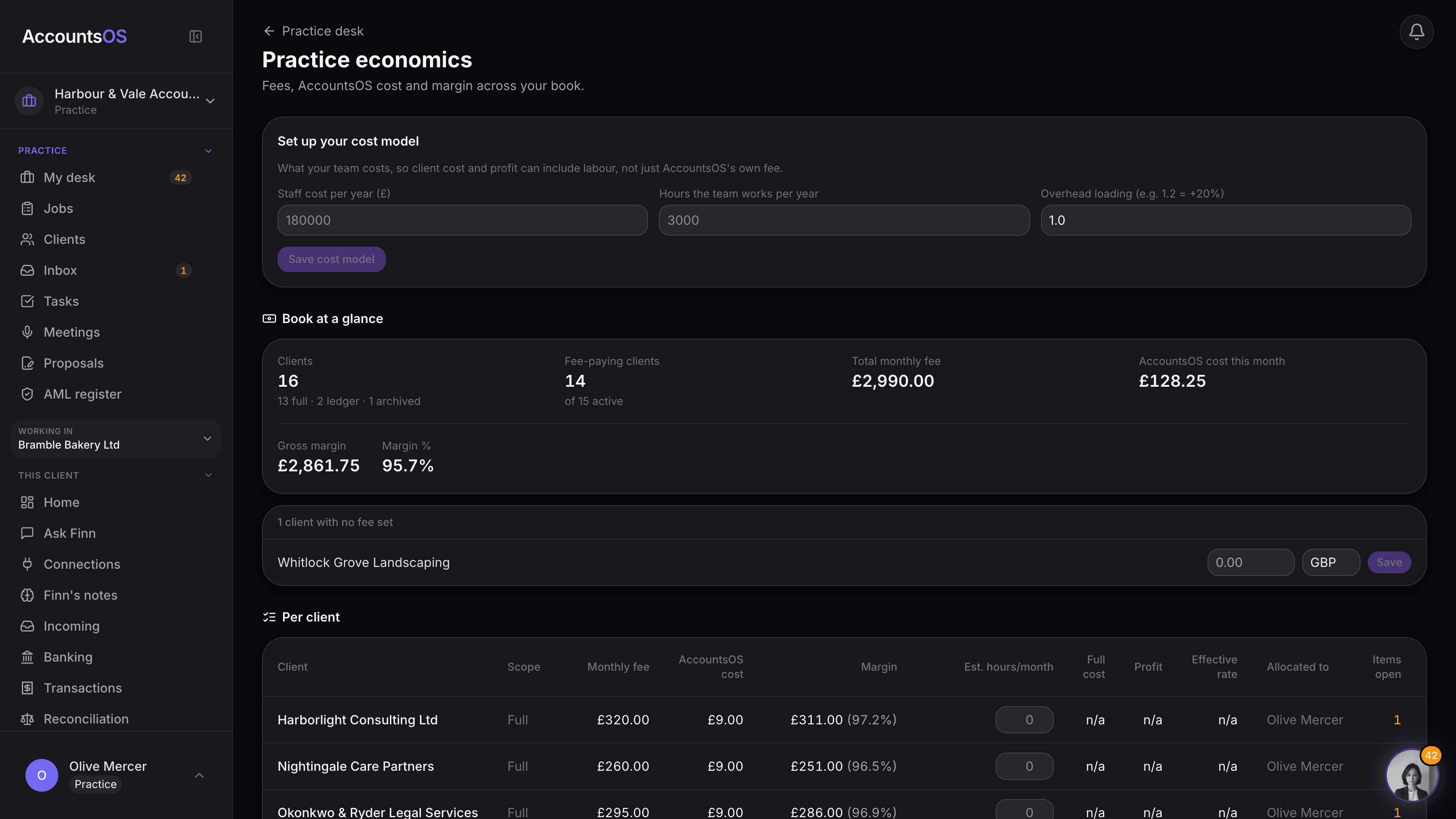
Type what your team costs once, and every client's margin becomes real. real
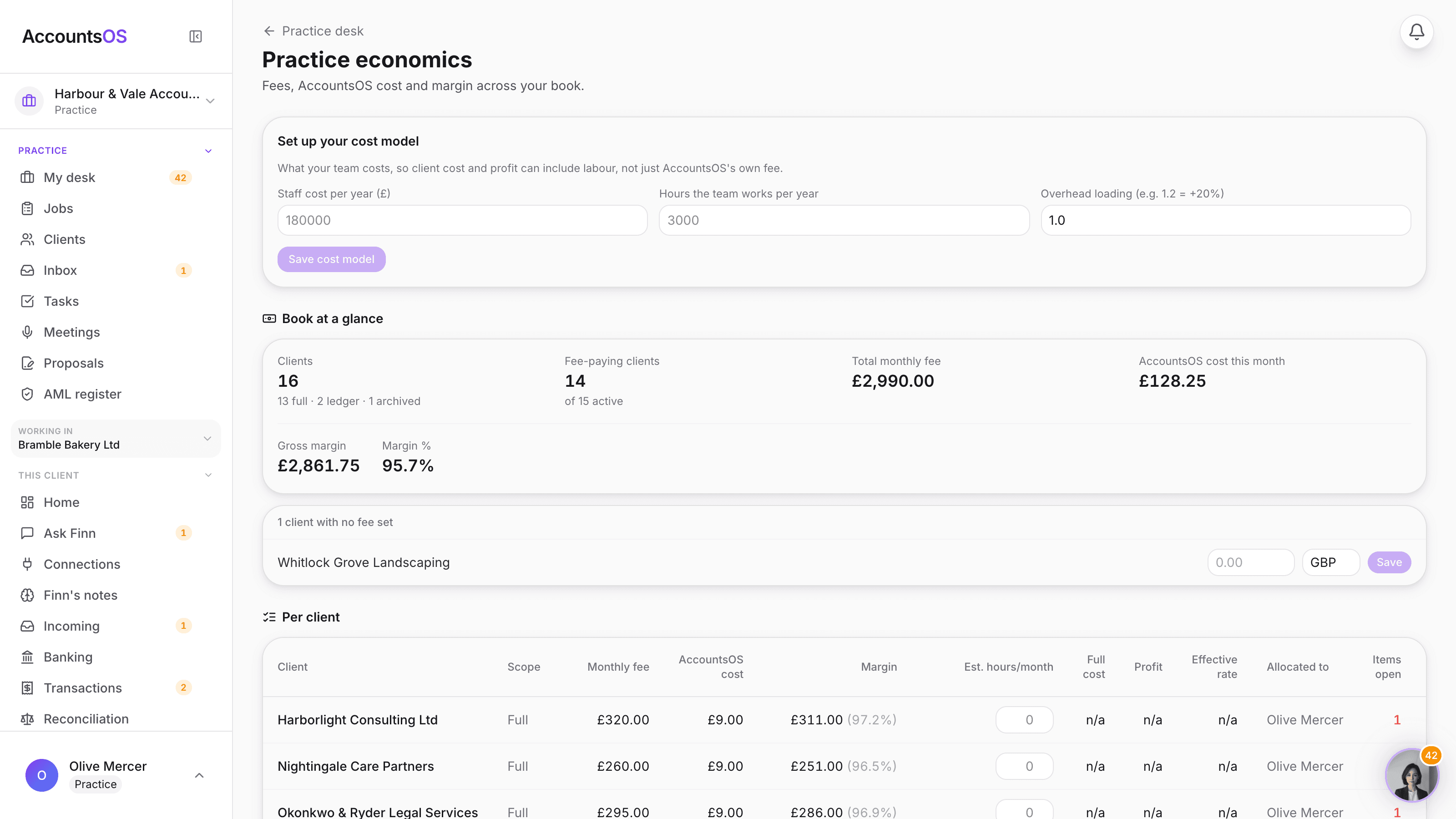
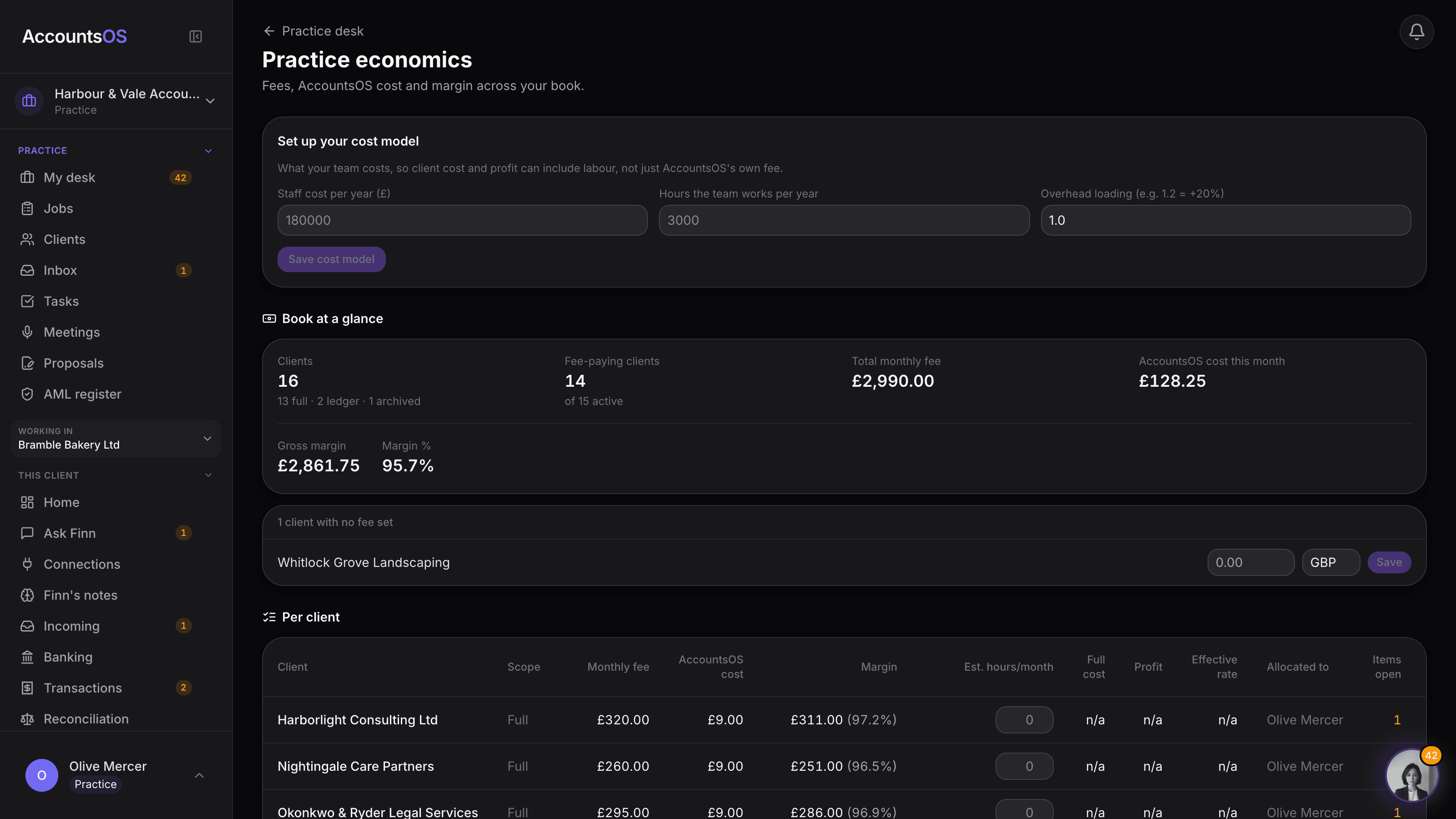
Set your team's cost and hours once, add an hours estimate per client (typed, or accept Finn's suggestion from what it actually did), and Economics shows the real cost, profit and effective rate, not just the AccountsOS bill.
Set up once. Finn keeps the hours estimate honest after that.
Economics on AccountsOS: Type what your team costs once, and margin, profit and effective rate become real per client.
AccountsOS · What your team actually costs
How it works
How it works
Set your cost model
What your team costs a year, the hours they work, and an overhead loading if you want one. Three numbers, typed once.
Add hours per client
Type your own estimate, or accept Finn's suggestion, built from documents processed, questions sent and jobs completed for that client.
See the real cost
Hours times your blended rate, plus the AccountsOS cost, gives every client a cost that means something.
Read the margin
Fee minus cost is the profit. Fee divided by hours is the rate you're actually working at. Both per client, both per fee earner.
- One cost model for the whole practice: staff cost, staff hours, overhead loading
- Hours per client typed by you, or suggested by Finn from real activity, never guessed
- A drift marker flags when a typed estimate has moved a long way from Finn's suggestion
- Profit and effective rate, per client and per fee earner
- Falls back to v1 (AccountsOS cost only) until you set up the cost model, nothing breaks
AccountsOS · Hours, cost, profit, per client
FAQ
The questions accountants ask first
Is this my real margin?
Do I have to run timesheets?
How does Finn know how long a client takes?
What if I don't trust the suggestion?
What happens if I never set this up?
Put Economics to work
30-day free trial, then priced per live client. No minimum.
See every feature on the features page.