Advisory
The advisory conversation, already run on the client's own books. already run
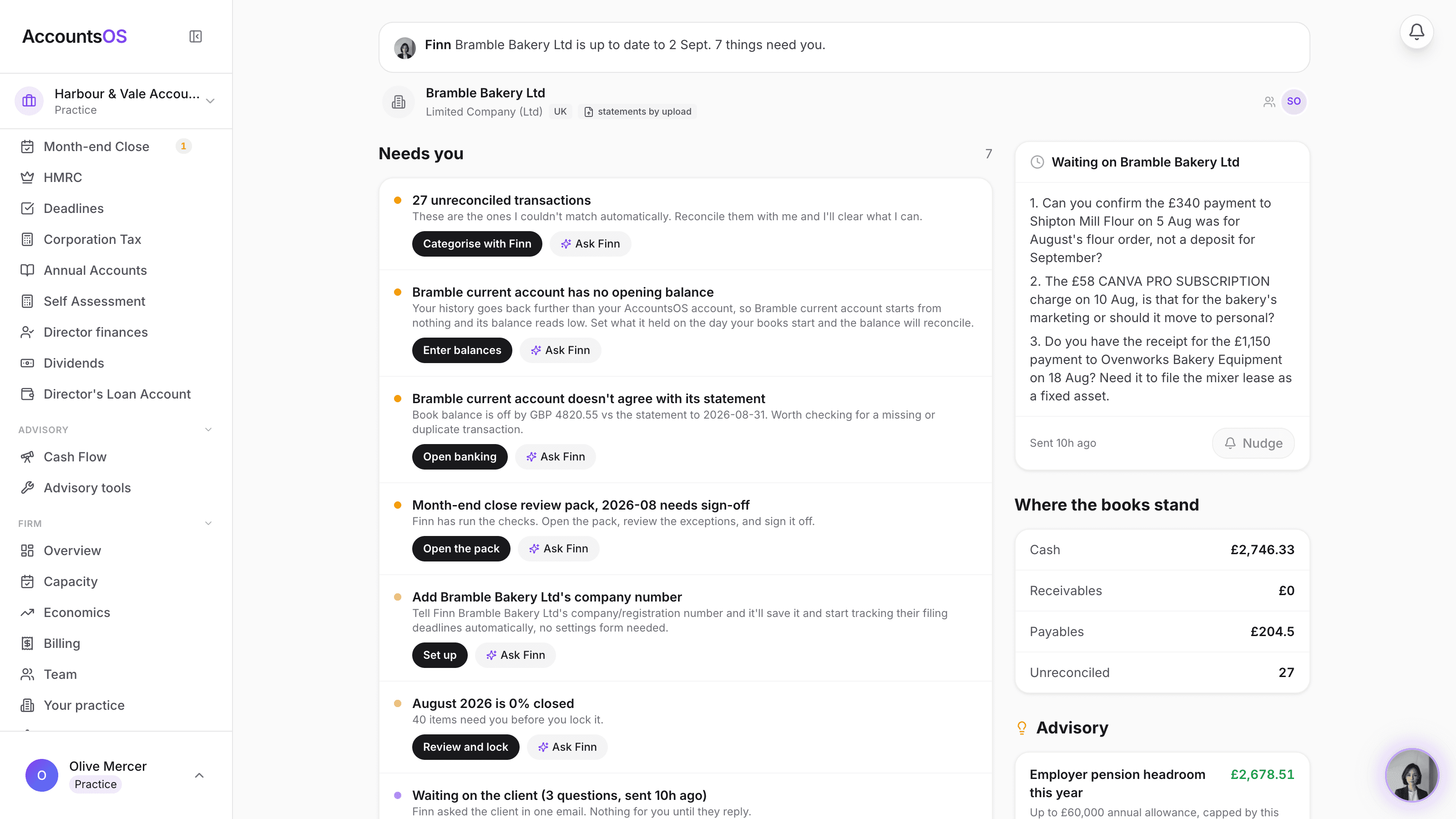
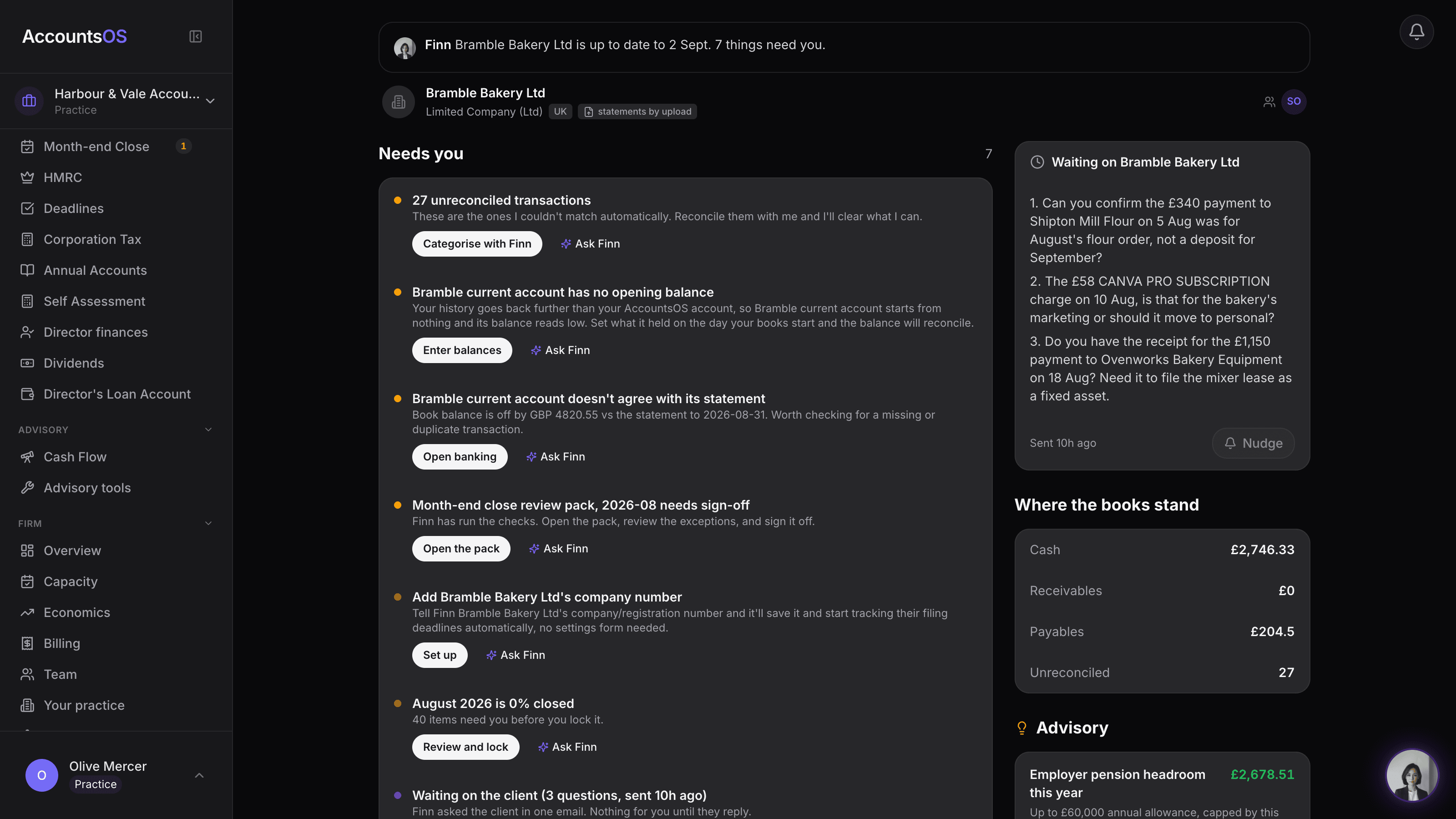
Finn works every client's ledger continuously and flags what's worth raising: a better salary/dividend split, pension headroom, a cheaper VAT scheme, or what's safe to spend after tax set-aside. Open the finding, check the numbers, draft the memo.
Runs on the books you already hold. Nothing to set up.
Advisory pack on AccountsOS: Finn finds the advisory opportunity, you draft the memo in one click.
AccountsOS · What Finn found this quarter
How it works
How it works
Finn finds it
Every quarter, Finn checks each client's numbers against the calculators founders already use: salary vs dividend, pension annual allowance, VAT scheme, cash and tax set-aside.
You check the number
Open the finding on the client's home. The figure is real, from that client's own ledger, not a generic benchmark.
Finn drafts the memo
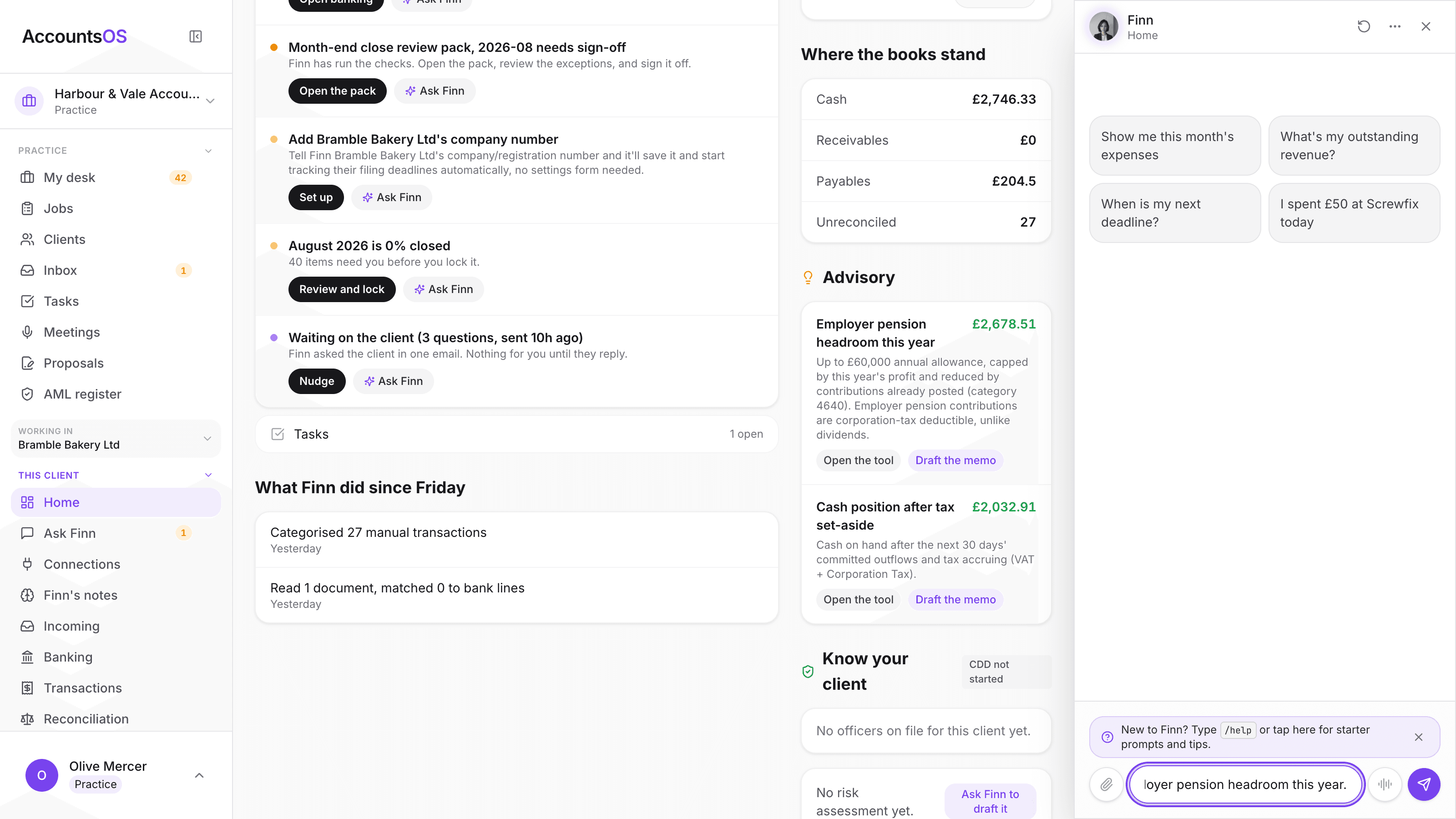
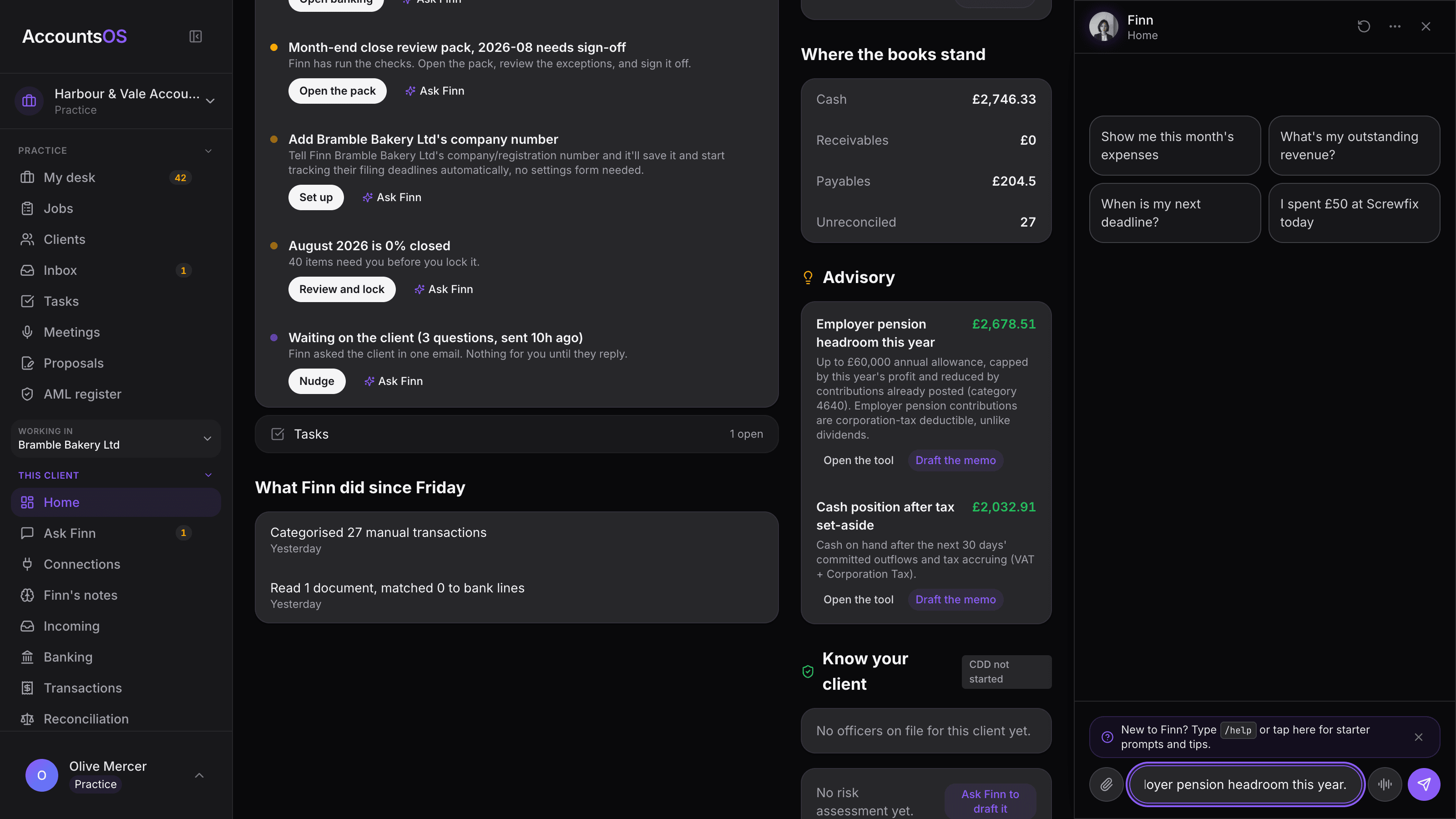
One click opens Finn with the memo already framed. It goes out in your practice's name, Finn named as the assistant who prepared the numbers.
You sign and send
Nothing goes to a client until you've reviewed it and pressed send. Finn never files, never signs.
- Salary/dividend mix flagged only when the saving is worth the conversation
- Pension headroom against this year's profit and what's already been contributed
- VAT scheme check comparing the last four quarters under both schemes
- Cash position after 30 days' committed outflows and tax set-aside
- Run one client from their home, or sweep the whole book in one go
AccountsOS · One click drafts the memo
FAQ
The questions accountants ask first
Is this tax advice?
Where do the numbers come from?
Does this send anything automatically?
What if a finding doesn't apply?
Do I need to set anything up?
Put Advisory pack to work
30-day free trial, then priced per live client. No minimum.
See every feature on the features page.