Finn Now Builds Visual, Branded Reports from Your Books
Ask Finn, the AI accountant in AccountsOS, for a report in plain words and get a chart-led report built from your own books, in your brand, ready to download or share as a fixed snapshot.
Quick Answer
Since 22 October 2026 you can ask Finn, the AI accountant in AccountsOS, for a report in plain words, such as a board one-pager or income against costs by month. Finn builds a designed report beside the chat, with headline figures, tables and charts that fit the question. Every figure is pulled from your ledger by AccountsOS, not typed by the AI. Reports carry your logo and colours, download as PDF, Word, Excel, CSV or Markdown, and can be shared as a read-only link that shows a fixed snapshot, never your live books. Accountancy practices can send a report to a client from the chat in the practice's own name.
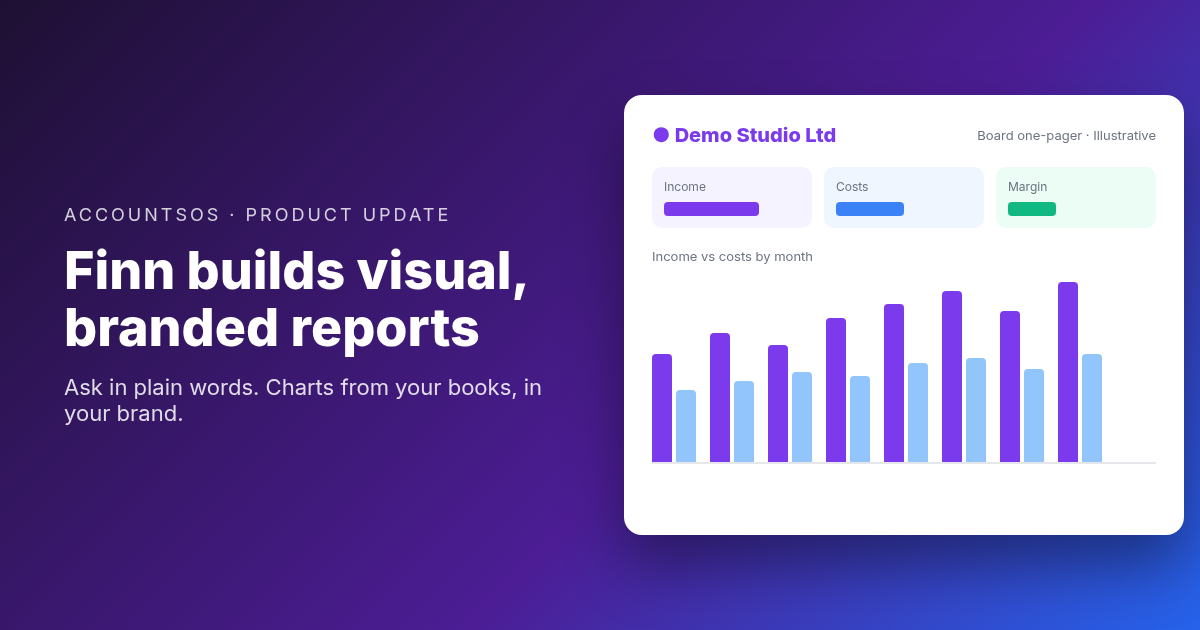
Your accounting software gives you the same set of screens as everyone else. What people actually ask for is a specific view: a one-pager for the board, who owes us and how late, income against costs by month, something to send the bank.
You can now ask Finn for exactly that. Finn builds the report on the spot, from your own books, and it looks like it came from you.
How it works
- Ask in your own words. "A board one-pager for this year so far", "who owes us and how late", "spend by supplier this quarter".
- Finn builds it beside the chat. A headline figure, key numbers, tables and charts that fit the data: trends, splits, rankings, this year against last.
- Make it yours. "Add last year", "drop the chart", "make it quarterly". Each change saves a new version you can go back to.
- Send it. Download a PDF, Word, Excel, CSV or Markdown file, save it to your Document hub, or share a link.
Every figure comes from your books
An AI model should never type the numbers in a financial report, and in AccountsOS it does not. Finn decides what the report should show and how it is laid out. AccountsOS pulls every figure from your ledger when the report is built, and anything Finn writes about those figures is checked against them before the report is saved.
Press Refresh and the same report re-reads your books as they are now, keeping the old version. Every report shows the date and time its data was taken.
In your brand
Add your logo, colours, strapline and contact details once in Settings, under Brand. New reports carry them, including the PDF. For a throwaway report, switch the brand off for that one.
Share a snapshot, not your books
A shared link shows the report exactly as it was when you shared it. It never updates and never opens your books. Links can expire after 7 days, 30 days or never, can be turned off at any time, and show how often they were opened.
For accountancy practices
A practitioner can ask Finn for a report on a client's books and send it to the client from the chat, in the practice's own name and branding. A copy is saved in the client's Document hub.
What it is not
Reports are a working document. They do not file anything and they do not change your books. Year-end accounts, VAT returns and Companies House filings still go through their own review steps, where a person checks and signs before anything is sent.
Try it
Open the chat in AccountsOS and ask Finn for the report you need. More on reports on demand.
The AccountsOS team combines AI expertise with UK accounting knowledge to help small businesses thrive.
Let Finn run your accounts
Finn handles bookkeeping, VAT, deadlines and expenses for UK limited companies. Ask it anything about your numbers in plain English.
Start freeRelated Articles
File Companies House Changes from AccountsOS
UK limited companies can now appoint or remove a director, change the registered office and update people with significant control with Companies House from inside AccountsOS. Each filing is reviewed and confirmed by a person before it goes.
Call Finn: Talk to Your Books on the Phone
You can now phone Finn, the AI accountant in AccountsOS. Dial the number from any phone, key in your PIN, and ask about your books out loud. Call notes land in your WhatsApp afterwards.
Chat With Your Books in ChatGPT: Finn Is Live
Finn, the AI accountant in AccountsOS, is live as an app in ChatGPT. Install it, connect your AccountsOS account once, and ask about your money in plain English. Answers come from your live ledger. The app is read-only.