Add your first client
“How do I set up my first client? Do they need an account?”
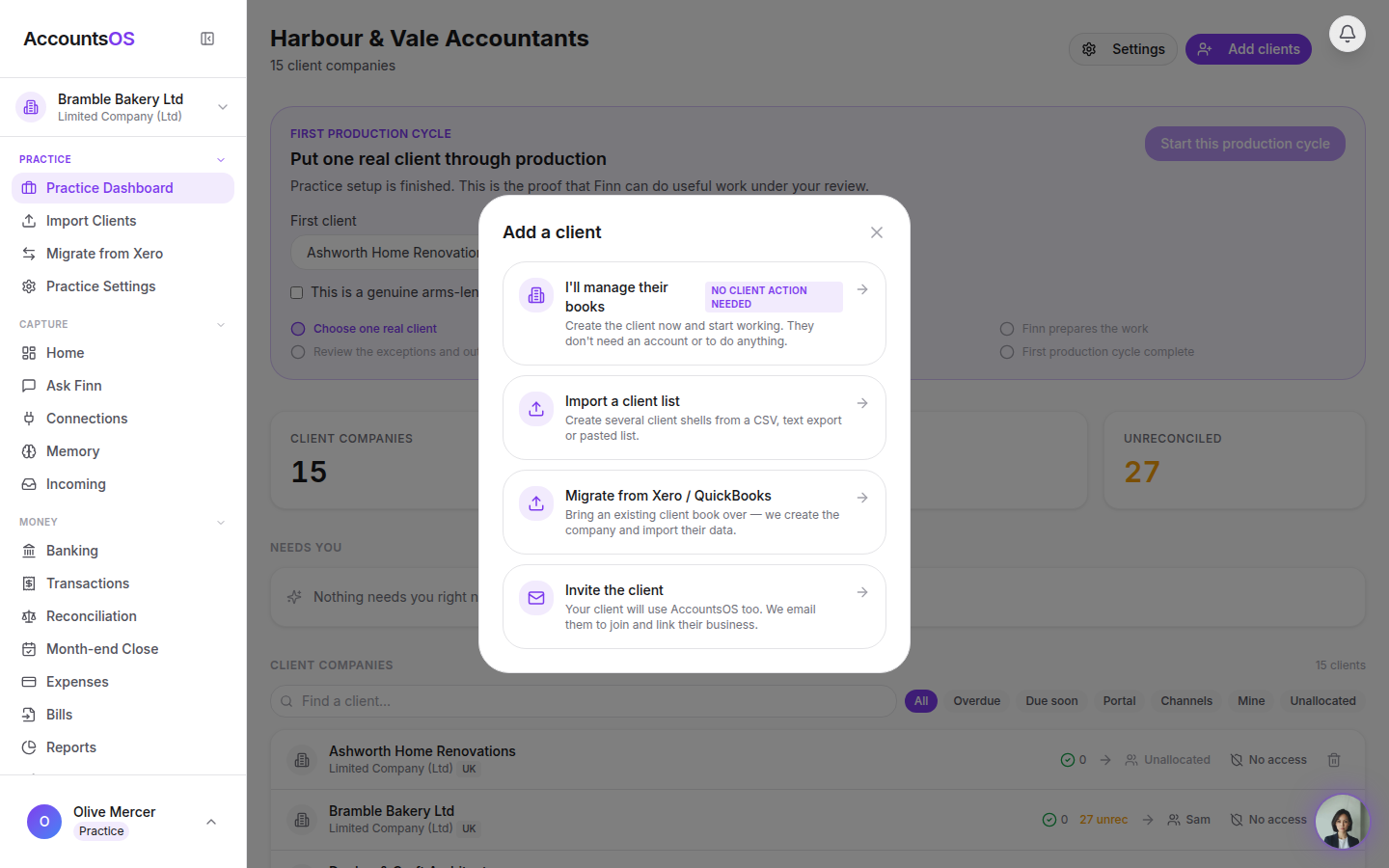
Add clients opens one page with four ways in, lightest first: add by name, upload a list, paste an export, connect Xero. Name and country is all it takes to start; the client never needs a login, you can give them one from their row later.
Real screens from the live product, filmed as Harbour & Vale Accountants on 2026-09-02. Use the arrow keys to move between steps.
Step 1 of 3
Open Add clients
From the practice dashboard, Add clients opens one page with four ways in, lightest first: add a client by name, upload a client list, paste one client's export, or connect Xero for the full migration.
Try it with one real client.
30 days free, then billed per live client in arrears. Add one client and see how it lands before you move the rest.