Making Tax Digital for Income Tax: Complete Guide for Sole Traders & Landlords (2026)
MTD for Income Tax Self Assessment requires sole traders and landlords with qualifying income of £50,000 or more to submit quarterly digital updates to HMRC using compatible software from April 2026. Qualifying income is gross self-employment plus UK property income combined, before expenses.
First mandatory year
April 2026 (£50,000+)
Second wave
April 2027 (£30,000+)
Third wave
April 2028 (£20,000+)
Qualifying income definition
Gross self-employment + property income, before expenses
Quarterly updates required
4 per year + Final Declaration
Final Declaration deadline
31 January following tax year
Penalty points for £200 fine
4 points
Soft landing (2026/27)
No penalty points for late quarterly updates
Compliant without the manual work
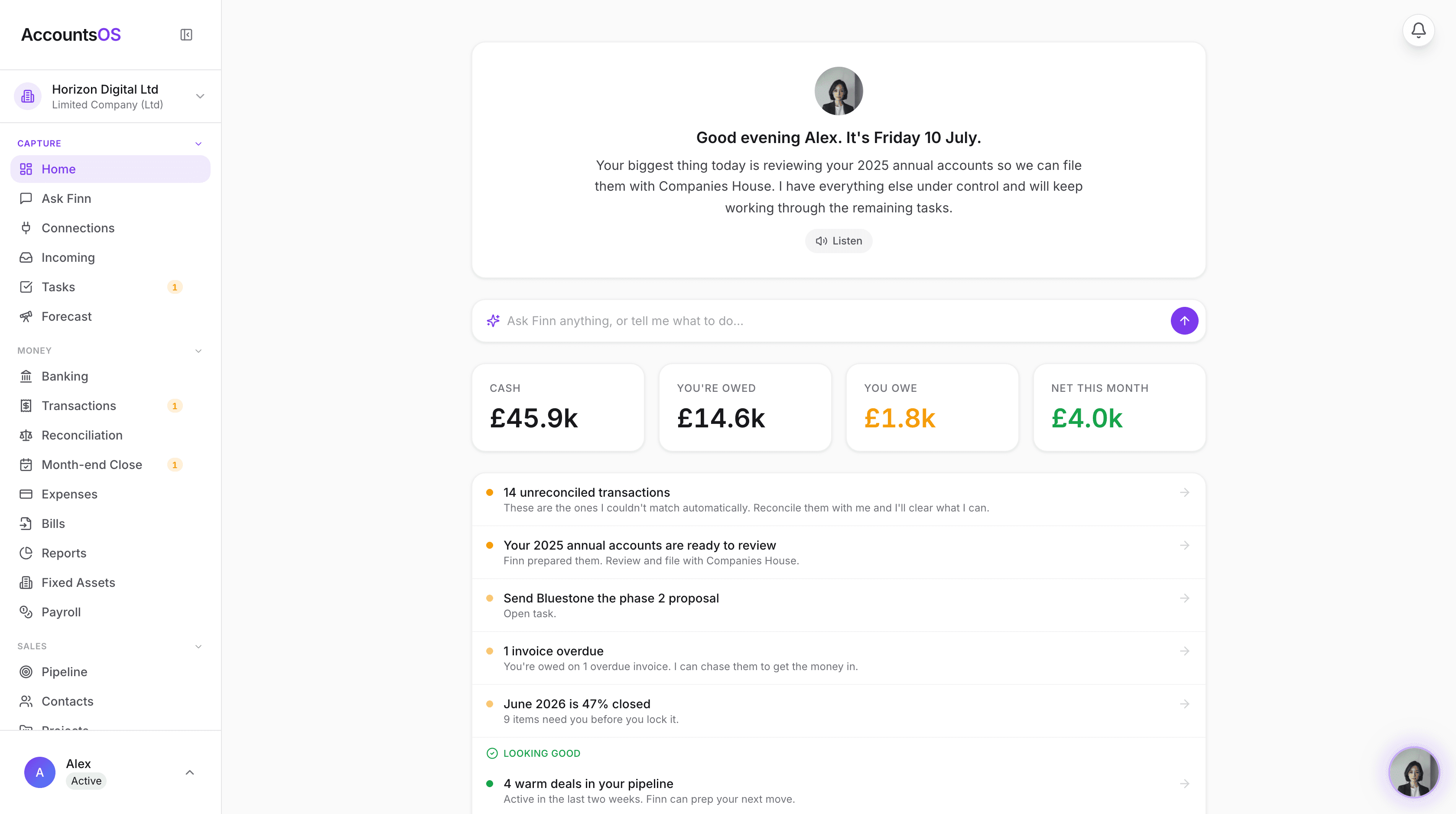
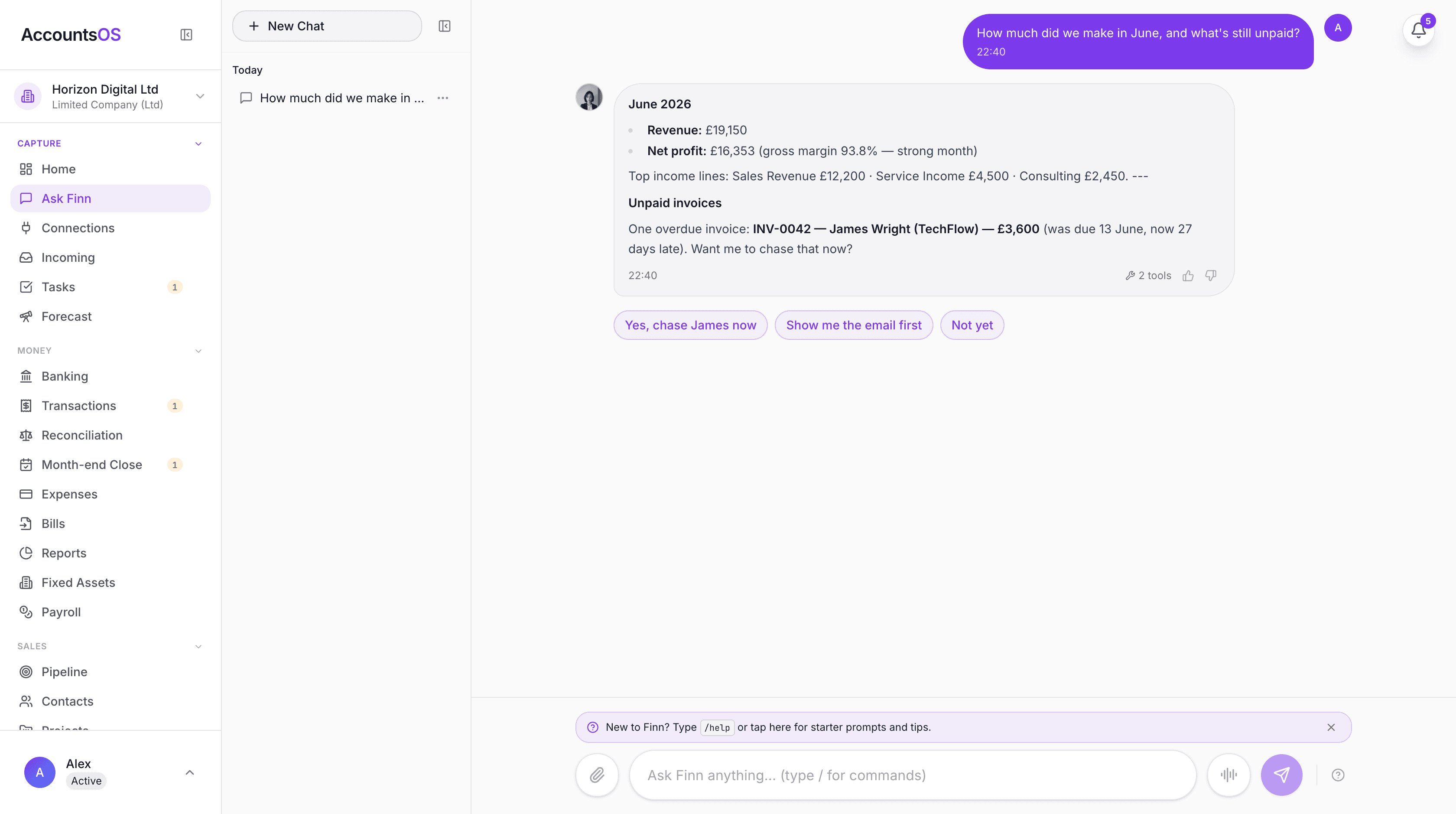
Making Tax Digital means keeping digital records and filing through software. AccountsOS does both for you. Connect your bank and HMRC, and Finn keeps the records, builds the return from your bookkeeping, and files it on your confirmation.
- Digital records kept automatically as money moves
- Returns calculated from your ledger, no bridging spreadsheet
- Submit directly to HMRC once you've checked the figures
- Every deadline tracked so nothing is filed late
Making Tax Digital for Income Tax Self Assessment (MTD ITSA) is the next major phase of HMRC's digital tax programme. From April 2026, sole traders and landlords with qualifying income of £50,000 or more must keep digital records and submit quarterly updates using MTD-compatible software. The annual Self Assessment tax return is replaced by a Final Declaration due 31 January. The threshold drops to £30,000 in April 2027 and £20,000 in April 2028, eventually bringing over two million taxpayers into the MTD regime. This guide covers everything you need to know: who is affected, what qualifying income means, the quarterly deadlines, how to sign up, what software you need, and the penalty system — including the soft-landing period for 2026/27.
What is MTD for Income Tax Self Assessment?
MTD for Income Tax Self Assessment (MTD ITSA) replaces the annual Self Assessment tax return with quarterly digital updates submitted through compatible software. Instead of gathering a year's worth of records every January and filing a single return, you submit a summary of your income and expenses to HMRC four times per year. The quarterly updates are not full tax returns — they are summaries of your business income and allowable expenses for each three-month period. At the end of the tax year, you submit a Final Declaration that confirms your total income, claims any reliefs or allowances, and calculates your tax liability. This Final Declaration replaces your annual Self Assessment return. Critically, all of this must happen through MTD-compatible software that connects to HMRC's APIs. You cannot submit quarterly updates through the HMRC online portal. Your software maintains your digital records throughout the year and transmits the data directly to HMRC. MTD ITSA applies to self-employment income and UK property income. It does not apply to employment income (PAYE), dividend income, savings interest, or pension income. However, these other income sources are still declared in your Final Declaration.
Who is affected by MTD for Income Tax?
MTD ITSA affects individuals — not businesses — based on their qualifying income. Qualifying income is your gross self-employment income plus your gross UK property income, combined, calculated before any expenses, allowances, or deductions are applied. This is a crucial distinction. If you are a sole trader with £40,000 gross self-employment income and £15,000 gross rental income, your qualifying income is £55,000 — you are in scope from April 2026, even though neither income source individually exceeds £50,000. The rollout is phased by threshold. From April 2026, individuals with qualifying income of £50,000 or more must comply. From April 2027, the threshold drops to £30,000. From April 2028, it drops to £20,000. HMRC has not announced plans for income below £20,000. If you have multiple self-employments or multiple rental properties, all gross income from these sources is aggregated. You must submit separate quarterly updates for each business or property income source, but the qualifying income threshold is based on the total. Limited company directors are not directly in scope through their company. However, if a director also has personal self-employment income or rental income that, combined, exceeds the threshold — they are personally in scope for MTD ITSA on that income.
| Mandatory From | Qualifying Income Threshold | Who Must Comply |
|---|---|---|
| April 2026 | £50,000 or more | Sole traders and landlords with combined gross self-employment + property income of £50,000+ |
| April 2027 | £30,000 or more | As above, with combined gross income of £30,000+ |
| April 2028 | £20,000 or more | As above, with combined gross income of £20,000+ |
| Not yet announced | Below £20,000 | HMRC has not confirmed timing for lower-income taxpayers |
What are the quarterly deadlines for MTD Income Tax?
MTD ITSA quarterly periods follow the tax year, running from 6 April to 5 April. Each quarter has a submission deadline approximately one month after the period ends. You must submit a summary of your business income and expenses for each quarter by the deadline. Quarter 1 covers 6 April to 5 July, with the update due by 7 August. Quarter 2 covers 6 July to 5 October, due by 7 November. Quarter 3 covers 6 October to 5 January, due by 7 February. Quarter 4 covers 6 January to 5 April, due by 7 May. After the fourth quarterly update, you submit a Final Declaration by 31 January following the end of the tax year. The Final Declaration confirms your total income across all sources (not just self-employment and property), claims personal allowances and reliefs, and calculates your final tax liability. If you have multiple businesses or property income sources, you submit separate quarterly updates for each source — but all follow the same quarterly deadlines. Your software should handle this automatically. For the first mandatory year (2026/27), HMRC has confirmed a soft-landing period. No penalty points will be issued for late quarterly updates during this year. However, the Final Declaration deadline of 31 January 2028 is still subject to the normal penalty regime.
| Quarter | Period Covered | Submission Deadline |
|---|---|---|
| Q1 | 6 April – 5 July | 7 August |
| Q2 | 6 July – 5 October | 7 November |
| Q3 | 6 October – 5 January | 7 February |
| Q4 | 6 January – 5 April | 7 May |
| Final Declaration | Full tax year (6 April – 5 April) | 31 January following year |
How does the MTD penalty system work?
MTD ITSA introduces a points-based penalty system for late submissions, replacing the old fixed-penalty regime. Each time you miss a quarterly submission deadline, you receive one penalty point. When you accumulate four penalty points, HMRC issues a £200 fine. Every subsequent late submission while you are at four points triggers another £200 fine. Penalty points reset to zero after a 24-month period of full compliance — meaning you submit every quarterly update and your Final Declaration on time for 24 consecutive months with no late submissions. Late payment penalties are separate from late submission penalties. If you owe tax and pay late, interest accrues from the due date. A first late payment penalty of 2% applies on tax unpaid after 15 days, rising to 4% after 30 days. If tax remains unpaid after six months, an additional penalty applies. For the 2026/27 tax year (the first mandatory year for the £50,000+ group), HMRC has confirmed a soft-landing period. During this year, no penalty points will accrue for late quarterly updates. This gives taxpayers time to adjust to the new system. However, the Final Declaration is not covered by the soft landing — if you submit your Final Declaration late for 2026/27, normal penalties apply. The soft landing does not extend to MTD for VAT, which has been mandatory since 2022 and carries its own penalty regime.
| Event | Consequence |
|---|---|
| Late quarterly update | 1 penalty point |
| Accumulate 4 points | £200 fine |
| Each subsequent late submission at 4 points | Additional £200 fine |
| 24 months full compliance | Points reset to zero |
| 2026/27 soft landing | No points for late quarterly updates (Final Declaration still penalised) |
| Late payment (15+ days) | 2% penalty on unpaid tax |
| Late payment (30+ days) | 4% penalty on unpaid tax |
How do I sign up for MTD for Income Tax?
Signing up for MTD ITSA is a separate process from registering for Self Assessment. Even if you already file a Self Assessment return, you must specifically sign up for MTD through your Government Gateway account. To sign up, you need: a Government Gateway user ID with your Self Assessment linked, your National Insurance number, your Unique Taxpayer Reference (UTR), and the date you started your business or acquired your rental property. The sign-up process involves: 1. Go to GOV.UK and search for 'sign up for Making Tax Digital for Income Tax' 2. Sign in with your Government Gateway credentials 3. Confirm your identity and business details 4. Choose your MTD-compatible software (you must have this ready before signing up) 5. Authorise your software to communicate with HMRC on your behalf You can sign up voluntarily before your threshold becomes mandatory. If your qualifying income is £50,000+, you can sign up now and begin submitting quarterly updates for the current tax year. This gives you time to familiarise yourself with the process before it becomes mandatory in April 2026. If you use an accountant or tax agent, they can sign up on your behalf through their agent services account. Your agent will also need to authorise the software they use to submit updates for you.
What digital records must I keep under MTD?
Under MTD ITSA, you must maintain digital records of all business transactions — income and expenses — using MTD-compatible software. The records must be created and stored digitally; you cannot keep paper records and type them into software at the end of each quarter. For each transaction, your digital records must include: the date of the transaction, the amount, and the category (income type or expense type). For expenses, you should also record the supplier or vendor name and whether VAT was charged. HMRC requires that data flows digitally between systems without manual re-entry. This is the 'digital links' requirement. If you use multiple software products (for example, a bank feed into a spreadsheet, then into accounting software), the data must transfer automatically between them. Copy-and-paste is acceptable as a digital link; manually retyping figures is not. You must retain your digital records for at least five years after the 31 January filing deadline for the relevant tax year. For the 2026/27 tax year, that means keeping records until at least 31 January 2033. Receipts and invoices do not need to be stored digitally — you can keep paper originals. However, the transaction data extracted from those receipts must be recorded digitally. Many businesses find it simpler to photograph or scan receipts and store everything digitally.
| Record Type | Required Fields | Retention Period |
|---|---|---|
| Income transactions | Date, amount, income category | 5 years from filing deadline |
| Expense transactions | Date, amount, expense category, supplier | 5 years from filing deadline |
| Bank transactions | Date, amount, description | 5 years from filing deadline |
| Receipts/invoices | Paper acceptable (digital data extracted from them required) | 5 years from filing deadline |
What software do I need for MTD Income Tax?
You need software that is recognised by HMRC as MTD-compatible for Income Tax Self Assessment. This means the software must connect to HMRC's APIs to submit quarterly updates and your Final Declaration. You cannot submit MTD ITSA updates through the HMRC online portal. HMRC maintains a list of MTD-compatible software on GOV.UK. This list is updated regularly as new providers are approved. When choosing software, look for: - Direct submission to HMRC (not via bridging software, which adds complexity) - Bank feed integration to automatically import transactions - Automatic categorisation of income and expenses - VAT support if you are also VAT-registered - Receipt capture and storage - Multi-business support if you have multiple income sources If you prefer spreadsheets, you can continue using them — but you must use bridging software that connects your spreadsheet to HMRC's API. The spreadsheet must maintain digital links (no manual retyping between systems). Bridging software is functional but adds an extra step to every submission. AccountsOS is MTD-compatible for VAT and connects directly to HMRC for VAT submissions. It maintains your digital records and categorises transactions using AI. MTD for Income Tax Self Assessment (ITSA) support is in development ahead of the April 2026 deadline — check the AccountsOS website for the latest status.
Who is exempt from MTD for Income Tax?
HMRC provides exemptions from MTD ITSA in limited circumstances. You may be exempt if you cannot use software or digital tools due to age, disability, remoteness of location, or religious beliefs that prevent you from using electronic communications. To claim an exemption, you must apply to HMRC and explain why you cannot reasonably comply with the digital requirements. HMRC assesses each application individually. If granted, you continue filing through the existing Self Assessment process. The following groups are not in scope for MTD ITSA (and therefore do not need an exemption): - Individuals with qualifying income below the current threshold (currently £50,000, dropping to £30,000 in 2027 and £20,000 in 2028) - Individuals with no self-employment or UK property income (e.g. employed individuals with only PAYE income) - Limited companies (Corporation Tax MTD is cancelled) - Partnerships (HMRC has not announced a date for partnerships to join MTD ITSA) - Trusts and estates - Non-UK residents with no UK self-employment or property income Foster carers who use the qualifying care relief scheme and have no other self-employment income may also be outside MTD ITSA, depending on how their income is calculated. HMRC guidance on this specific case is still being finalised. If your qualifying income fluctuates around the threshold, you are assessed based on the previous tax year's qualifying income. If your 2025/26 qualifying income is £50,000+, you must comply from April 2026.
Frequently asked questions
What is MTD for Income Tax?
Making Tax Digital for Income Tax Self Assessment (MTD ITSA) requires sole traders and landlords to keep digital records and submit quarterly updates to HMRC using compatible software. It replaces the annual Self Assessment tax return with four quarterly updates and a Final Declaration.
When does MTD for Income Tax become mandatory?
April 2026 for individuals with qualifying income of £50,000 or more. The threshold drops to £30,000 from April 2027 and £20,000 from April 2028.
What counts as qualifying income for MTD?
Qualifying income is your gross self-employment income plus gross UK property income combined, before any expenses or deductions. Employment income, dividends, savings interest, and pension income are not included.
Do I need to submit quarterly tax returns?
Quarterly updates are summaries of income and expenses, not full tax returns. They are simpler than a Self Assessment return. Your full tax calculation happens in the Final Declaration, due 31 January after the tax year ends.
What is the Final Declaration?
The Final Declaration replaces the annual Self Assessment tax return. It covers all your income sources (including employment, dividends, and savings), claims reliefs and allowances, and calculates your final tax liability. It is due by 31 January following the end of the tax year.
Is there a penalty-free period for MTD Income Tax?
Yes. For the 2026/27 tax year, HMRC has confirmed a soft-landing period with no penalty points for late quarterly updates. However, the Final Declaration (due 31 January 2028) still carries normal late-filing penalties.
Can I use a spreadsheet for MTD Income Tax?
Yes, but only with bridging software that connects your spreadsheet to HMRC's API. Data must flow digitally between systems — you cannot manually retype figures. Direct MTD-compatible accounting software is simpler and avoids the bridging step.
Do partnerships need to comply with MTD ITSA?
HMRC has not yet announced a mandatory date for partnerships. Individual partners with qualifying income above the threshold from other sources (e.g. a sole trade or rental income) may be personally in scope.
How do I sign up for MTD for Income Tax?
Sign up through your Government Gateway account on GOV.UK. You need your UTR, National Insurance number, and chosen MTD-compatible software. Your accountant or tax agent can also sign up on your behalf.
What records must I keep digitally under MTD?
All business income and expense transactions must be recorded digitally with the date, amount, and category. Data must flow digitally between systems (digital links). Paper receipts are acceptable, but the transaction data must be in your digital records. Retain records for at least five years from the filing deadline.
Related MTD guides
MTD Quarterly Updates: What to Report and When
MTD quarterly updates require you to report your total income and expenses by category to HMRC four times a year. You are NOT sending individual transactions — just category totals. The deadlines are 7 August, 7 November, 7 February, and 7 May.
Making Tax Digital Penalties: Late Submission Fines Explained
MTD uses a points-based penalty system. Each late submission earns 1 penalty point. When you reach 4 points, you receive a £200 fine. The good news: the soft landing year (2026/27) means no penalty points for late quarterly updates — but the Final Declaration deadline of 31 January 2028 is still enforced.
Does Making Tax Digital Apply to Limited Companies? (2026 Guide)
Limited companies are NOT in scope for MTD for Income Tax — HMRC has cancelled MTD for Corporation Tax. However, VAT-registered limited companies must comply with MTD for VAT (mandatory since April 2022), and company directors with personal rental or self-employment income of £50,000 or more are personally in scope for MTD ITSA from April 2026.
Making Tax Digital for VAT: Complete Compliance Guide (2026)
MTD for VAT is mandatory for all VAT-registered businesses regardless of turnover since April 2022. You must keep digital VAT records and submit your VAT return through MTD-compatible software — not the HMRC online portal.
How to Sign Up for Making Tax Digital for Income Tax
You must sign up for Making Tax Digital for Income Tax through the HMRC online service before 6 April 2026 if your qualifying income exceeds £50,000. You'll need your Government Gateway ID, UTR, NI number, and to have chosen MTD-compatible software before signing up.
Making Tax Digital Exemptions 2026: Who Doesn't Have to Comply?
Most people cannot get an exemption from Making Tax Digital — but automatic exemptions exist for those below the income threshold, foster carers, ministers of religion, and certain others. Digital exclusion exemptions (age, disability, no internet) require a formal HMRC application and are not guaranteed.
Get MTD-ready with AccountsOS
Connect your bank and HMRC, and let Finn keep the records, build the return and submit it for you. Be ready for Making Tax Digital without the admin.
Free for 14 days. No credit card required.